Create and send invoices from your own code
The BooksBat REST API lets your app, store or internal tool create clients, invoices and quotes, send them by email and record payments. Same engine as the web app, documented with an OpenAPI specification.
- JSON over HTTPS
- OpenAPI documentation
- Same data as the app

Your invoicing, available to your other systems
If you already have a booking system, an online store, a CRM or a job tracking spreadsheet, you probably copy data from it into your invoices by hand. The BooksBat API removes that step. Your system creates the client and the invoice, BooksBat sends it with the PDF attached and a link to the public payment page, and your system records or reads the payment.
The API lives at /api/v1 and works with JSON. You authenticate with an API key from the developer page, sent as a Bearer token. Everything you create through the API shows up in the BooksBat app and posts to your books like any other invoice or payment, and the invoicing data in the app is available through the API, so your team can keep working in the browser while your code does the repetitive parts.
Why developers use the BooksBat API
Simple REST and JSON
Predictable resources for clients, invoices and quotes, with JSON requests and responses.
Send with one call
Ask BooksBat to email an invoice or quote with the PDF attached and a link to the client's public page.
Record payments
Record bank transfers, cash or checks against an invoice, including partial payments.
Online payments included
Invoices sent through the API use your connected payment provider, so clients can pay online from the invoice page.
OpenAPI docs
Every endpoint is described in the API docs with an OpenAPI specification you can generate clients from.
Make your first call in 3 steps
- 1
Create an API key
Sign in, open the developer page and create a key. Store it somewhere safe, such as your server's environment.
- 2
Create a client and an invoice
Send JSON to the clients and invoices endpoints with the client details and line items.
- 3
Send it and get paid
Call the send endpoint. Your client gets an email with the PDF and a link to view and pay online.
What the API covers
- Clients
- Create, list, read and update clients, under
/api/v1/clients. - Invoices
- Create invoices with line items, quantities, units, prices, discounts, taxes and shipping, then list, read and update them under
/api/v1/invoices. - Quotes
- Create and manage quotes and estimates under
/api/v1/quotes, which clients can accept or decline online. - Send
- Email an invoice or quote to the client with the PDF attached and a link to its public page.
- Record payments
- Add manual payments such as bank transfer, cash or check, in full or in part. Statuses update and the payment posts to your books automatically.
- Statuses
- Read each invoice's status: draft, sent, viewed, partially paid, paid, overdue or void.
- Currencies
- Use ISO 4217 currency codes, including zero decimal currencies such as JPY. Invoicing in other currencies needs multi currency on Pro. Money math is exact.
- OpenAPI specification
- A machine readable description of every endpoint, linked from the API docs.
How requests work
Every request goes to https://booksbat.com/api/v1 over HTTPS, with your API key sent as a Bearer token in the Authorization header. Request and response bodies are JSON. A typical flow is to create or look up the client, create an invoice for that client with its line items, then call send.
The API docs list every endpoint, field and response, with examples. Usage details for API keys are on the developer page.
Popular things to build
- Invoice customers automatically when a job is marked done in your booking or job tracking system.
- Create a quote from your website's request form, and let the client accept it online.
- Record payments from your own payment records so BooksBat statuses, reports and your books stay up to date.
- Sync clients from your CRM so their details are always current on new invoices.
- Build an internal dashboard that lists unpaid and overdue invoices from the API.
Working with AI assistants
If you would rather ask an assistant than write code, the BooksBat MCP server gives any MCP compatible AI assistant or code editor tools to create, list, read and send invoices using the same API key.
Frequently asked questions
How do I authenticate?
Create an API key on the developer page and send it as a Bearer token in the Authorization header of each request.
Where is the documentation?
The full reference, with an OpenAPI specification, is at /docs/api.html.
What can I do with the API?
Create and manage clients, invoices and quotes, send them by email and record payments. The docs list every endpoint.
Do invoices created through the API appear in the app?
Yes. The API and the app share the same data, so invoices, quotes, customers and payments appear in both, and invoices and payments post to your books.
Can clients pay API invoices online?
Yes, when a payment provider such as Stripe or PayPal is connected in Settings, Payments. Clients pay on the invoice page and the money goes to your own provider account.
Are there usage limits?
Your plan's limits on customers, invoices and quotes apply to the API too. See the developer page for API usage details and pricing for plans.
Related features
MCP serverLet any MCP compatible AI assistant create, list, read and send your invoices through the BooksBat MCP server.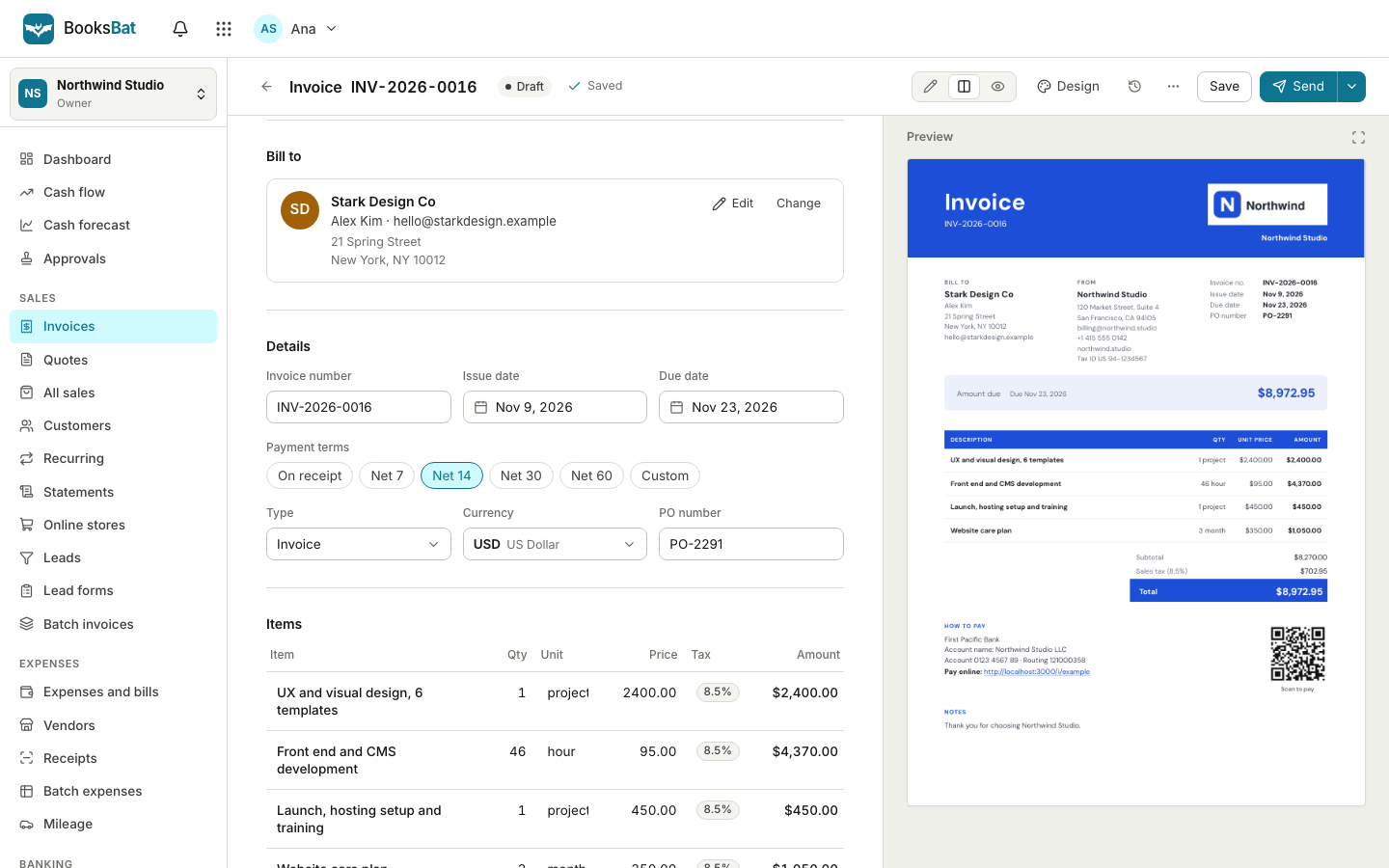 Online invoicingCreate professional invoices in minutes, email them with the PDF attached and let clients view and pay on a mobile friendly page.
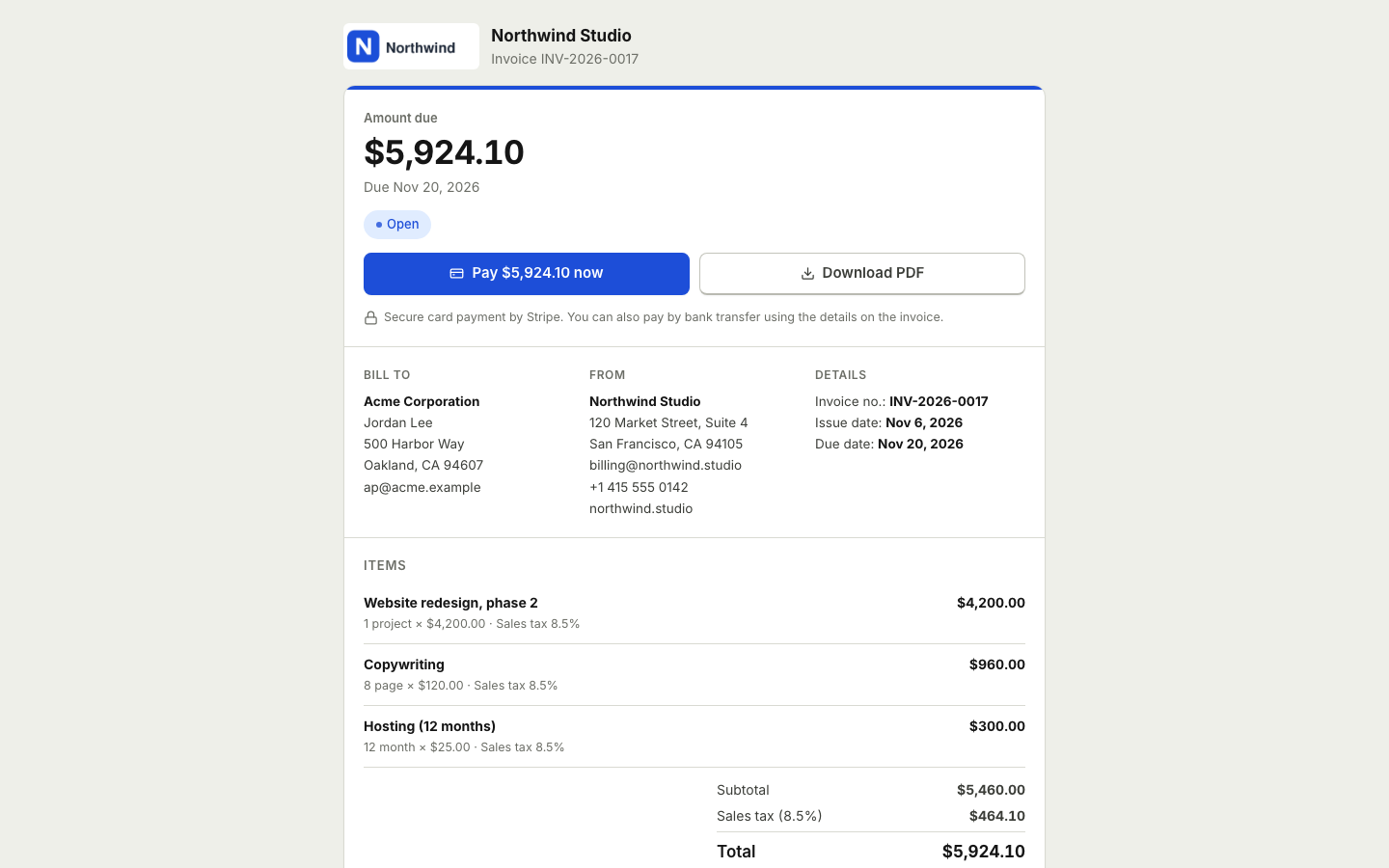 Online paymentsConnect your own Stripe, PayPal, Square, Razorpay, Mollie, GoCardless or Lemon Squeezy account. Clients pay online and the payment posts to your books.
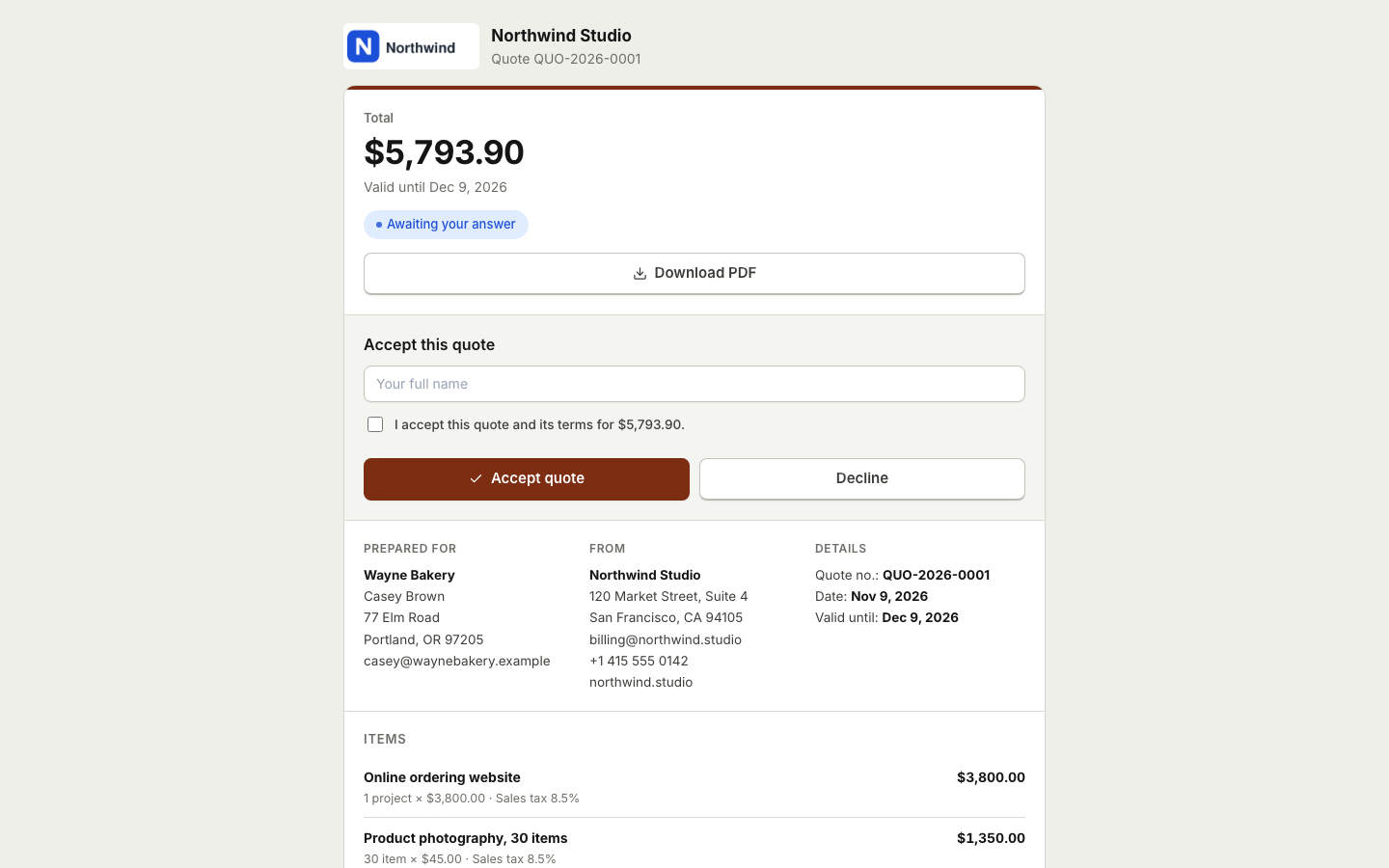 Quotes and estimatesSend quotes your clients accept online with a typed name, then turn them into invoices with one click or automatically.
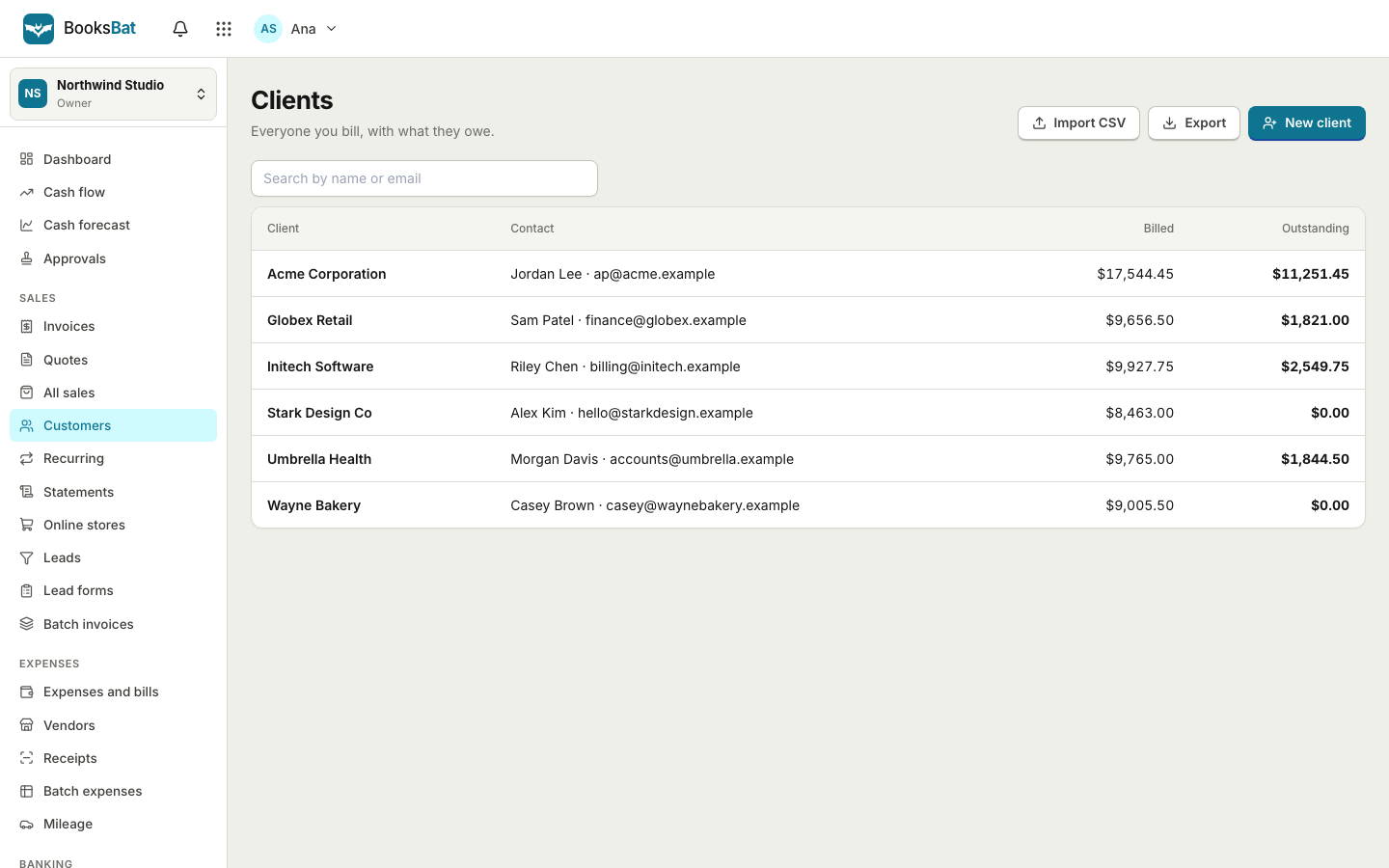 Clients and catalogSave clients, products and services once, import and export clients as CSV, and set up your business profile for every invoice.
Get your API key
Create a free account, open the developer page and make your first call in minutes.