Create, send and track invoices online
Build a clean, professional invoice in a few minutes, email it with the PDF attached and give your client a simple page where they can view it, download it and pay online. Every status and event is tracked for you.
- Free plan, no credit card
- Online payments included
- PDF and Word downloads
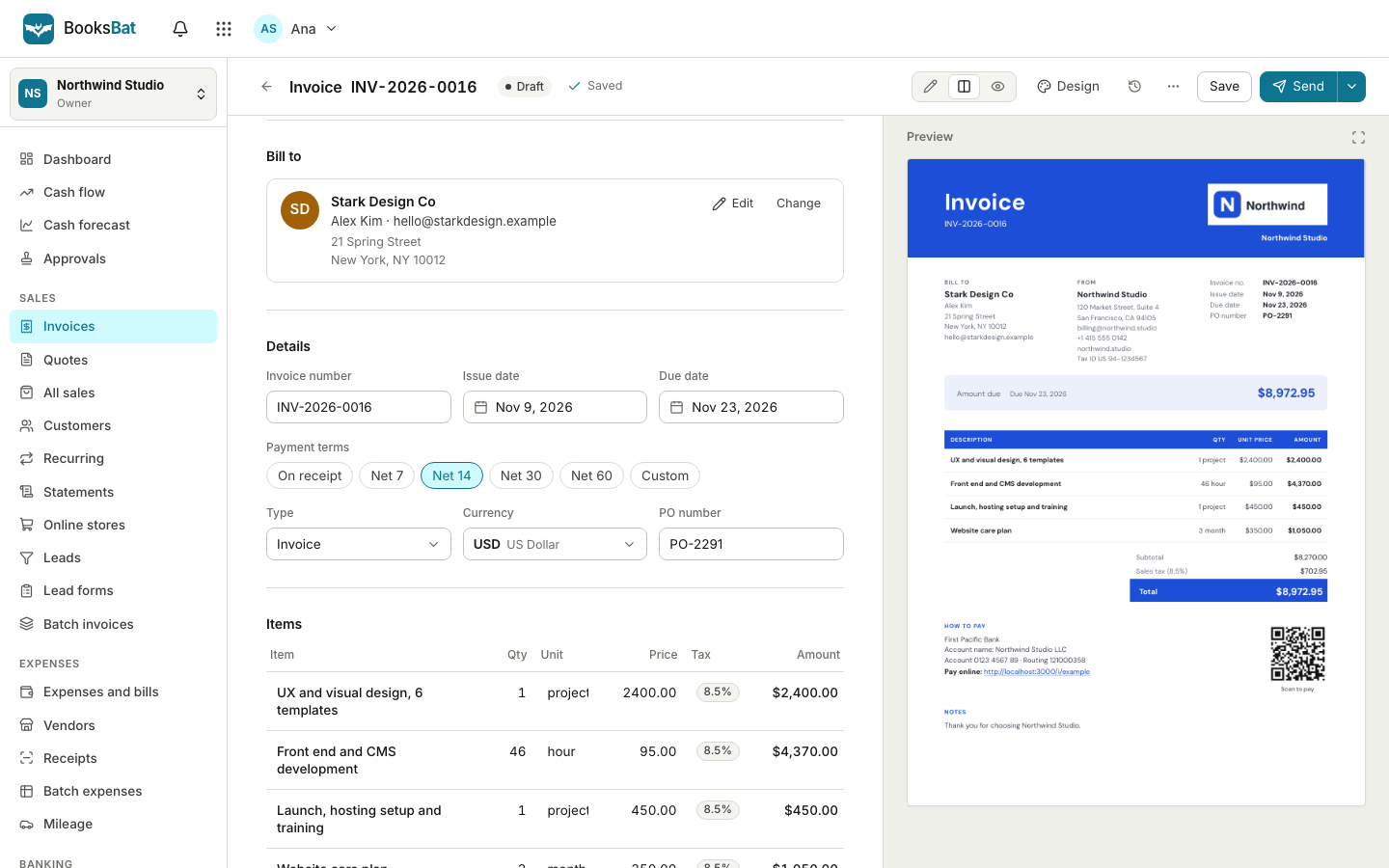
Invoicing that takes minutes, not an afternoon
Most people who send invoices did not start a business to do paperwork. You want to finish the job, send a bill that looks professional and get paid. BooksBat keeps that whole loop in one place: your business details, your customers, your products and services, your invoices and the payments that come back. And because BooksBat is small business accounting, not just an invoicing app, every invoice and payment also lands in your books.
You fill in a short form, pick a client and add line items. BooksBat does the math, numbers the invoice for you and lays it out in one of 8 professional designs with your logo and brand color. Send it by email and your client gets the PDF attached plus a link to a mobile friendly page where they can view the invoice, download it and pay online if you have connected a payment provider such as Stripe or PayPal.
Why people invoice with BooksBat
Professional in minutes
Line items, taxes, discounts and shipping are calculated for you, and the invoice is laid out in a clean design with your logo.
Sent the right way
Email the invoice with the PDF attached and a link to a public invoice page your client can open on any phone or computer.
Paid faster
Connect your own Stripe, PayPal, Square or other provider account and clients pay online in a few taps. The money goes straight to your account.
Always know where it stands
Every invoice shows a clear status: draft, sent, viewed, partially paid, paid, overdue or void, with a full timeline of events.
Books that keep up
Each invoice posts to accounts receivable and income, and each payment clears it, so your profit and loss is always current.
Works anywhere
BooksBat runs in your browser on desktop, tablet and phone, and you can add it to your home screen like an app.
Send your first invoice in 3 steps
- 1
Set up your business
Add your logo, address, tax or VAT id, default currency, payment terms and bank details once in Settings. Every invoice uses them.
- 2
Create the invoice
Pick or add a client, add line items from your catalog or type them in, and check the live total. Save it as a draft until it is ready.
- 3
Send and get paid
Email the invoice with one click. Your client views it, downloads the PDF and pays online, and the status updates on its own.
Everything an invoice needs
- Flexible line items
- Each line has a description, quantity, unit, unit price and an optional discount as a percentage or a fixed amount.
- Several taxes per line
- Apply more than one tax rate to a line, including compound tax that is calculated on top of another tax.
- Invoice discount and shipping
- Add a discount to the whole invoice and a shipping charge, and the totals update as you type.
- Exact money math in any currency
- Totals are calculated exactly, including zero decimal currencies such as JPY. On Pro, bill customers in other currencies with exchange rates recorded in your books.
- Automatic numbering
- Choose a number format such as
INV-{YYYY}-{0001}. Numbers count up on their own and never repeat. - Notes and terms
- Save default notes, payment terms and conditions, and edit them per invoice when you need to.
- Products and services catalog
- Save the things you sell with their price, unit and tax, then add them to any invoice in a click.
- Public invoice page
- Each sent invoice has a private link to a mobile friendly page where your client can view, download and pay.
- PDF and Word downloads
- Download any invoice as a PDF or as a Word .docx file, for your records or for clients who ask for an editable copy.
- Manual and partial payments
- Record bank transfer, cash or check payments, and take partial payments. The balance due updates for you.
Statuses and a timeline you can trust
An invoice moves through clear statuses so you never have to guess. It starts as a draft, becomes sent when you email it and viewed when your client opens the public page. If the client pays part of it, it shows as partially paid, and once the balance reaches zero it is paid. If the due date passes with money still owed, it becomes overdue. You can also void an invoice you no longer want to collect.
Behind each status is a full timeline: when the invoice was created, sent, viewed, reminded and paid. When a client says they never got it, you can see exactly what happened and when.
Less chasing, more getting paid
Sending the invoice is only half the job. BooksBat helps with the other half:
- Online payments through your own Stripe, PayPal, Square, Razorpay, Mollie, GoCardless or Lemon Squeezy account, set up in Settings > Payments. See online payments.
- Bank transfer details on the invoice when no payment provider is connected, so clients always know how to pay.
- Automatic payment reminders before, on and after the due date, which stop as soon as the invoice is paid. See payment reminders.
- Recurring invoices for retainers and regular work, sent on a schedule. See recurring invoices.
Start from a quote, or from your notes
If you quote before you bill, send a quote or estimate first. When your client accepts it online, it turns into an invoice with one click, or automatically if you prefer.
Have the job details in an email or a list of notes? Paste the text and let AI invoice drafting build a draft invoice for you to check and send. It uses AI credits.
Invoices that keep your books for you
In an invoicing only app, every invoice has to be typed again into accounting software later. In BooksBat it is already there. Sending an invoice records the sale in accounts receivable and the matching income and tax accounts. A payment, online or by hand, clears the balance and moves the money into your bank or a clearing account for your payment provider, with any provider fee posted as a bank charge.
So when you open your financial reports, the profit and loss and balance sheet already include every invoice. When you import your bank statement, customer payments match in a click. And your expenses and bills sit in the same ledger. See bookkeeping for the full picture.
Frequently asked questions
Is BooksBat free?
Yes. The free plan covers 1 user, 5 customers, 5 invoices and 5 quotes a month, with bookkeeping, expenses, bills, core reports and online payments through Stripe included. It adds a small BooksBat note to invoices. Pro is $4 a month for unlimited customers, invoices and quotes with no branding, and Business, at $12 a month, adds inventory, projects, time tracking, payroll and 1099 contractors for teams of up to 25 users.
How does my client receive the invoice?
By email, with the PDF attached and a link to a mobile friendly invoice page. From that page they can view the invoice, download the PDF and pay online if you have connected a payment provider.
Can clients pay the invoice online?
Yes. Connect your own Stripe account in Settings > Payments on any plan, or on Pro connect PayPal, Square, Razorpay, Mollie, GoCardless or Lemon Squeezy. The money goes straight to your own account. The provider's normal processing fees apply and BooksBat adds no extra fee by default.
Which currencies can I invoice in?
Your home currency can be any ISO 4217 currency, including zero decimal currencies such as JPY. On Pro, multi currency lets you invoice customers in other currencies, with exchange rates and realized gains or losses recorded in your books.
Can I add more than one tax to a line?
Yes. Each line can have several tax rates, including compound tax. You can also add a discount to a line or to the whole invoice, and a shipping charge.
Can I record a payment I received by bank transfer or cash?
Yes. Record manual payments by bank transfer, cash or check, including partial payments. The invoice shows the balance due and becomes paid when it reaches zero.
Can I download invoices as PDF or Word?
Yes. Every invoice downloads as a PDF and as a Word .docx file.
Related features
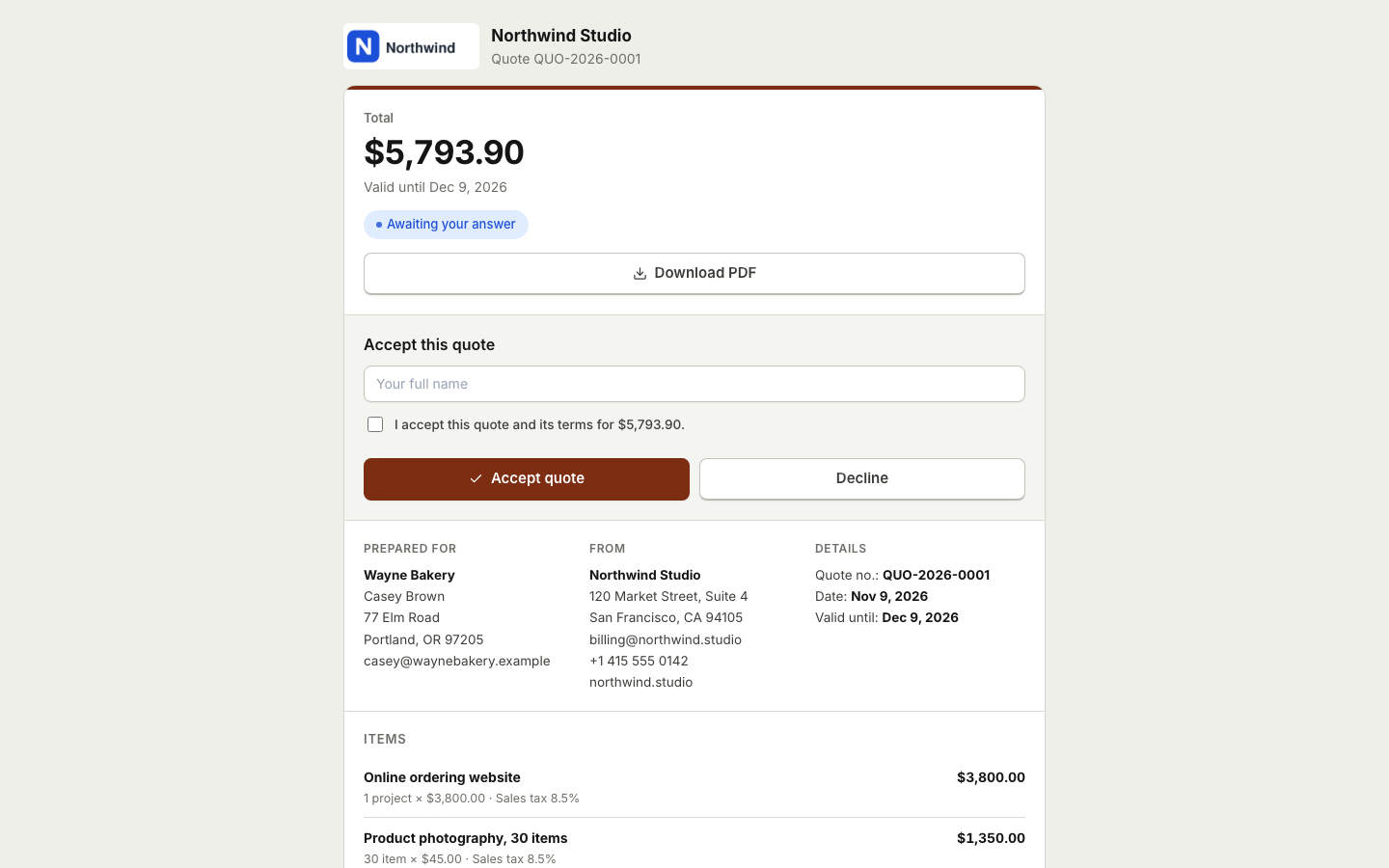 Quotes and estimatesSend quotes your clients accept online with a typed name, then turn them into invoices with one click or automatically.
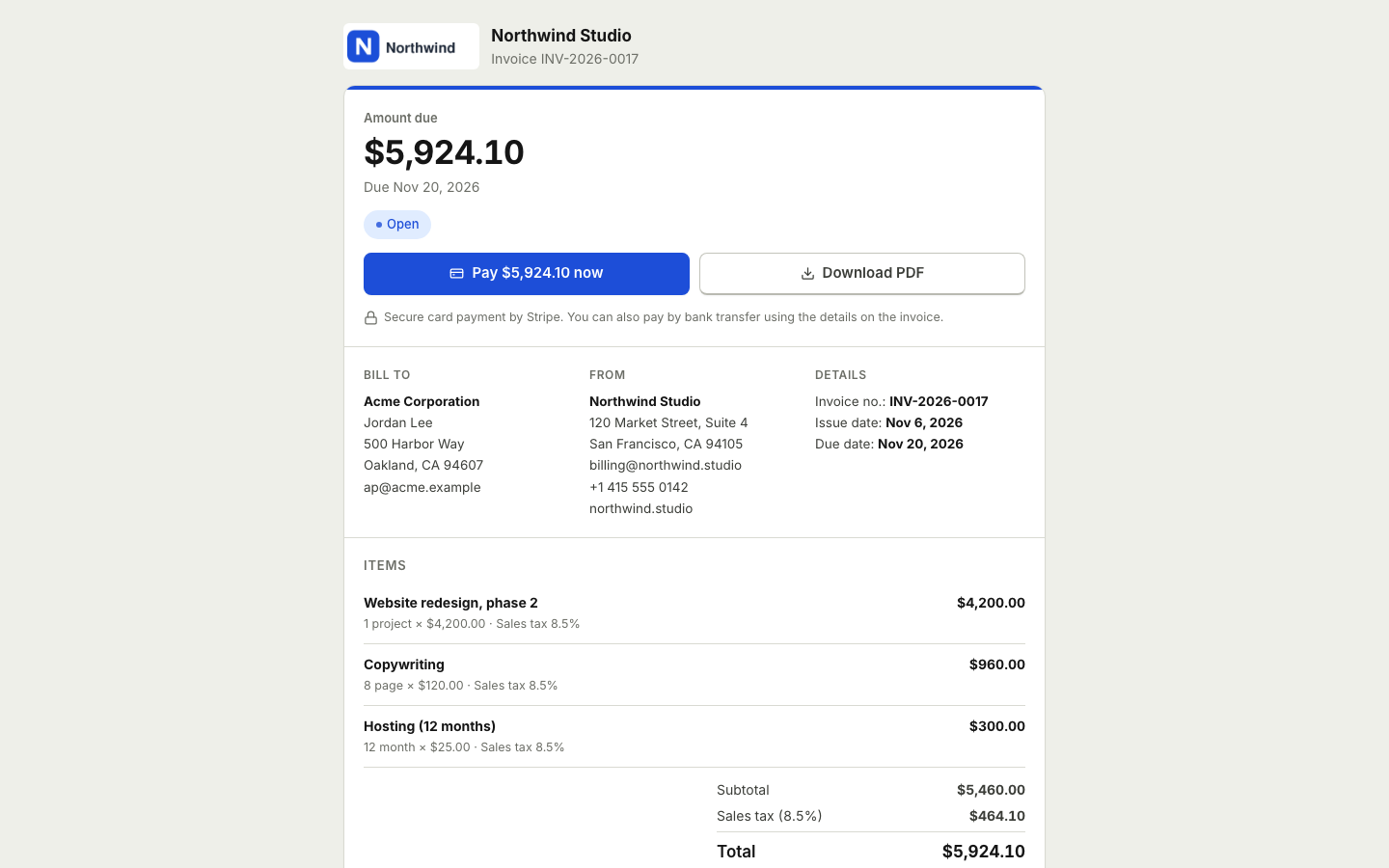 Online paymentsConnect your own Stripe, PayPal, Square, Razorpay, Mollie, GoCardless or Lemon Squeezy account. Clients pay online and the payment posts to your books.
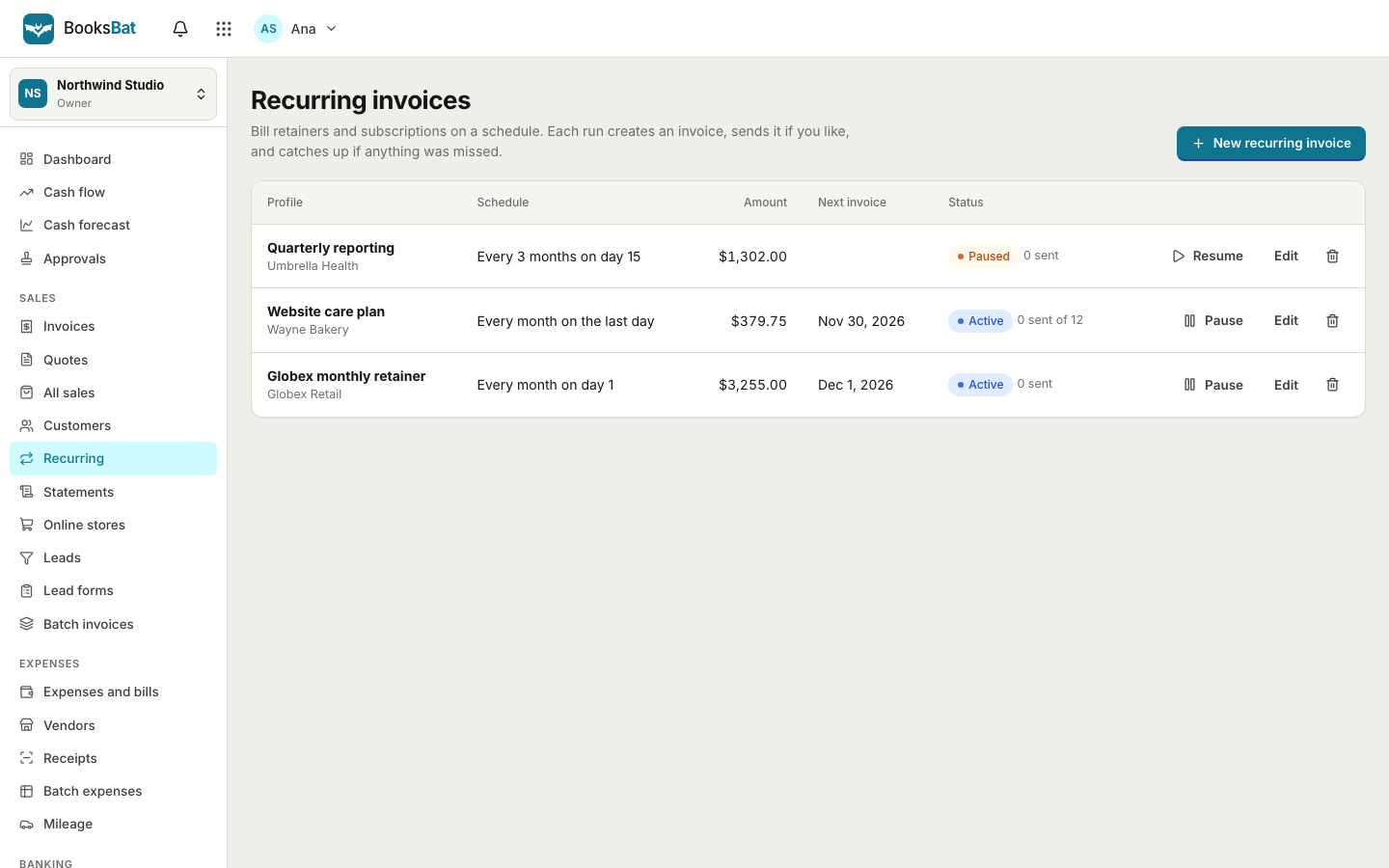 Recurring invoicesBill retainers and regular work on a schedule: weekly, every 2 weeks, monthly, quarterly or yearly, sent automatically or saved as drafts.
 Payment remindersAutomatic, polite reminder emails before, on and after the due date. They stop as soon as the invoice is paid.BookkeepingDouble entry bookkeeping with a chart of accounts, journal entries and a ledger that fills itself from your invoices, payments and bills.Financial reportsProfit and loss, balance sheet, cash flow, trial balance, general ledger, aging and more, on a cash or accrual basis.
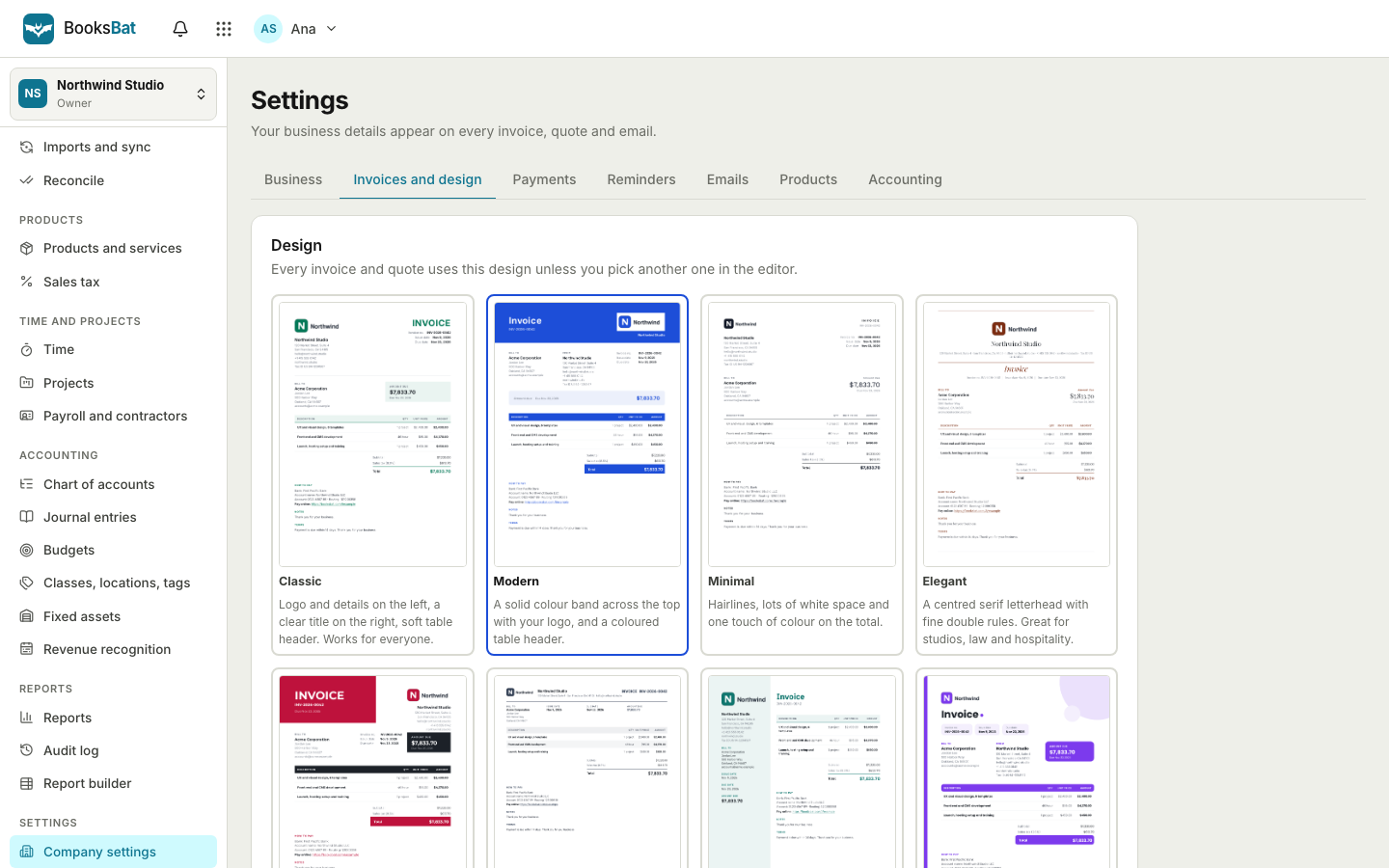 Invoice designs and templates8 professional invoice designs with your logo and brand color, plus a template library by industry. Download as PDF or Word.Free invoice generatorMake a professional invoice PDF in your browser without an account. Sign up later to save it, send it and get paid online.
Send your first invoice today
Create a free account in seconds. No credit card, nothing to install, and online payments are included on the free plan.