Make an invoice PDF in a couple of minutes, free
Fill in your details, your client and what you did, and download a clean, professional invoice as a PDF. No account, no credit card. When you want to save invoices, email them and take card payments, create a free account.
- No account needed
- PDF download
- Works on phone and desktop
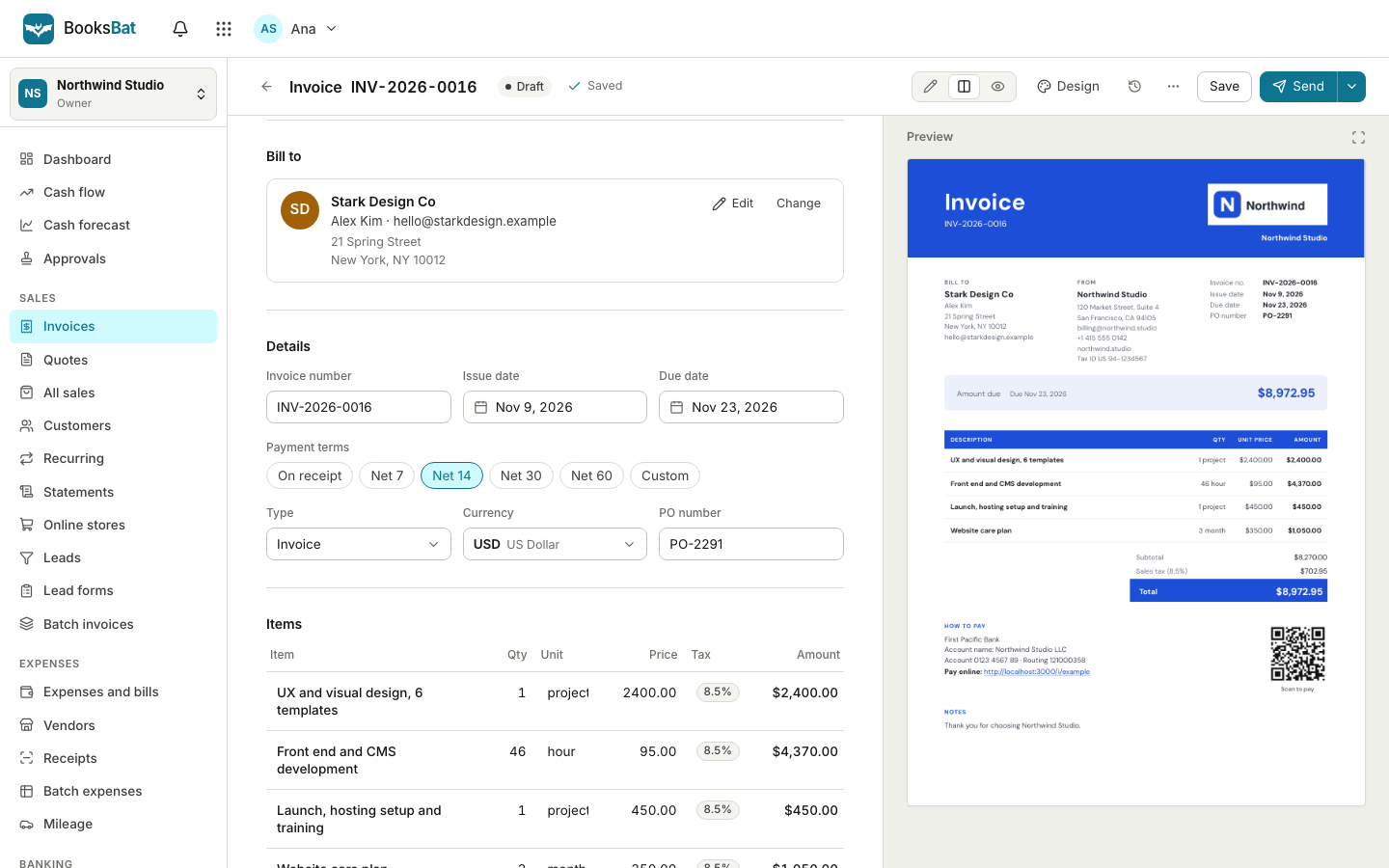
For the times you just need one invoice
Sometimes you only need to bill one job. Maybe it is your first freelance project, a one off repair or a favor for a friend's business. Setting up an account in an invoicing app feels like too much, and a word processor template never quite adds up the numbers.
The BooksBat invoice generator is a single page that does the job. Type in who you are, who you are billing and the lines of work, and it calculates the totals with taxes and discounts. Download the PDF and send it however you like. It runs in your browser on a phone, tablet or computer.
Why use the BooksBat generator
Fast and free
No account, no trial, no credit card. Open the page, fill it in and download the PDF.
Math done for you
Quantities, unit prices, per line discounts, taxes and shipping add up exactly, so the total is always right.
Any currency
Bill in any ISO 4217 currency, including zero decimal currencies such as JPY.
Clean PDF
A professional invoice PDF with your logo, ready to email, print or upload to a client's portal.
Room to grow
Sign up when you are ready and BooksBat can save, email and track your invoices, take online payments and keep your books.
How it works
- 1
Fill in the details
Add your business name, logo and address, your client's details, an invoice number and the dates.
- 2
Add line items
Describe each piece of work or product with a quantity, unit and price. Add tax rates, discounts and shipping if you need them.
- 3
Download the PDF
Check the preview and download your invoice as a PDF. Send it by email or print it.
What you can put on the invoice
- Your business details
- Name, address, logo, email and tax or VAT ID at the top of the invoice.
- Client details
- Who you are billing, with their address and tax ID if they need it on the invoice.
- Invoice number and dates
- An invoice number, issue date and due date so your client knows when to pay.
- Line items
- Description, quantity, unit and unit price for each line, with a per line discount as a percent or an amount.
- Taxes
- One or more tax rates per line, including compound tax, shown clearly in the totals.
- Discount and shipping
- An invoice level discount and a shipping amount when you need them.
- Notes and terms
- Add payment instructions, bank details or a thank you note at the bottom.
- PDF download
- A tidy, printable PDF of the finished invoice.
Generator or free account?
The generator is ideal for a single invoice. If you bill more than once, a free account saves you time and helps you get paid faster. You can always start with the generator and sign up afterwards.
- Save clients and items so the next invoice takes seconds. See client management.
- Email the invoice with the PDF attached and a link to a mobile friendly page where your client can view, download and pay.
- Take online payments by connecting your own Stripe account, or on Pro PayPal, Square, GoCardless and other providers. See online payments.
- Track status as invoices are sent, viewed, partially paid, paid or overdue.
- Send quotes that clients accept online. See quotes and estimates.", "Keep your books with expenses, bills, receipts and a profit and loss report in the same account. See bookkeeping.
The free plan includes 5 customers, 5 invoices and 5 quotes a month, with online payments through Stripe and bookkeeping included. Create a free account when you are ready.
Tips for an invoice that gets paid
- Use a clear, unique invoice number so you and your client can refer to it easily.
- Put a due date on the invoice, not just payment terms, so there is no doubt about when payment is expected.
- Describe the work in plain words. "Website homepage design, 2 rounds of changes" is clearer than "Design work".
- Include how to pay: your bank details, or a payment link once you have an account with a payment provider connected.
- Send it as soon as the work is done, while the job is fresh in your client's mind.
Want a head start? Browse invoice templates by industry, from freelance design to cleaning services and construction estimates.
Frequently asked questions
Is the invoice generator really free?
Yes. You can make an invoice PDF without an account and without paying anything.
Do I need to sign up?
No. Sign up only if you want to save invoices, email them to clients, track their status, take online payments or keep your books.
Will my invoice be saved?
The generator does not save invoices to an account. Download the PDF to keep it, or create a free account to save and send invoices.
Can I add my logo?
Yes. Add your logo and business details and they appear at the top of the PDF.
Can I use a currency other than US dollars?
Yes. Choose any ISO 4217 currency, including zero decimal currencies such as JPY.
Can my client pay online from a generated invoice?
Online payments need a free account with a payment provider connected, such as Stripe. Then your client gets a link to pay online, and the money goes straight to your own account.
Related features
Online invoicingCreate professional invoices in minutes, email them with the PDF attached and let clients view and pay on a mobile friendly page.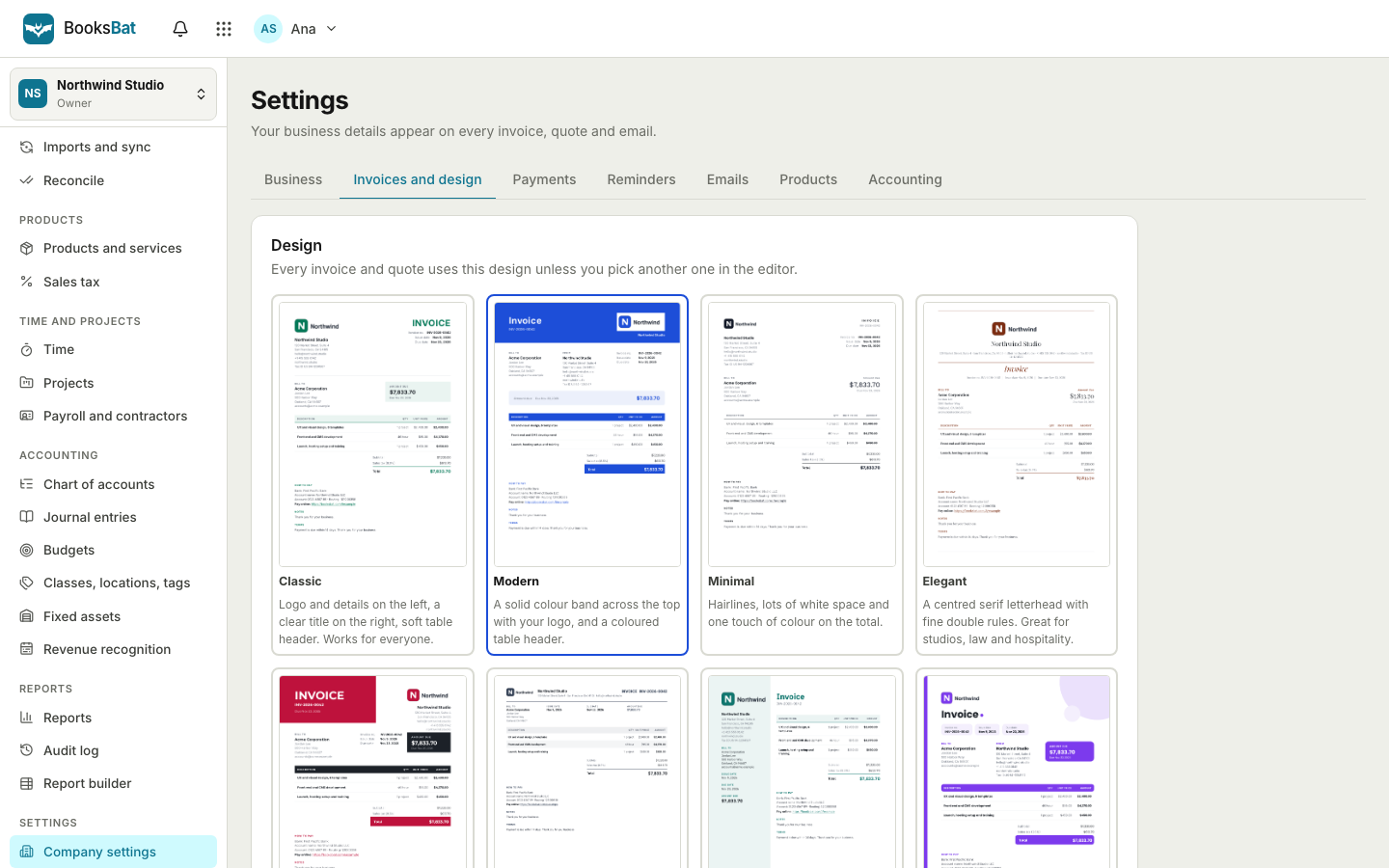 Invoice designs and templates8 professional invoice designs with your logo and brand color, plus a template library by industry. Download as PDF or Word.
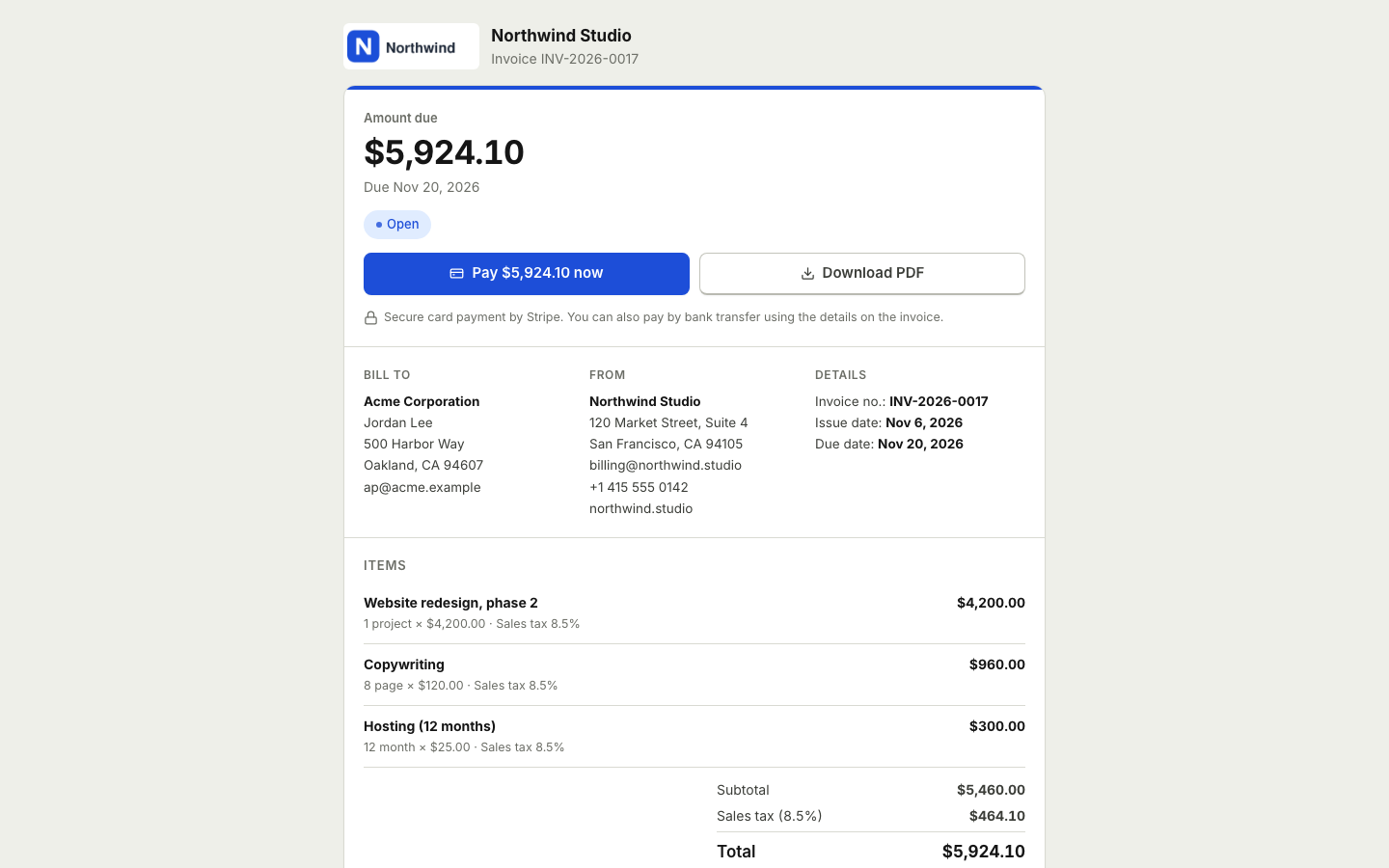 Online paymentsConnect your own Stripe, PayPal, Square, Razorpay, Mollie, GoCardless or Lemon Squeezy account. Clients pay online and the payment posts to your books.
 Invoicing for freelancersSend clean invoices and quotes, get paid online through your own payment account, let reminders do the chasing and keep your books in the same place.
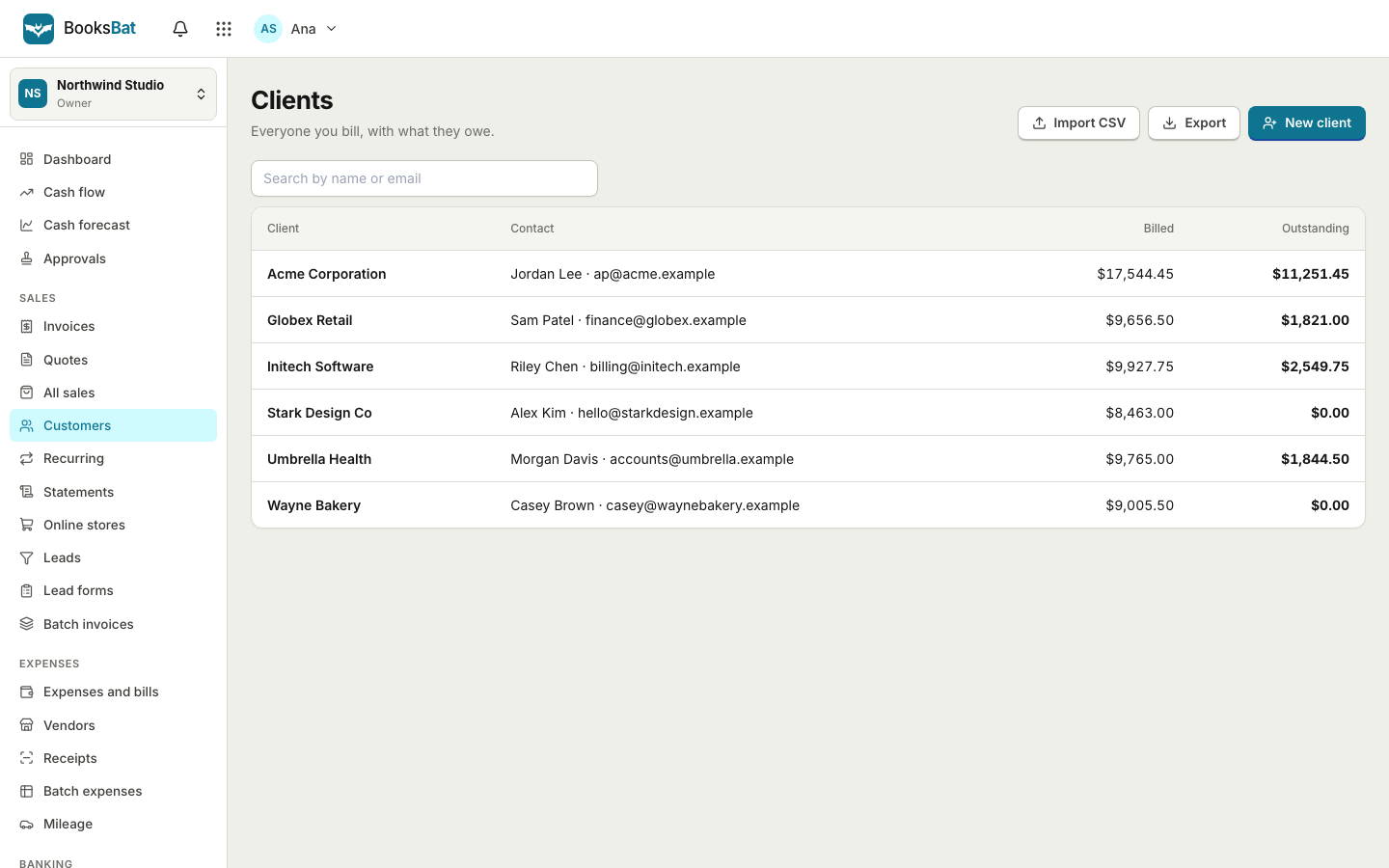 Clients and catalogSave clients, products and services once, import and export clients as CSV, and set up your business profile for every invoice.
Make your invoice now
Open the generator, fill it in and download your PDF. No account needed, and you can sign up later if you want more.