Professional invoice designs with your brand
Pick one of 8 clean invoice designs, add your logo and brand color, and every invoice and quote you send looks consistent. Start faster with a template library for your industry, and download any document as PDF or Word.
- 8 designs on every plan
- Your logo and brand color
- PDF and Word downloads
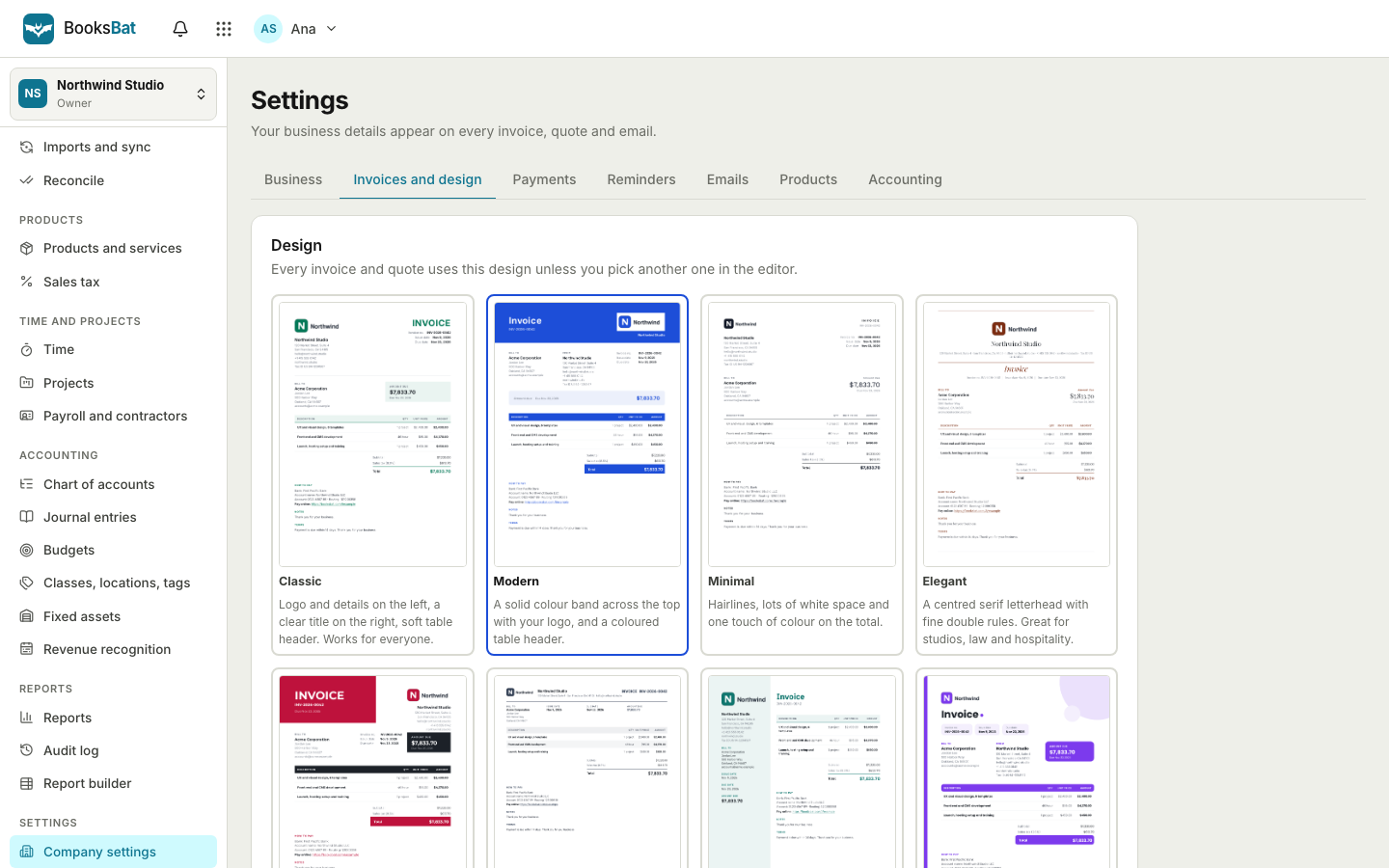
An invoice that looks as good as your work
Your invoice is part of your brand. A clean, well organized invoice tells a client you are professional and makes it easy for them to see what they owe and how to pay. A messy one invites questions and delays.
BooksBat gives you 8 professional designs: Classic, Modern, Minimal, Elegant, Bold, Compact, Corporate and Creative. Each one uses your logo and brand color, lays out line items, taxes and totals clearly, and works the same for invoices and quotes. Switch designs at any time and every document updates. When you want a head start on the content too, the template library has ready made invoices and quotes for many industries.
Why use BooksBat designs
Your brand, everywhere
Your logo and brand color appear on the PDF, the Word file and the public invoice page.
8 professional designs
Classic, Modern, Minimal, Elegant, Bold, Compact, Corporate and Creative, for every kind of business.
Templates by industry
Start from a ready made invoice or quote for freelance design, consulting, construction, cleaning, photography and more.
PDF and Word downloads
Download a polished PDF for clients, or a Word .docx when someone asks for an editable copy.
Change anytime
Switch designs whenever you like. Your content stays the same and the layout updates.
Make it yours in 3 steps
- 1
Add your brand
Upload your logo and pick a brand color in Settings.
- 2
Pick a design
Choose the design that suits your business. Preview it with your own details before you send anything.
- 3
Start from a template
Open a template for your industry from the template library, or start from a blank invoice.
The 8 designs
- Classic
- A timeless layout that suits almost any business.
- Modern
- Clean lines and generous spacing with your brand color as an accent.
- Minimal
- Only what matters, for a quiet, focused look.
- Elegant
- Refined type and balance, a good fit for creative and premium services.
- Bold
- Strong headings and a confident use of your brand color.
- Compact
- Fits many line items on fewer pages, great for detailed jobs.
- Corporate
- A structured, formal layout for business clients.
- Creative
- A more expressive layout for studios, designers and photographers.
The template library
Templates give you a starting point with typical line items, units and notes for your kind of work. Open one, change the details and send. The library at /templates/ is organized by industry and includes:
- Freelance design invoice
- Consulting hours invoice
- Construction estimate
- Cleaning service invoice
- Photography package
- Web development retainer
- Rental invoice
- Catering quote
- Tutoring invoice
- IT support invoice
And more. Every template works with every design, so you can combine the content you need with the look you like.
What every design includes
- Your logo, business name, address and tax or VAT id.
- Your client's details and the invoice or quote number, date and due date.
- Line items with quantity, unit, unit price, discounts and taxes, including compound tax.
- Clear subtotals, discounts, shipping, tax totals and the amount due, in any currency.
- Your notes, terms and, when no payment provider is connected, your bank transfer details.
- On the free plan, a small BooksBat mark. Pro removes it for $4 a month.
Need just one invoice?
Use the free invoice generator to make a single invoice PDF without an account. Sign up when you want to save it, send it by email and get paid online.
Custom templates on Pro and Business
The 8 built in designs are on every plan. On Pro you can go further and create custom invoice templates in the template editor, and the BooksBat note on invoices is removed. On Business you can write templates in HTML and CSS for complete control over the layout, which suits agencies and businesses with strict brand guidelines.
Whatever the design, the numbers underneath are the same: each invoice posts to your books in BooksBat, so changing how an invoice looks never changes your accounts.
Frequently asked questions
How many invoice designs are there?
Eight: Classic, Modern, Minimal, Elegant, Bold, Compact, Corporate and Creative. All of them are available on every plan. Pro adds custom templates, and Business adds HTML and CSS templates.
Can I add my logo and brand color?
Yes. Upload your logo and choose a brand color in Settings. They are used on PDFs, Word downloads and the public invoice page.
Can I download invoices as Word documents?
Yes. Every invoice and quote downloads as a PDF and as a Word .docx file.
Do the designs work for quotes too?
Yes. Quotes and estimates use the same designs, so everything you send looks consistent.
Which industries have templates?
The library includes freelance design, consulting hours, construction estimates, cleaning services, photography packages, web development retainers, rental invoices, catering quotes, tutoring, IT support and more.
Can I remove the BooksBat branding?
Yes. The free plan adds small BooksBat branding to PDFs and public pages. Pro, at $4 a month, removes it.
Related features
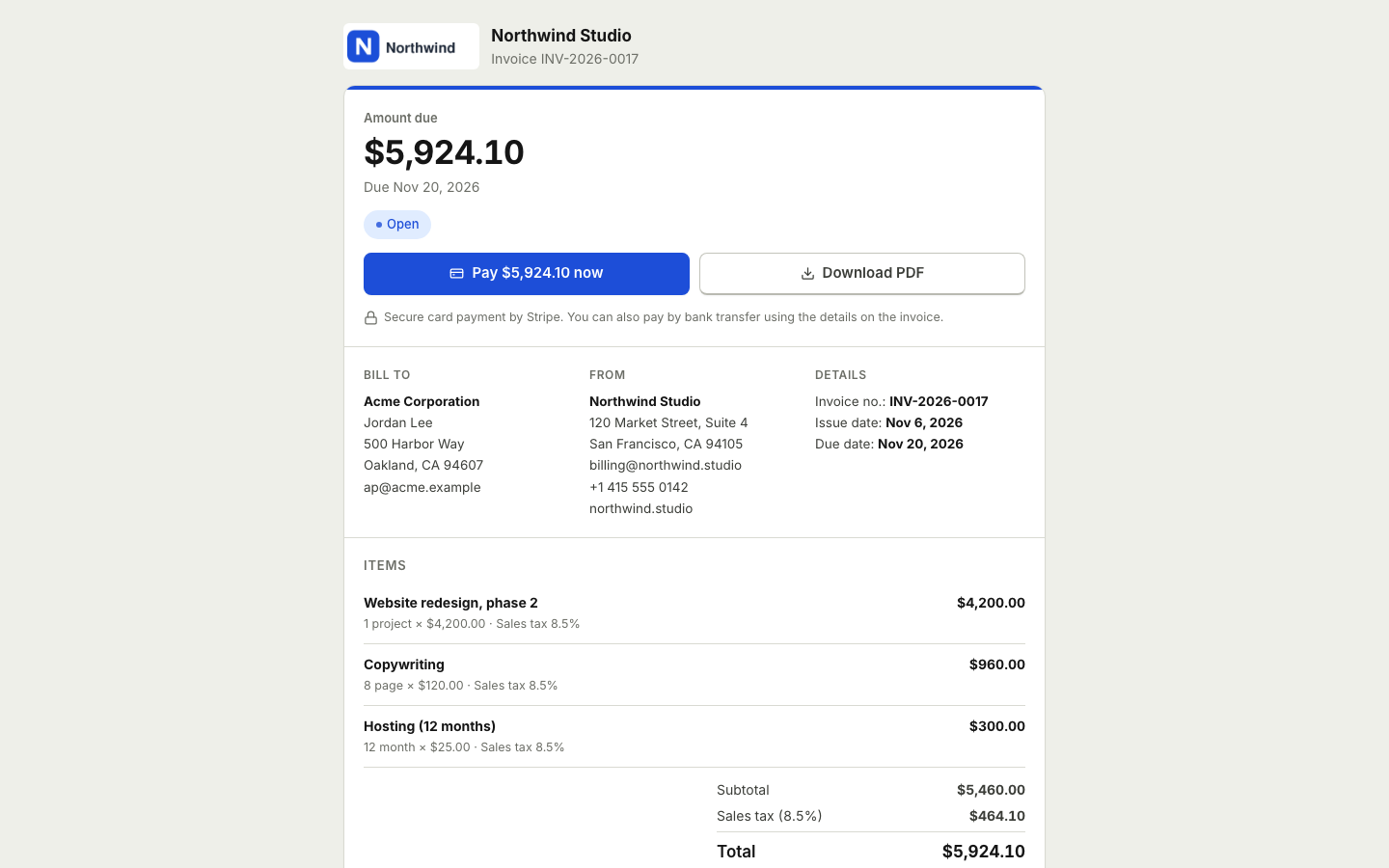
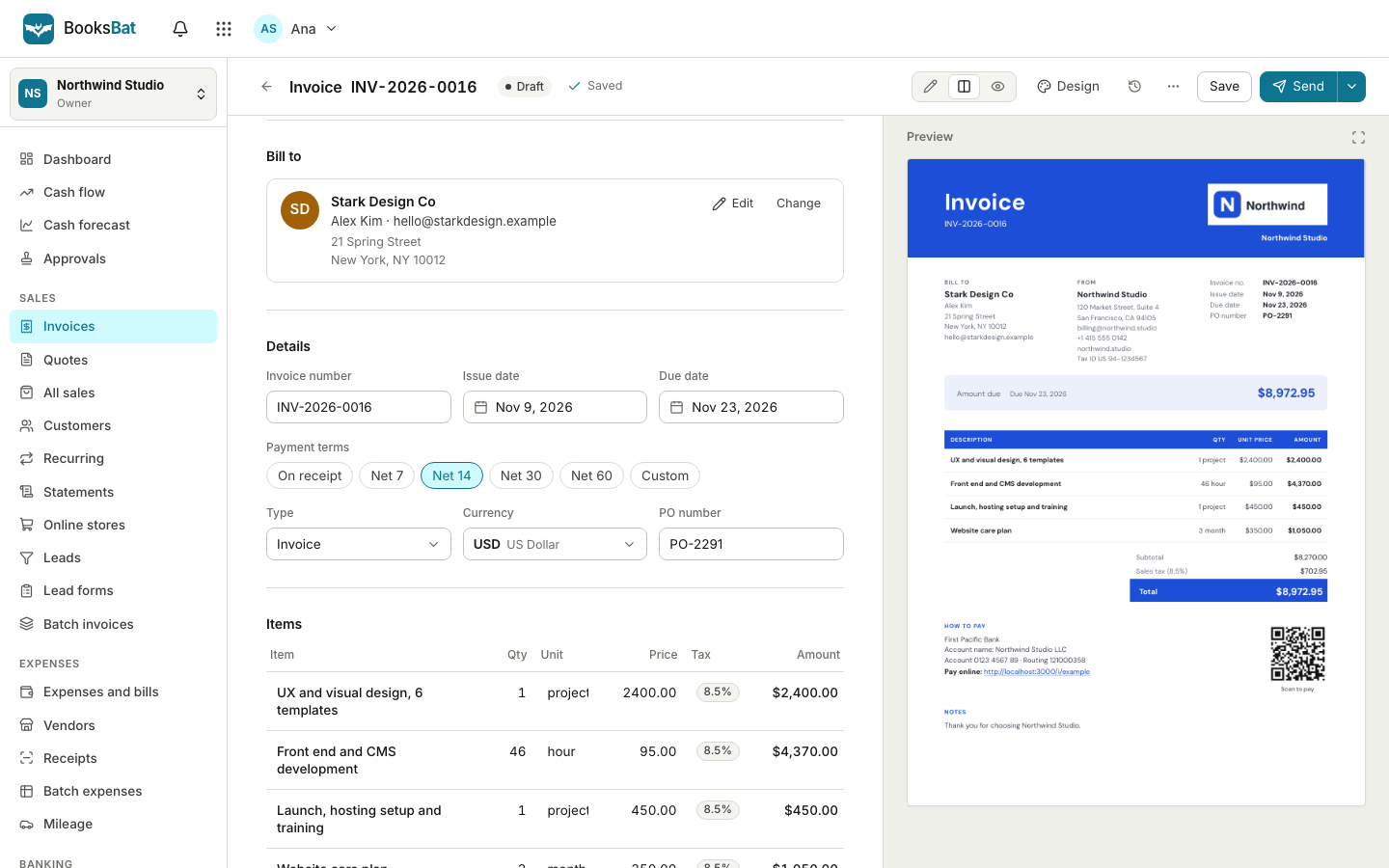 Online invoicingCreate professional invoices in minutes, email them with the PDF attached and let clients view and pay on a mobile friendly page.Free invoice generatorMake a professional invoice PDF in your browser without an account. Sign up later to save it, send it and get paid online.
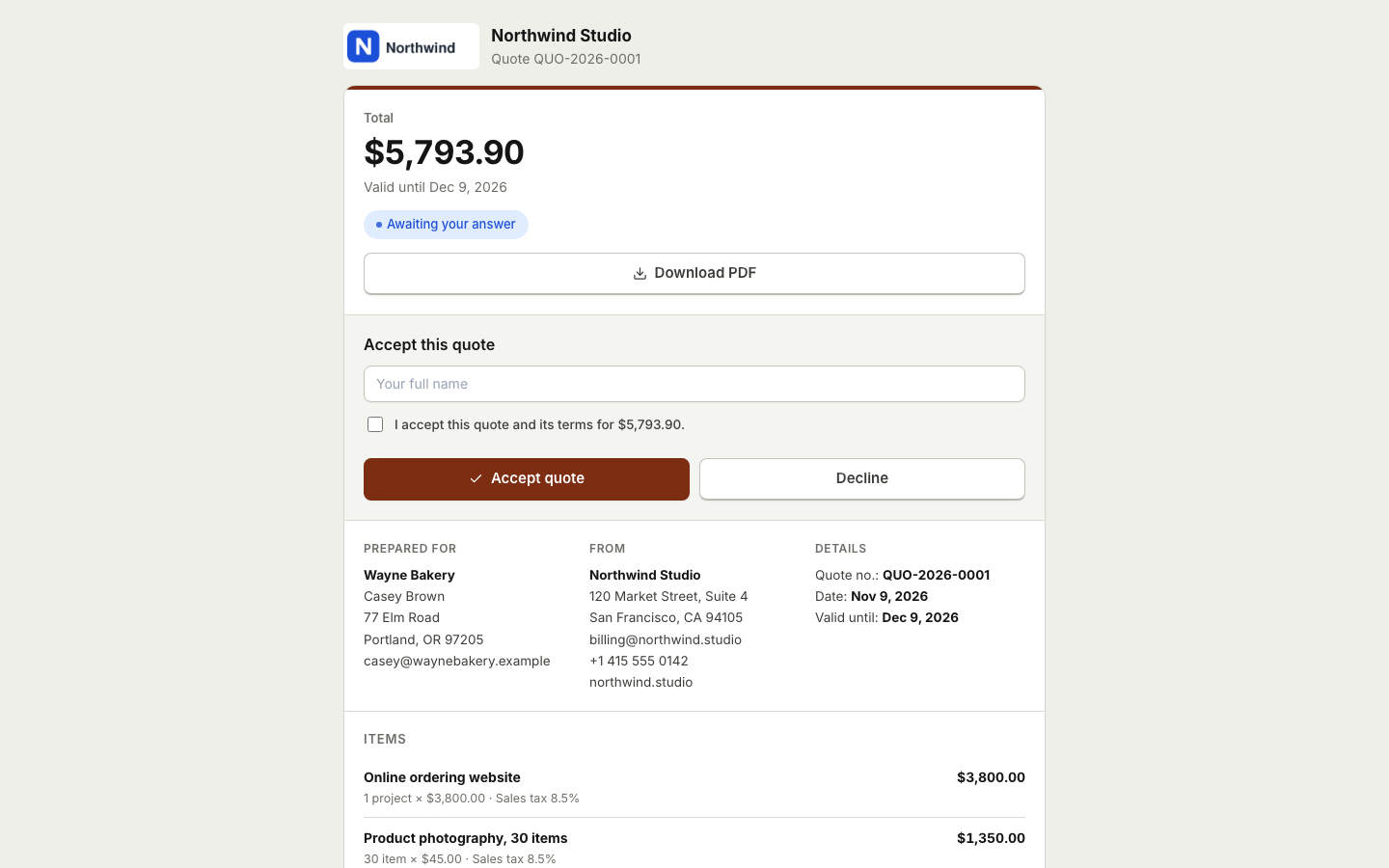 Quotes and estimatesSend quotes your clients accept online with a typed name, then turn them into invoices with one click or automatically.
 Invoicing for photographersQuote shoots and packages, take booking deposits by card and invoice the balance after the shoot.
 Invoicing for freelancersSend clean invoices and quotes, get paid online through your own payment account, let reminders do the chasing and keep your books in the same place.
Send invoices that look the part
Create a free account, add your logo and brand color, and choose from 8 professional designs. No credit card needed.