Invoicing for photographers, from booking to final payment
Send a quote for the shoot, take a deposit to secure the date and bill the balance when you deliver. Beautiful invoice designs with your logo, clients pay online from their phone, and your books stay up to date.
- Free plan, no credit card
- Nothing to install
- Works on phone, tablet and desktop
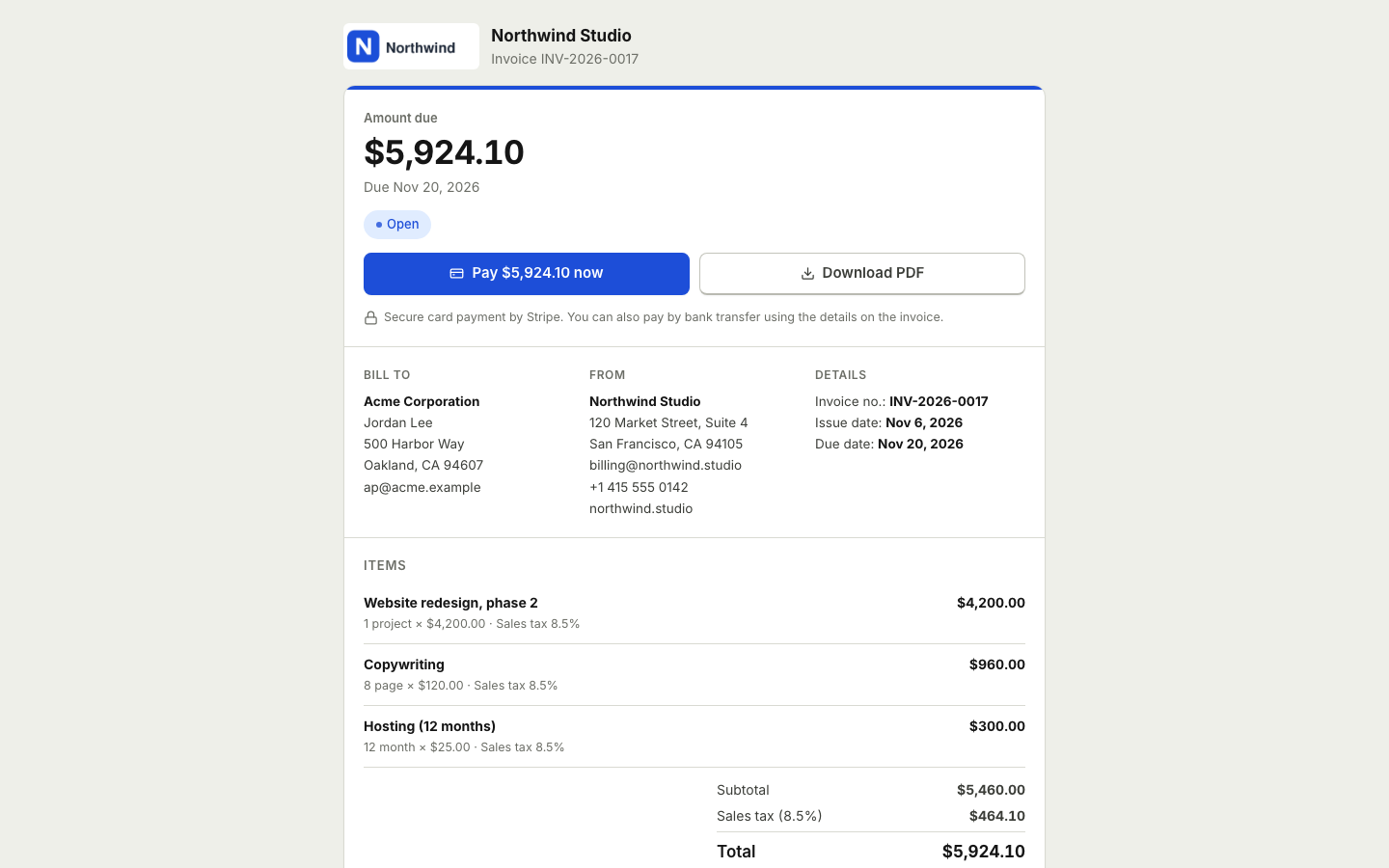
Spend your time behind the camera, not on paperwork
Photography billing has its own rhythm. A client asks about a wedding, a portrait session or a product shoot. You send a package price, they book, you take a deposit to hold the date, and the balance is due before or after delivery. Extras like prints, albums or additional hours often come later.
BooksBat follows that rhythm. Save your packages and extras in your catalog, send a quote the client accepts online, and turn it into an invoice with one click. Record the deposit as a partial payment so the invoice shows the balance due, and reminders take care of the follow up.
Why photographers choose BooksBat
Packages ready to quote
Save your session packages, hourly rates and extras once, then build a quote in a few clicks.
Booking deposits
Take a deposit to secure the date. The invoice shows partially paid and the balance left to pay.
Pay online from a phone
Connect your own Stripe, PayPal or other provider account and clients pay online on a mobile friendly page. The money goes straight to you.
Designs that match your style
Elegant, Minimal, Creative and 5 more designs, with your logo and brand color.
Gentle reminders
Automatic emails before, on and after the due date. They stop as soon as the invoice is paid.
From inquiry to final payment in 3 steps
- 1
Quote the shoot
Add the package and any extras, set how long the quote is valid and send. The client accepts online with a typed name and a checkbox.
- 2
Take the deposit
Turn the quote into an invoice and collect the deposit online or by bank transfer. Record it as a partial payment.
- 3
Bill the balance
When the date comes, reminders ask for the rest. The invoice is marked paid as soon as the client pays online.
Everything a photography business needs to bill
- Quotes accepted online
- See quotes and estimates. Clients accept or decline with a reason, and you see it straight away.
- Partial payments
- Record deposits and stage payments, online, by bank transfer, cash or check.
- Extras and discounts
- Add prints, albums or extra hours as lines. Give a per line discount or an invoice discount, and add shipping for physical products.
- Taxes
- Apply one or several tax rates per line. Tax rules vary by country, so set the rates that apply to you.
- Invoice designs
- 8 invoice designs, plus a photography package template in the template library.
- Mobile friendly invoice page
- Clients view the invoice, download the PDF and pay from any phone, no account needed.
- Status tracking
- Draft, sent, viewed, partially paid, paid, overdue and void, with a full timeline for every invoice.
- Reports
- Sales by customer, an aging report and profit and loss, with export on Pro. See reports.
Tips for photography quotes and invoices
- Spell out what is included. Hours of coverage, number of edited images, delivery time and usage rights belong on the quote.
- Put the deposit in writing. Say how much the booking deposit is and whether it can be refunded.
- Set the balance due date. Many photographers ask for the balance before the shoot or before delivery. Choose what works for you and say it clearly.
- List extras as separate lines. Prints, albums and extra hours are easier to approve when they are itemized.
- Follow up automatically. Payment reminders keep the tone friendly so you do not have to chase clients yourself.
Plans
The free plan includes 5 customers, 5 invoices and 5 quotes a month, with bookkeeping, expenses and Stripe payments. Pro is $4 a month for unlimited customers, invoices and quotes, no BooksBat branding, recurring invoices, automatic reminders, receipt scanning, bank reconciliation and custom email templates. Business is $12 a month for studios that need inventory, projects, time tracking or several users. See pricing.
Want to try a single invoice first? Use the free invoice generator, no account needed.
Gear, travel and your books
Cameras, lenses, editing software and travel add up. BooksBat is small business accounting, so you can record those costs as expenses or bills, upload receipts and see your real profit for the year in the profit and loss, not just what you invoiced. See expenses and bills.
Selling prints or albums? Products can be saved in your catalog, and on Business they can be tracked as inventory with quantity on hand and cost of goods sold. See inventory management.
Frequently asked questions
How do I take a booking deposit?
Send the invoice and record the deposit as a partial payment, or send a separate deposit invoice. If you connect a payment provider such as Stripe or PayPal, the client can pay the deposit online.
Can clients accept my package quote online?
Yes. They accept with a typed name and a checkbox, optionally an e signature, and the quote can turn into an invoice automatically.
Do my clients need an account?
No. They open the link in the email to view the quote or invoice, download the PDF and pay.
Does BooksBat take a fee on payments?
BooksBat adds no extra fee by default. Your payment provider's normal processing fees apply, and the money goes straight to your own account.
Can I add my logo and colors?
Yes. Upload your logo, pick your brand color and choose one of 8 designs. Pro removes the small BooksBat branding.
Can I invoice in my local currency?
Yes. Any ISO 4217 currency is supported, including zero decimal currencies like JPY.
Related features
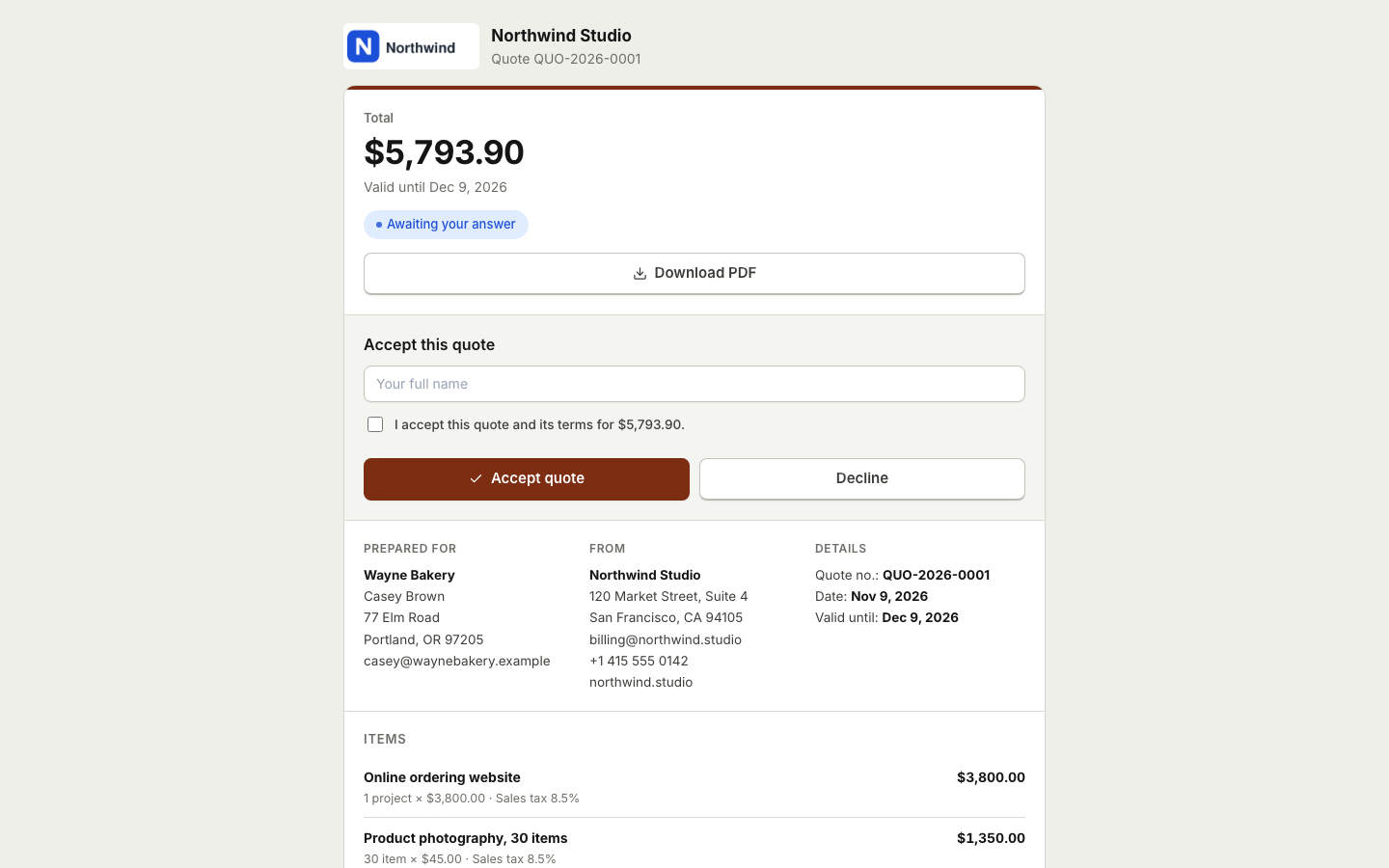 Quotes and estimatesSend quotes your clients accept online with a typed name, then turn them into invoices with one click or automatically.Online paymentsConnect your own Stripe, PayPal, Square, Razorpay, Mollie, GoCardless or Lemon Squeezy account. Clients pay online and the payment posts to your books.
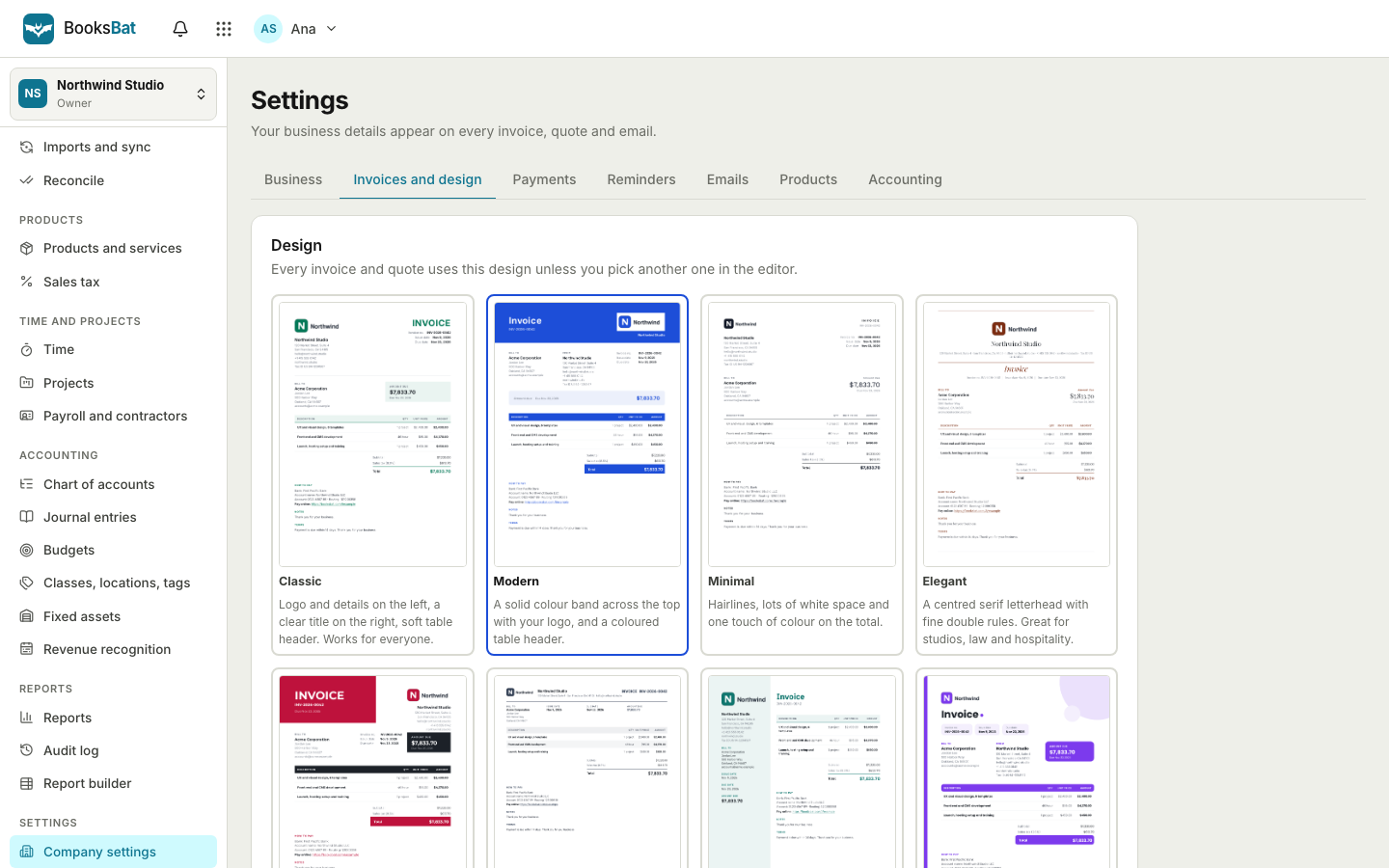 Invoice designs and templates8 professional invoice designs with your logo and brand color, plus a template library by industry. Download as PDF or Word.
 Expenses and billsRecord expenses, checks and supplier bills, pay them on time, track vendors and purchase orders, and keep every receipt attached.Payment remindersAutomatic, polite reminder emails before, on and after the due date. They stop as soon as the invoice is paid.Invoicing for freelancersSend clean invoices and quotes, get paid online through your own payment account, let reminders do the chasing and keep your books in the same place.
Book your next shoot with BooksBat
Create a free account in seconds. No credit card, nothing to install, and it works on your phone.