Know who owes you money, every day
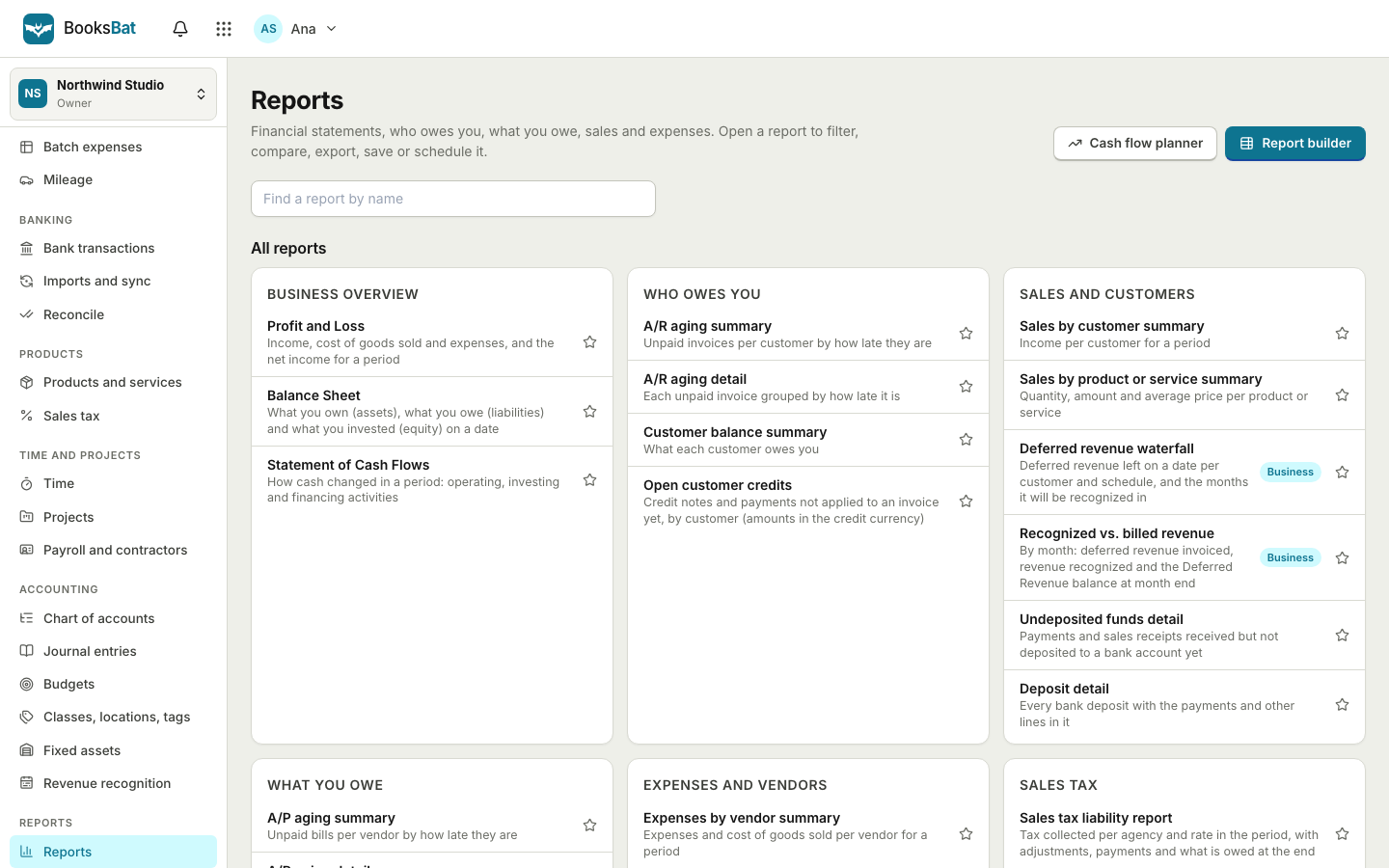
The BooksBat dashboard shows what you are owed, what is late and what came in this month. Sales reports break down who owes what and for how long, which customers and items bring in the most, and how much tax you charged. For the full picture, the same data feeds your profit and loss and balance sheet.
- Dashboard on every plan
- Updates as invoices are paid
- Export and scheduled reports on Pro
Numbers that come straight from your invoices
Some questions come up every week. How much am I owed right now? Which invoices are late, and by how long? Which customers and which services bring in the most? How much tax did I charge this quarter? BooksBat answers these from the invoices, quotes and payments you already record, so there is nothing extra to type in.
Every time you send an invoice, record a payment or a client pays online, the dashboard and reports update. Partial payments count toward what has been paid, void invoices drop out, and overdue invoices are flagged as soon as their due date passes. Because BooksBat is a full accounting app, the same transactions also post to your books, so your financial reports such as profit and loss, balance sheet and cash flow always agree with your sales reports.
Why the BooksBat dashboard helps
Outstanding at a glance
The dashboard opens with the total you are owed, the amount that is overdue and what you were paid this month.
Revenue chart
A simple chart shows income over recent months, so you can spot a slow month early and plan around it.
AR aging
Unpaid invoices grouped by how long they have been due, so you know who to follow up with first.
Sales by customer
See which customers bring in the most income and who owes you the most, for any period.
Tax you charged
Tax charged by rate and by agency for any period, ready for your sales tax or VAT return.
Export and schedule
On Pro, export any report as CSV, Excel or PDF, or have it emailed to you or your accountant on a schedule.
From invoices to insight in 3 steps
- 1
Send and record as usual
Create invoices, send them and record payments, or let clients pay online. Everything posts to your books on its own.
- 2
Open the dashboard
See outstanding, overdue and paid this month, your revenue chart and recent activity on the dashboard.
- 3
Run a report
Pick a report and a date range on the reports page, click through to the invoices behind any number, and export it on Pro.
What is included
- Outstanding total
- The sum of everything sent but not yet fully paid, including the unpaid part of partially paid invoices.
- Overdue total
- Invoices past their due date and still unpaid, so late payments never hide in a long list.
- Paid this month
- Payments received this month, whether online through your payment provider or recorded by hand as bank transfer, cash or check.
- Revenue chart
- Income by month on the dashboard, drawn from the payments you have received.
- Recent activity
- A feed of what happened lately: invoices sent, viewed and paid, and quotes accepted or declined.
- Cash flow view
- A view of money coming in and going out, on the cash flow page.
- AR aging summary and detail
- Unpaid invoices sorted into age buckets past their due date, by customer, with the amount for each.
- Sales by customer and by item
- How much each customer bought and which products and services sold best over the period you pick.
- Sales tax liability
- Tax charged per rate and per agency, including compound taxes, on Pro with sales tax tracking. See sales tax.
- Customer statements
- On Pro, send a customer a statement of their invoices, payments and balance.
- Cash or accrual basis
- Run reports on a cash or accrual basis, to match how you and your accountant work.
- Export and schedule
- On Pro, export reports as CSV, Excel or PDF and schedule them by email. Your customer list exports from client management on every plan.
How the numbers are worked out
Reports use the status and payments of each invoice. Draft invoices are not counted as income or as money owed, because they have not been sent. Void invoices are left out entirely. An invoice moves from sent or viewed to partially paid when a payment covers part of it, and to paid when the balance reaches zero.
Money math in BooksBat is exact, so totals add up to the cent, or to the whole unit for zero decimal currencies such as JPY. If you bill in several currencies with multi currency on Pro, each invoice keeps its own currency and reports convert to your home currency using the exchange rate recorded on each transaction.
Use the aging report to get paid sooner
The aging report is the quickest way to see who needs a nudge. Invoices that are a few days late often just need a friendly reminder, while invoices that are a month or more overdue may need a phone call.
- Turn on automatic payment reminders so clients get a polite email before, on and after the due date.
- Connect a payment provider so clients can pay online straight from the invoice page.
- Move long running work to recurring invoices so nothing is forgotten at the end of the month.
Sales reports and your full financial reports
This page covers the sales side: what you invoiced, what you were paid, who still owes you and the tax you charged. BooksBat is small business accounting, so it also keeps your expenses, bills, bank accounts and journal entries in the same double entry ledger.
That means you do not have to stop here. The financial reports page covers profit and loss, balance sheet, statement of cash flows, trial balance, general ledger, AP aging, expenses by vendor and more. Profit and loss and balance sheet are on every plan, and Pro unlocks the full report list.
Working with an accountant? On Pro you can invite them with the accountant role so they can see your books directly, or schedule the reports they need to arrive by email. See team and accountant access.
Frequently asked questions
Are reports included on the free plan?
Yes. The dashboard and the core reports, including profit and loss and balance sheet, work on every plan. Pro adds all reports, report export and scheduled reports. See pricing.
Can I export my reports?
Yes, on Pro and Business. Export any report as CSV, Excel or PDF, or schedule it to arrive by email.
Do draft invoices count in the totals?
No. Drafts have not been sent, so they are not counted as income or as money owed. Void invoices are left out too.
How are partial payments shown?
The payment counts toward income when it is received, and the remaining balance stays in your outstanding total and aging report until it is paid.
What if I bill in several currencies?
With multi currency on Pro, each invoice keeps its own currency and reports convert amounts to your home currency at the exchange rate recorded on the transaction.
Does the tax report handle several tax rates?
Yes. Lines can carry several tax rates, including compound tax, and the report totals each rate and agency separately. BooksBat tracks the liability, and you file the return with the tax agency yourself.
Can I see profit and loss and a balance sheet?
Yes. BooksBat is a full double entry accounting app. See financial reports for profit and loss, balance sheet, cash flow and the rest.
Related features
 Financial reportsProfit and loss, balance sheet, cash flow, trial balance, general ledger, aging and more, on a cash or accrual basis.
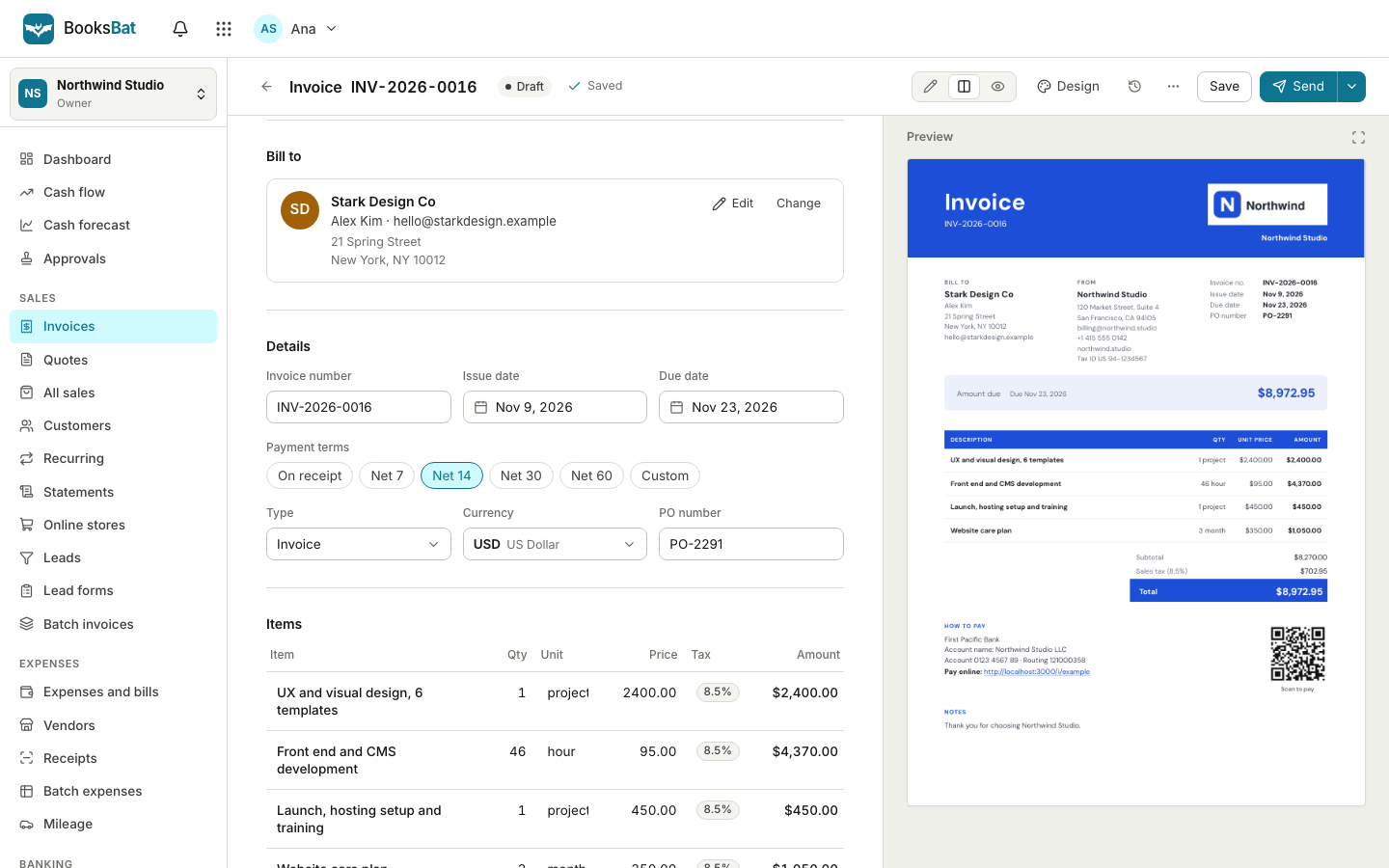 Online invoicingCreate professional invoices in minutes, email them with the PDF attached and let clients view and pay on a mobile friendly page.Payment remindersAutomatic, polite reminder emails before, on and after the due date. They stop as soon as the invoice is paid.Sales taxSet up tax rates and agencies, charge combined or compound rates, see what you owe each period and record your tax payments.BookkeepingDouble entry bookkeeping with a chart of accounts, journal entries and a ledger that fills itself from your invoices, payments and bills.
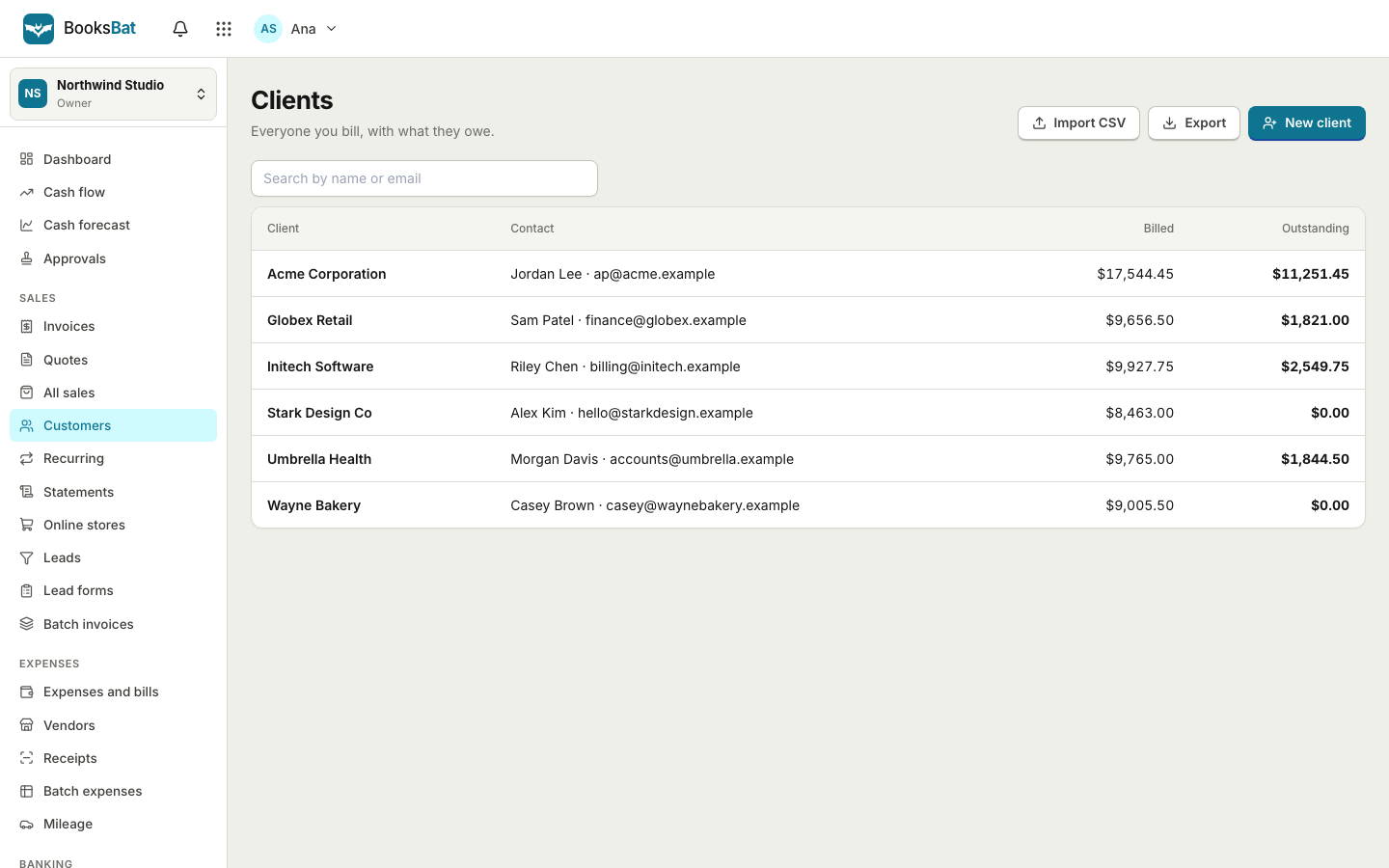 Clients and catalogSave clients, products and services once, import and export clients as CSV, and set up your business profile for every invoice.
See your sales at a glance
Create a free account, send your first invoice and watch the dashboard fill in. No credit card needed.