Charge the right tax and know exactly what you owe
Set up your tax rates and the agencies you pay them to once. BooksBat applies them to invoices and sales receipts, tracks what you collected for each filing period on the liability report and records your payment when you send it.
- Sales tax and VAT
- Combined and compound rates
- Liability report by agency

Sales tax without the spreadsheet at quarter end
When you charge sales tax or VAT, that money is not yours. You are holding it for a tax agency until the next return is due. The hard part is not adding a percentage to an invoice. It is knowing, at the end of each period, how much you collected for each agency, how much you can offset, and whether last quarter's payment was recorded.
BooksBat keeps track as you go. Each tax rate belongs to an agency. Each time you invoice, the tax goes into a sales tax payable account for that agency instead of into your income. At the end of the period, the liability report shows what you owe, and when you pay, you record the payment so the balance drops to zero. One thing to be clear on: BooksBat does not file returns for you. You file with the agency yourself, using the numbers BooksBat gives you.
Why tracking tax in BooksBat helps
Any rate you need
Create rates for state, county, city, VAT or GST, each with its own name, percentage and agency.
Combined and compound rates
Group several rates into one combined rate for a location, or charge a compound tax calculated on top of another tax.
Organized by agency
Each agency has its own filing frequency, so you see what is due to whom and when.
Filing periods
Monthly, quarterly or yearly periods per agency, with the amount owed for each one.
Liability report
Taxable sales, tax collected and tax owed by agency and rate for any period, ready to copy into your return.
Payments recorded
Record a tax payment or refund against a period and your books and balance sheet stay correct.
Set up sales tax in 3 steps
- 1
Add agencies and rates
On sales tax, add each agency you pay with its filing frequency, then add the rates that belong to it.
- 2
Charge tax on sales
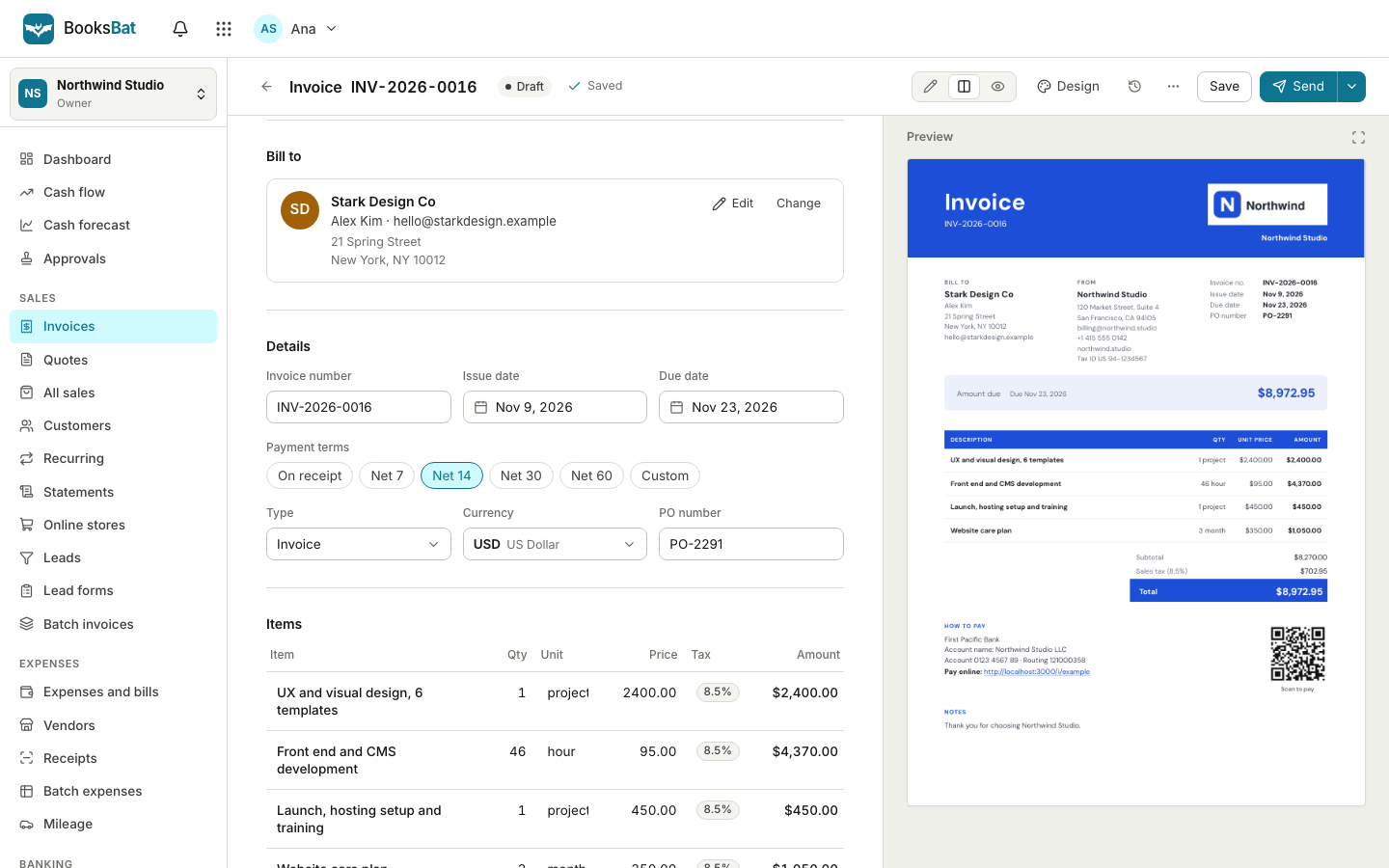
Set a default tax on your products, or pick a rate on each line of an invoice or sales receipt.
- 3
Review, file and pay
At the end of the period, run the liability report, file your return with the agency yourself and record the payment in BooksBat.
What sales tax in BooksBat includes
- Tax rates
- Named rates with a percentage, an agency and an option to make them the default for new sales.
- Combined rates
- Several rates bundled into one, for example state plus county plus city, while each part is still tracked separately.
- Compound tax
- A tax calculated on the subtotal plus another tax, for places that require it.
- Several taxes per line
- Apply more than one tax to a line on an invoice or sales receipt.
- Tax agencies
- The authorities you collect for, each with a filing frequency and its own payable balance.
- Filing periods
- Periods per agency showing the start, end, amount owed and whether a payment has been recorded.
- Sales tax liability report
- Collected and owed by agency and rate for any date range, with cash or accrual basis.
- Tax payments
- Record what you paid the agency from a bank account, including adjustments and refunds.
- Cash or accrual basis
- Run the liability report on the basis your agency expects: when you invoiced, or when you were paid.
- Export
- Download the liability report as CSV, Excel or PDF for your records or your accountant.
What BooksBat does, and what you still do
We want you to know exactly where the line is, so here it is:
- BooksBat does: calculate tax on your sales, keep collected tax separate from income, total it by agency and period, and record your tax payments in your books.
- BooksBat does not: look up rates by address, register you with an agency, or file or pay your returns. You choose the rates that apply to you, and you file and pay through each agency's own website or forms.
- Ask an expert if you are not sure which rates or periods apply to your business. Tax rules vary by place and by what you sell.
Sales tax and your other numbers
Tax you collect sits in a liability account on your balance sheet until you pay it, so it never inflates your profit. Tax on online invoicing and inventory sales is tracked the same way, and the liability report is one of the financial reports you can export as CSV, Excel or PDF for your accountant.
Which plan includes sales tax?
You can add a tax to invoices on every plan. Sales tax agencies, filing periods, the liability report and tax payments are part of Pro at $4 a month and Business at $12 a month. See pricing.
Frequently asked questions
Does BooksBat file my sales tax return?
No. BooksBat tracks the tax you collect by agency and filing period and shows it on the liability report. You file the return and pay the agency yourself, then record the payment in BooksBat.
Does BooksBat work for VAT and GST?
Yes. Rates, agencies, filing periods and the liability report work the same way for VAT and GST.
Does BooksBat look up the right rate for an address?
No. You set up the rates that apply to your business. Ask your accountant or the tax agency if you are not sure which rates to charge.
What is a combined rate?
A single rate made of several parts, such as state, county and city tax. Customers see one rate, and BooksBat still tracks each part for its own agency.
What is compound tax?
A tax calculated on the subtotal plus another tax, rather than on the subtotal alone. BooksBat supports it for places that require it.
Which plan do I need?
Sales tax agencies, filing periods, the liability report and tax payments are on Pro and Business. See pricing.
Related features
 Online invoicingCreate professional invoices in minutes, email them with the PDF attached and let clients view and pay on a mobile friendly page.Financial reportsProfit and loss, balance sheet, cash flow, trial balance, general ledger, aging and more, on a cash or accrual basis.BookkeepingDouble entry bookkeeping with a chart of accounts, journal entries and a ledger that fills itself from your invoices, payments and bills.Inventory managementTrack quantity on hand, cost of goods sold and reorder points for the products you sell, with bundles and an inventory valuation report.Multi currencyInvoice customers and pay suppliers in their currency while your books stay in your home currency, with exchange gains and losses recorded.
Make tax time less stressful
Create a free account and set up your rates in minutes. Upgrade to Pro for agencies, periods and the liability report.