Real double entry bookkeeping, without the busywork
Every invoice, payment, expense and bill you record in BooksBat posts to your general ledger on its own. You get a proper chart of accounts, journal entries for the adjustments your accountant asks for, a closing date to protect finished periods and an audit log of every change.
- Included on the free plan
- Cash or accrual basis
- Every change in the audit log

Books that keep themselves up to date
Bookkeeping is the record of where every dollar came from and where it went. Done by hand in a spreadsheet, it is slow and easy to get wrong. BooksBat does it the way accountants expect, with double entry: every transaction has a debit and a matching credit, so your books always balance.
The good news is that you rarely have to think about debits and credits. When you send an invoice, BooksBat records the sale and the money owed to you. When the customer pays, it moves that amount from accounts receivable into your bank account. When you enter a bill from a supplier, it records the expense and what you owe. The ledger, the balance sheet and the profit and loss report all update from the same entries.
Why small businesses keep their books in BooksBat
A chart of accounts that fits
Start with a standard set of income, expense, asset, liability and equity accounts, then add, rename or nest accounts to match how you work.
Posts on its own
Invoices, payments, sales receipts, expenses, bills and bill payments post to the ledger automatically. No double typing.
Journal entries when you need them
Record depreciation, accruals, corrections and opening balances with balanced journal entries that refuse to save if they do not add up.
Closing date with a password
Lock finished periods so nobody changes last year by accident. Editing a closed period needs the closing date password.
A full audit log
See who created, changed or deleted each transaction and when, so questions get answered in seconds.
Cash or accrual
Run reports on a cash or accrual basis with one switch, whichever your accountant or tax return needs.
Get your books running in 3 steps
- 1
Set up your accounts
Review the starter chart of accounts, add the accounts you need and import opening balances from a CSV or Excel file on the import page.
- 2
Work as you normally do
Send invoices, record payments and enter expenses and bills. Each one posts the right debits and credits to the ledger.
- 3
Review and close
Check the trial balance and balance sheet, post any adjustments as journal entries, then set a closing date to lock the period.
What bookkeeping in BooksBat includes
- Chart of accounts
- Accounts grouped by type, with sub accounts and a live balance for each one.
- Automatic posting
- Sales, payments, expenses, checks, bills, bill payments, credit memos and refunds all create balanced ledger entries.
- Journal entries
- Manual entries with as many lines as you need, a date and a memo, which only save when debits equal credits.
- Opening balances
- Bring in balances from your old system by journal entry or by CSV and Excel import.
- General ledger
- Every posting to every account for any date range, with a link back to the source transaction.
- Trial balance
- Debits and credits per account on any date, so you can confirm the books balance before you close.
- Closing date
- Protect closed periods with a date and a password. Changes before that date are blocked without the password.
- Audit log
- A record of who did what and when across your company, open on the audit log page.
- Classes, locations and tags
- Tag transactions by department, location or anything else to slice reports. Classes and locations are on the Business plan.
- Full export
- Export your data whenever you like, so your records are never locked in.
What happens behind each transaction
You do not have to learn accounting to use BooksBat, but it helps to know what it does for you. Here is what a few everyday actions post to the ledger:
- Send an invoice: accounts receivable goes up and the income account on each line goes up, plus any sales tax you collected as a liability. See online invoicing.
- Receive a payment: the bank account goes up and accounts receivable goes down. Card fees from online payments are recorded as bank charges.
- Enter a bill: the expense account goes up and accounts payable goes up, until you pay it. See expenses and bills.
- Sell an inventory item: cost of goods sold goes up and the inventory asset goes down, on the Business plan. See inventory management.
Built to work with your accountant
Invite your accountant with the accountant role and they can review the books, post adjusting journal entries and run reports without you sharing a password. See team and accountant access.
At year end they can check the trial balance, make their adjustments and set the closing date. From then on, the numbers they signed off stay put, and the audit log shows any change that was made with the password.
Which plan do I need?
Bookkeeping is part of every plan. The Free plan includes the chart of accounts, journal entries, invoices, expenses, bills and the core reports for 1 user and 1 company. Pro adds bank statement import and bank reconciliation, all reports and exports, sales tax and multiple currencies. Business adds inventory, projects, payroll, classes, locations and budgets. Compare them on the pricing page.
Frequently asked questions
Do I need to know accounting to use BooksBat?
No. Most of your books are written for you as you invoice, get paid and enter expenses. Journal entries are there for the occasional adjustment, often made by your accountant.
Is BooksBat real double entry accounting?
Yes. Every transaction posts balanced debits and credits to a general ledger, and the trial balance, balance sheet and profit and loss report all come from that ledger.
Can I import my existing chart of accounts?
Yes. Import your chart of accounts and opening balances from a CSV or Excel file, or create accounts by hand and enter opening balances as a journal entry.
What does the closing date do?
It locks every transaction dated on or before that date. Anyone who tries to add, edit or delete one needs the closing date password, and the change is recorded in the audit log.
Can I switch between cash and accrual?
Yes. Your books are kept in full, and reports can be run on a cash or accrual basis whenever you like. Ask your accountant which one your tax return uses.
Is bookkeeping included on the free plan?
Yes. The Free plan includes the chart of accounts, journal entries and core reports. See pricing for what Pro and Business add.
Can my accountant log in?
Yes. On Pro and Business you can invite users, including an accountant role, without sharing your own login.
Related features
Financial reportsProfit and loss, balance sheet, cash flow, trial balance, general ledger, aging and more, on a cash or accrual basis.Bank reconciliationImport bank statements as CSV, OFX, QFX or QBO, categorize or match each line with bank rules, then reconcile to the statement.Expenses and billsRecord expenses, checks and supplier bills, pay them on time, track vendors and purchase orders, and keep every receipt attached.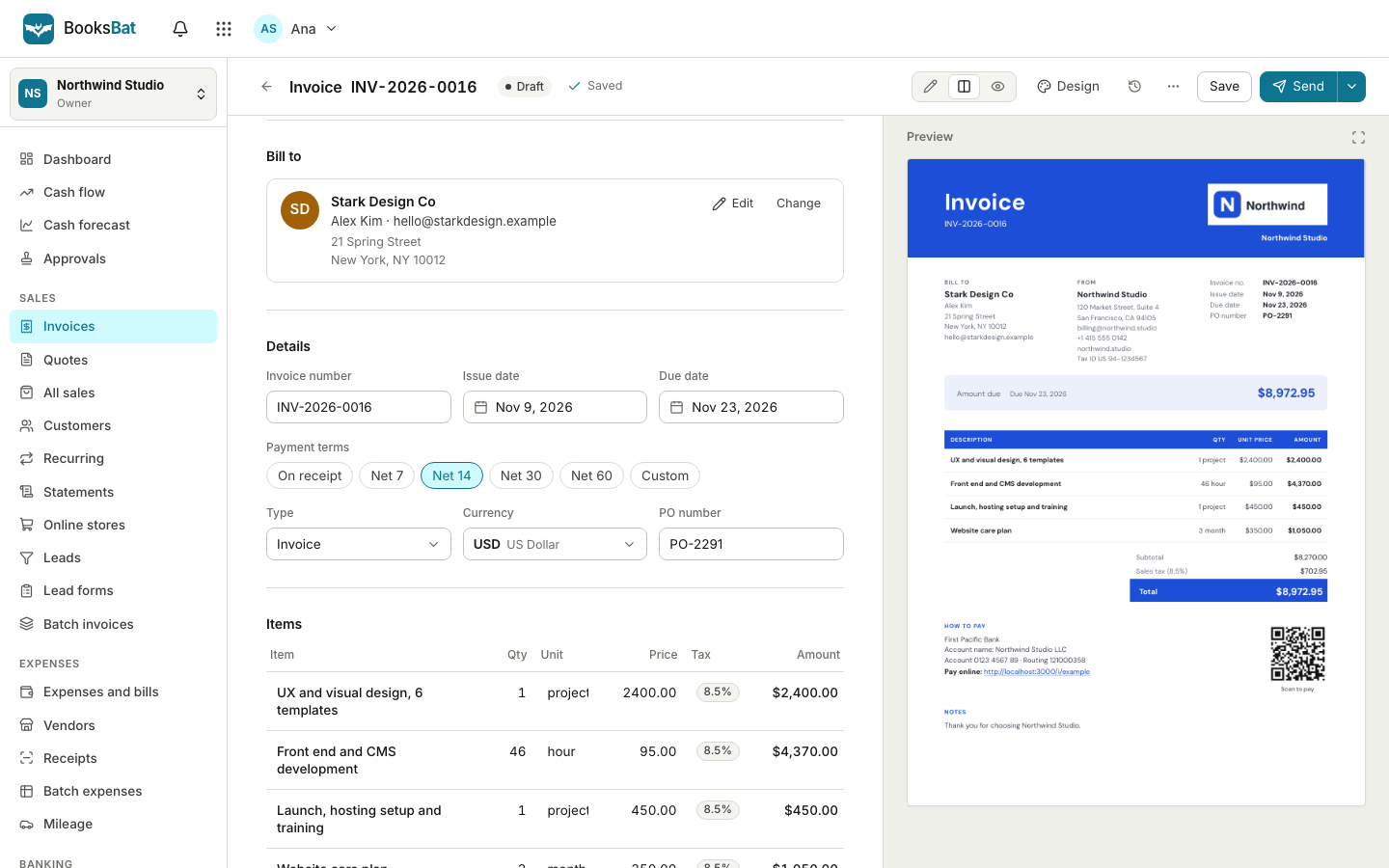 Online invoicingCreate professional invoices in minutes, email them with the PDF attached and let clients view and pay on a mobile friendly page.Team and accountant accessInvite your team and your accountant with the right role, run several companies from one login and see every change in the audit log.Sales taxSet up tax rates and agencies, charge combined or compound rates, see what you owe each period and record your tax payments.
Start keeping proper books today
Create a free account and your chart of accounts is ready in seconds. No credit card, nothing to install.