Recurring invoices that send themselves
Set up a schedule once and BooksBat creates the invoice every week, every 2 weeks, every month, quarter or year. Send each one automatically, or create it as a draft for a quick check first.
- Included in Pro, $4 a month
- Pause and resume anytime
- Works with online payments
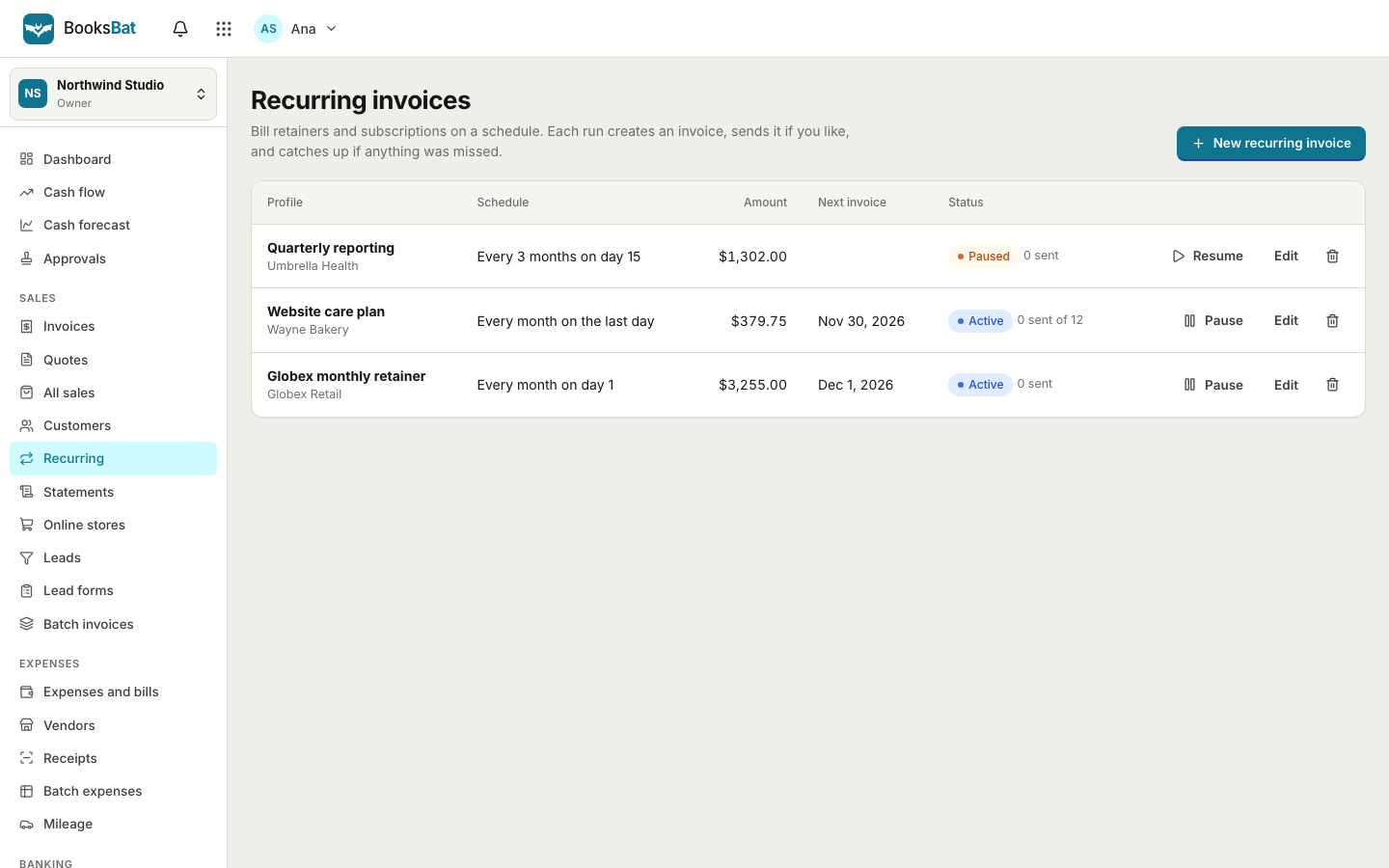
Stop rebuilding the same invoice every month
If you bill the same client the same amount on a regular basis, you know the routine: find last month's invoice, copy it, change the date, change the number, check the total and send it. It only takes a few minutes, but it is easy to forget, and a late invoice means late money.
Recurring invoices in BooksBat do it for you. You create a template invoice with the client, line items and terms, then pick how often it repeats, when it starts and when it ends. On each date BooksBat creates a new invoice with the next number and today's date, and either emails it to your client or saves it as a draft for you to review.
Why use recurring invoices
Never forget to bill
Invoices go out on schedule even when you are busy, on holiday or simply forget.
Flexible schedules
Weekly, every 2 weeks, monthly on a set day or the last day of the month, quarterly or yearly.
Automatic or draft
Send each invoice automatically, or create it as a draft when hours or amounts change from month to month.
Pause and resume
Client taking a break? Pause the schedule and resume it later without setting it up again.
Paid on time
Combine with online payments and automatic reminders so regular invoices are paid without chasing.
Set up a recurring invoice
- 1
Create the template
Open Recurring, pick the client and add the line items, taxes and notes the invoice should repeat.
- 2
Choose the schedule
Pick how often it repeats, the start date, and whether it ends after a number of invoices, on a date or never.
- 3
Pick send or draft
Send each invoice automatically to your client, or create it as a draft so you can adjust it first.
Schedule options
- Weekly and every 2 weeks
- Ideal for weekly cleaning, tutoring, regular maintenance or fortnightly retainers.
- Monthly on a day
- Bill on a fixed day of the month, such as the 1st or the 15th.
- Monthly on the last day
- Bill on the last day of each month, whether the month has 28, 30 or 31 days.
- Quarterly and yearly
- Use for quarterly retainers, annual maintenance plans, memberships or yearly support.
- Start date
- Choose when the first invoice is created. It can be today or a date in the future.
- End rules
- End after a set number of invoices, on a specific date, or never.
- Automatic sending
- Each invoice is emailed with the PDF attached and a link to its public page, just like one you send by hand.
- Draft mode
- Create each invoice as a draft so you can update hours or amounts before sending.
- Pause and resume
- Stop a schedule for a while and pick it up again when the work restarts.
Who uses recurring invoices
- Consultants and agencies on a monthly retainer. See invoicing for consultants and for agencies.
- Cleaning businesses billing regular clients weekly or every 2 weeks. See invoicing for cleaning businesses.
- Web developers and IT support charging for hosting, maintenance or support plans.
- Tutors and coaches billing for regular sessions.
- Landlords sending monthly rent invoices.
Fixed amount or changing amount?
If the amount is the same every time, such as a retainer or a rent, choose automatic sending. The invoice goes out on schedule and your client can pay online straight away.
If the amount changes, for example hours worked or visits made, choose to create drafts. BooksBat prepares the invoice with the client, terms and usual lines, and you update the quantities before sending. You still save most of the work, and nothing goes out wrong.
Want a step by step walkthrough? Read our guide to setting up recurring invoices for retainer clients.
Recurring on both sides of the books
Regular income usually comes with regular costs: rent, software, insurance, a monthly contractor. On Pro, BooksBat can schedule recurring bills and expenses as well, so your books show both sides on time. See expenses and bills.
Every recurring invoice posts to accounts receivable and income like any other invoice, so your profit and loss reflects your retainers the moment they are billed.
Frequently asked questions
Which plan includes recurring invoices?
Recurring invoices are part of Pro, which costs $4 a month and also includes unlimited customers, invoices and quotes, automatic reminders, custom email templates, recurring bills, bank reconciliation and no BooksBat branding. Business, at $12 a month, includes everything in Pro.
How often can an invoice repeat?
Weekly, every 2 weeks, monthly on a set day or on the last day of the month, quarterly or yearly.
Can I check each invoice before it is sent?
Yes. Choose to create invoices as drafts. Each one waits in your invoices list for you to review and send.
How do I stop a recurring invoice?
Pause it at any time and resume it later, or set it to end after a number of invoices or on a date.
Do recurring invoices get their own number?
Yes. Each invoice gets the next number in your number format, so numbers never repeat.
Can clients pay recurring invoices online?
Yes. If you have connected a payment provider such as Stripe, PayPal or GoCardless, each invoice has a Pay button on its public page, and reminders stop as soon as it is paid.
Related features
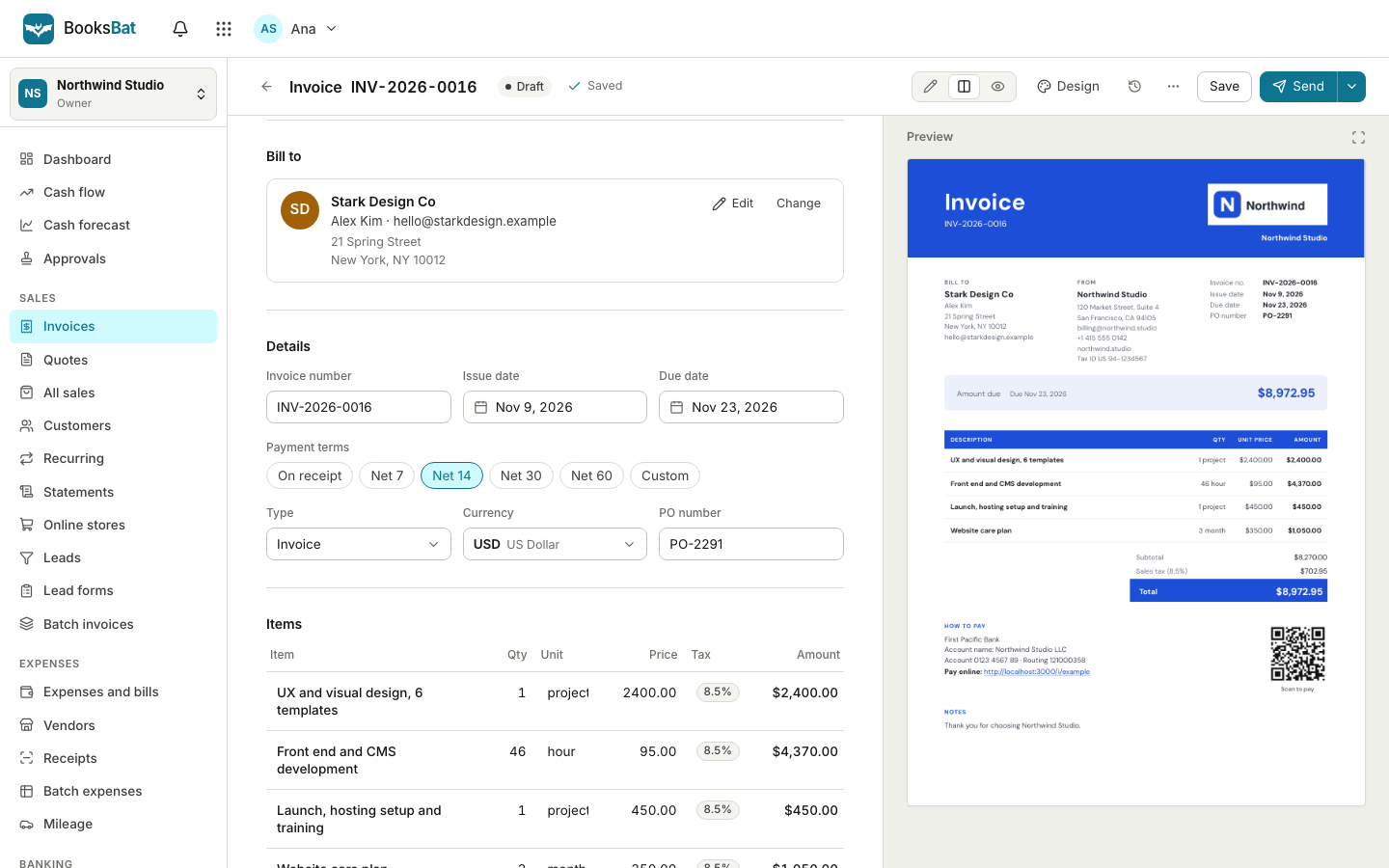 Online invoicingCreate professional invoices in minutes, email them with the PDF attached and let clients view and pay on a mobile friendly page.
 Payment remindersAutomatic, polite reminder emails before, on and after the due date. They stop as soon as the invoice is paid.
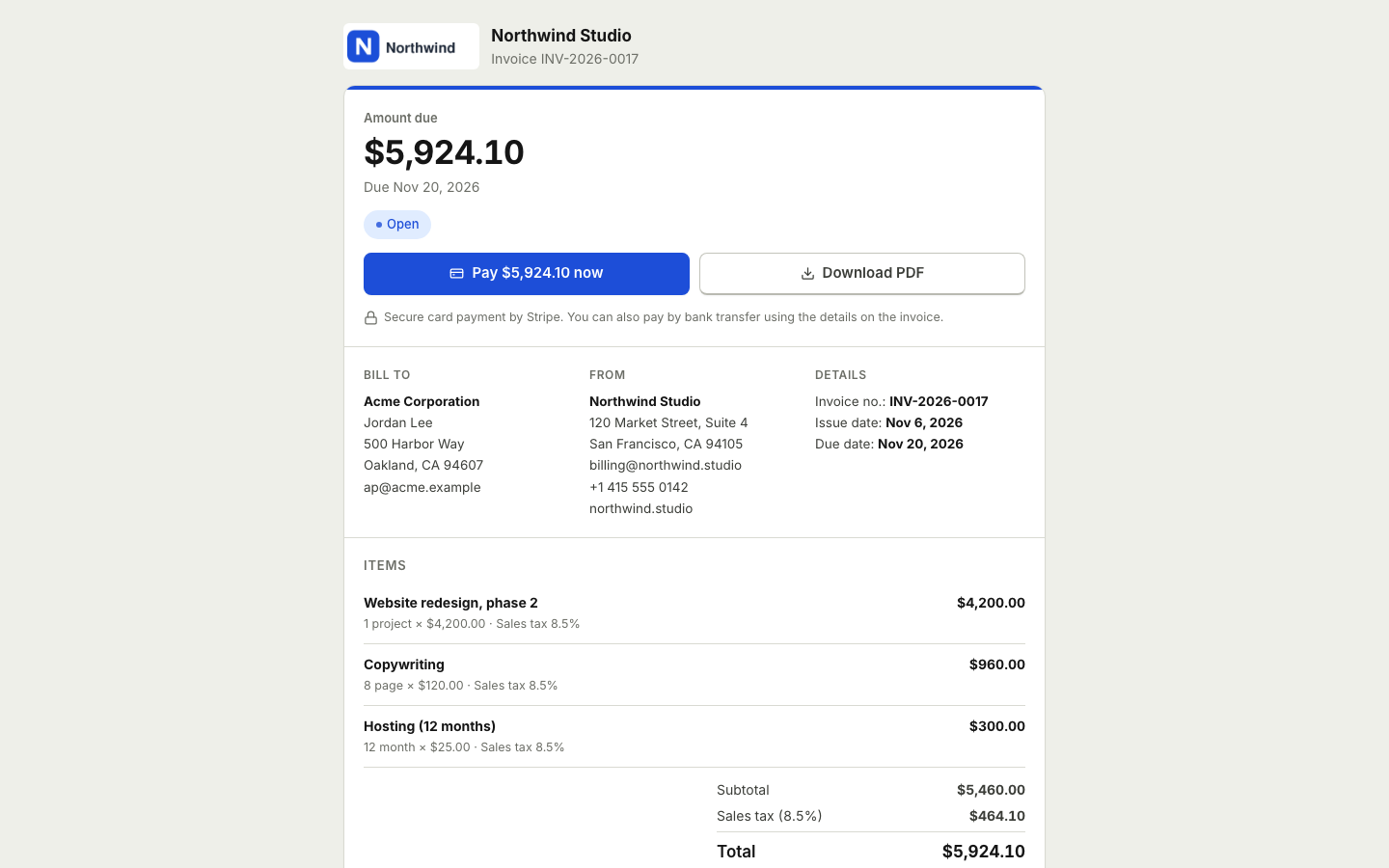 Online paymentsConnect your own Stripe, PayPal, Square, Razorpay, Mollie, GoCardless or Lemon Squeezy account. Clients pay online and the payment posts to your books.Expenses and billsRecord expenses, checks and supplier bills, pay them on time, track vendors and purchase orders, and keep every receipt attached.Invoicing for consultantsBill hours or monthly retainers, send proposals clients accept online, get paid online and keep your books in one place.Invoicing for cleaning businessesRecurring invoices for weekly and every 2 weeks cleans, online payments, automatic reminders and simple books.
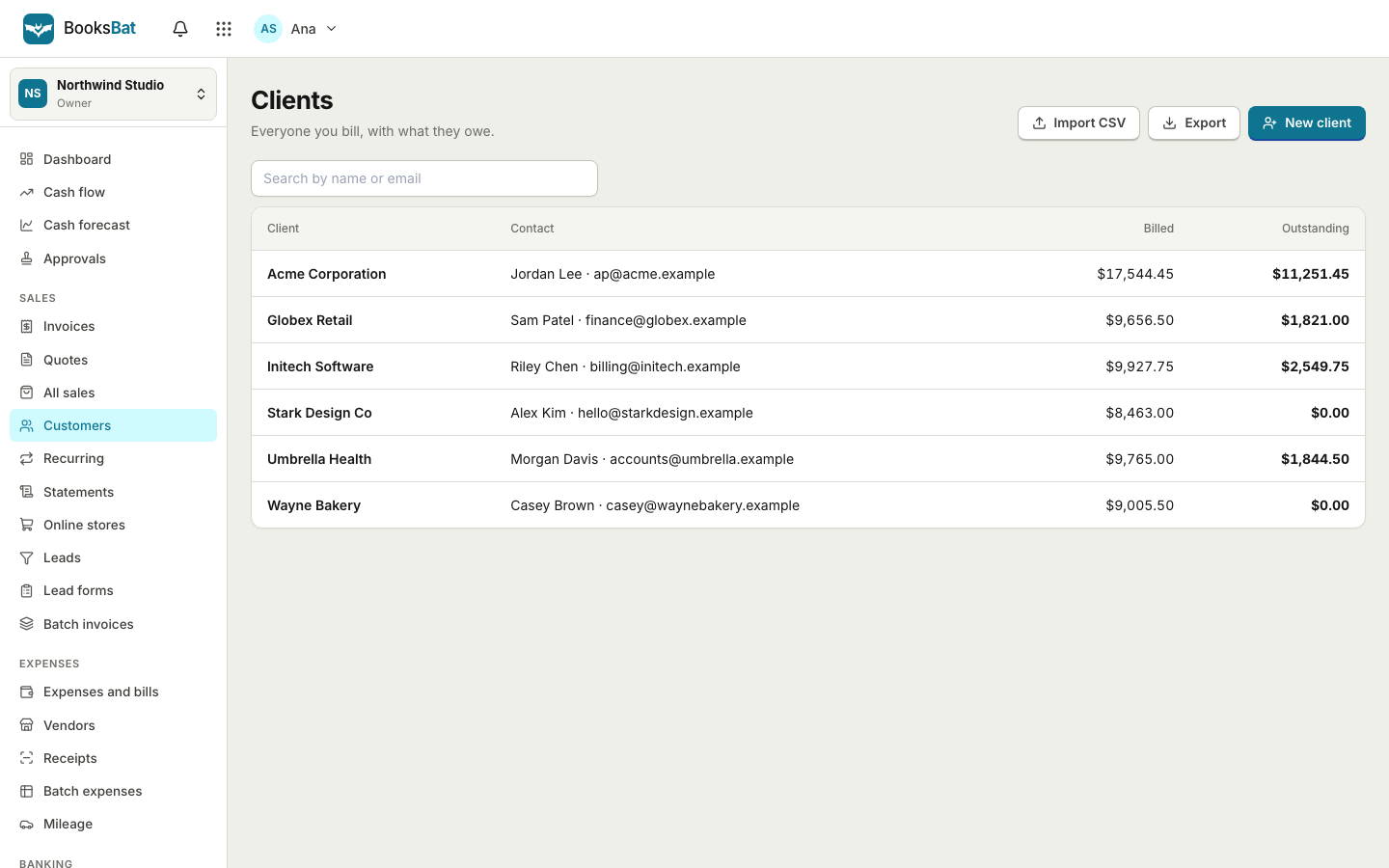 Invoicing for small agenciesProject quotes, monthly retainers and branded invoices for every client, all in one account.
Put your regular invoices on autopilot
Create a free account, then upgrade to Pro for $4 a month when you are ready for recurring invoices and automatic reminders.