Invoicing for consultants who bill hours and retainers
Turn your hours into a clean invoice, put retainers on a schedule, give clients a simple way to pay online and keep your expenses and books in the same account. Professional, quick and $4 a month on Pro.
- Free plan, no credit card
- Nothing to install
- Works on phone, tablet and desktop
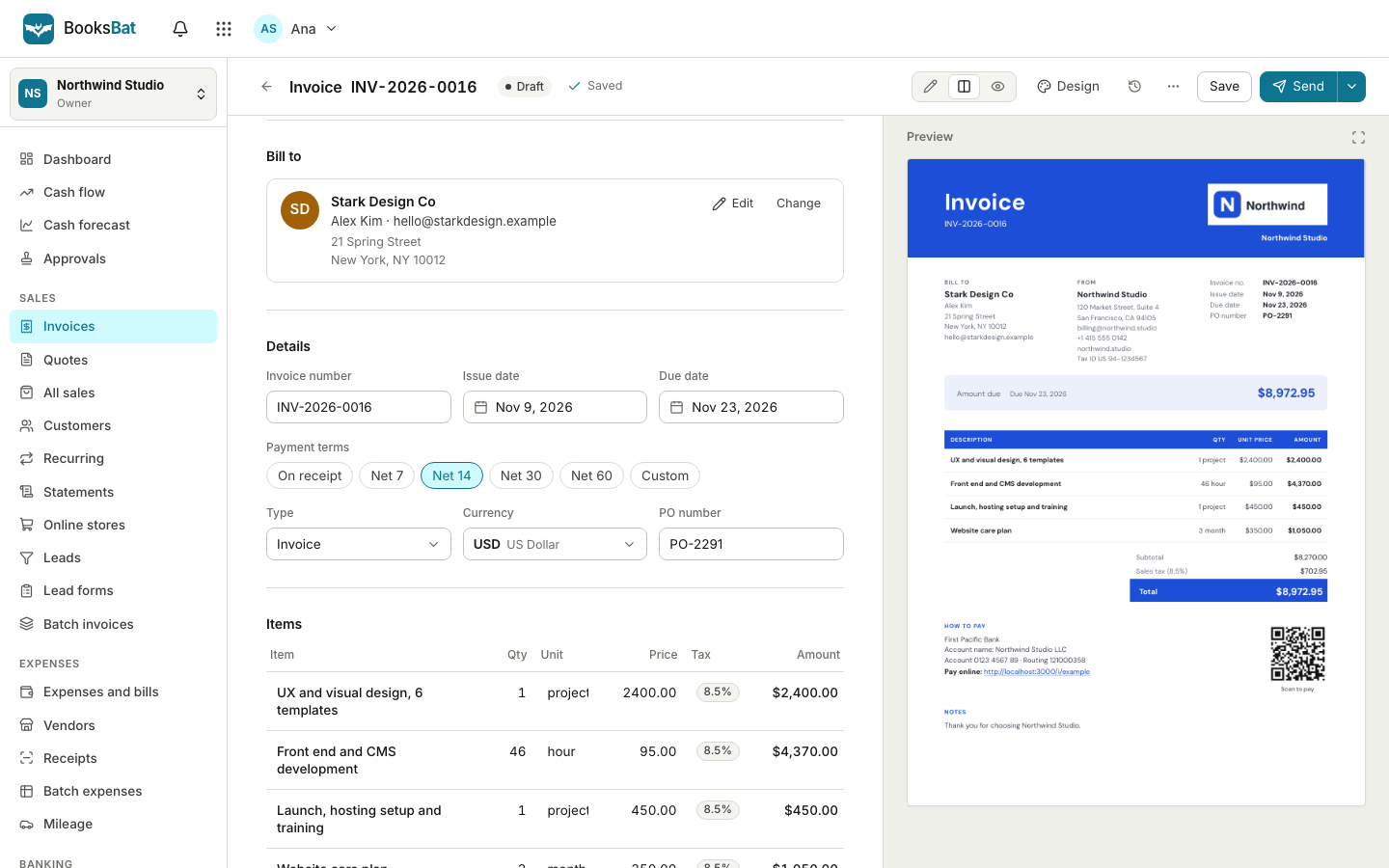
Billing that matches how consultants work
Consulting work comes in a few shapes: hourly or daily engagements, fixed price projects and monthly retainers. Each needs a different kind of invoice, and each client has its own currency, tax and payment terms. Keeping that straight across several clients is where spreadsheets start to hurt.
BooksBat handles all three. Bill hours with a quantity, a unit and your rate. Send a fixed price proposal as a quote your client accepts online. Put a retainer on a recurring schedule that sends the invoice for you. Every invoice has a link to a page where the client can view it, download the PDF and pay online.
Why consultants choose BooksBat
Hourly and daily billing
Enter hours or days as the quantity and your rate as the unit price. Totals, discounts and taxes are worked out exactly.
Retainers that send themselves
Recurring invoices go out monthly on a set day or the last day of the month, or quarterly, and you can pause and resume them.
Proposals accepted online
Send a quote, and your client accepts it with a typed name and a checkbox. It becomes an invoice with one click.
Easy online payments
Connect your own Stripe, PayPal or other provider account so clients pay online. The money goes straight to you, with the provider's normal fees and no extra BooksBat fee by default.
Know your numbers
See sales by customer, an aging report and your profit and loss, with export to CSV, Excel or PDF on Pro.
Bill an engagement in 3 steps
- 1
Save the client
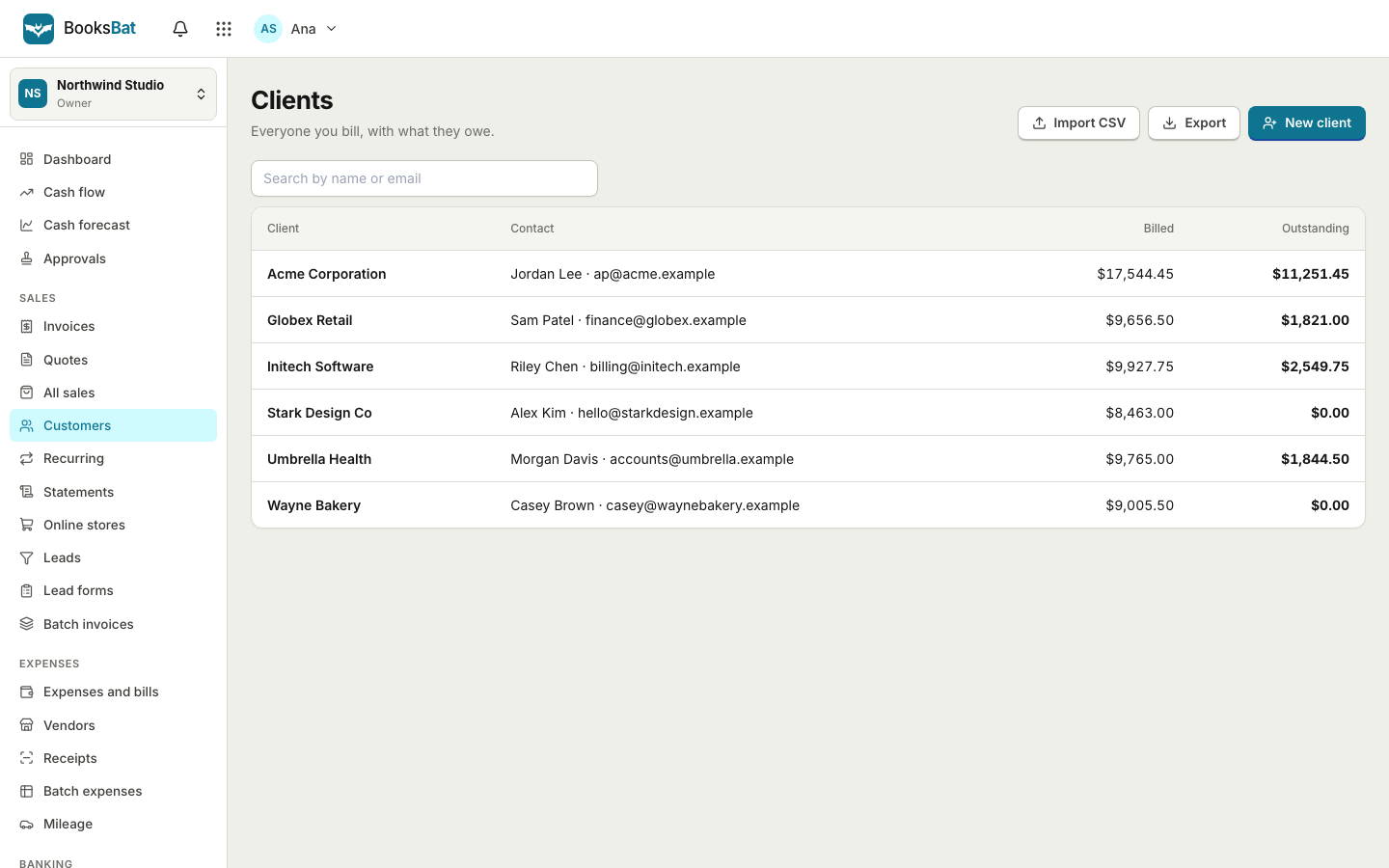
Add the client with their billing contact, currency and payment terms. Import a list from CSV if you already have one.
- 2
Create the invoice or schedule
Add your hours for the period, or set up a recurring retainer that runs monthly or quarterly.
- 3
Send and get paid
The client gets the PDF and a link to pay. Reminders follow up before and after the due date until it is paid.
Built for professional services
- Clear line items
- Describe each piece of work, with quantity, unit, unit price and an optional per line discount.
- Multi currency
- On Pro, invoice each client in their own currency, with exchange rates and realized gains or losses recorded in your books.
- Several tax rates
- Apply more than one tax rate per line, including compound tax. Add your tax or VAT ID to every invoice.
- Recurring retainers
- Recurring invoices run weekly, every 2 weeks, monthly, quarterly or yearly, and end after a number of invoices, on a date or never.
- Professional designs
- Choose Corporate, Classic, Minimal or another of the 8 invoice designs, with your logo and brand color.
- Invoice timeline
- See when an invoice was sent, viewed and paid, so you know exactly where it stands before you follow up.
- Draft from your notes
- Paste an email or meeting notes and AI drafting builds a draft invoice for you to check. Uses AI credits.
- Custom email templates
- On Pro, write the invoice and reminder emails in your own words.
- Time tracking
- On Business, log hours with a timer or timesheet, mark them billable and add them to the next invoice. See time and projects.
- Expenses and receipts
- Record travel and other costs, upload receipts and mark expenses billable to a client. See expenses and bills.
Hourly, fixed price or retainer?
Each model has a place, and BooksBat supports all of them in the same account:
- Hourly or daily: invoice at the end of each week or month with the hours worked. Clear descriptions help clients approve the invoice quickly.
- Fixed price project: send a quote first. When it is accepted, invoice a deposit and the balance, or bill by milestone.
- Retainer: agree a monthly amount for a set scope, then let a recurring invoice send it on the same day each month.
Whichever you pick, put your payment terms in writing on the quote and invoice. Tax rules for services vary by country, so check what applies to you and your clients.
Simple pricing
Start on the free plan with 5 customers, 5 invoices and 5 quotes a month, with bookkeeping, expenses and Stripe payments included. Pro is $4 a month for unlimited customers, invoices and quotes, no branding, recurring invoices, automatic reminders, bank reconciliation, multiple currencies and custom email templates. Business is $12 a month and adds inventory, projects, time tracking, payroll and 1099 contractors for teams of up to 25 users. See pricing.
Frequently asked questions
Can I bill by the hour?
Yes. Use hours as the unit, enter the hours as the quantity and your rate as the unit price. Use days the same way for day rates.
How do I bill a monthly retainer?
Create a recurring invoice on Pro. Choose monthly on a given day or the last day of the month, pick a start date, and decide whether it sends automatically or creates a draft.
Can a client accept my proposal online?
Yes. Send it as a quote. The client accepts with a typed name and a checkbox, optionally an e signature, or declines with a reason.
Can I invoice clients abroad?
Yes. On Pro, each invoice can use the client's currency, and clients can pay through your own Stripe, PayPal, Mollie or other provider account.
Do clients need an account to pay?
No. They open the link in the email, view the invoice, download the PDF and pay online if you have connected a payment provider.
Can I export my numbers for my accountant?
Yes. On Pro, invite your accountant with the accountant role, or export reports and financial reports as CSV, Excel or PDF.
Related features
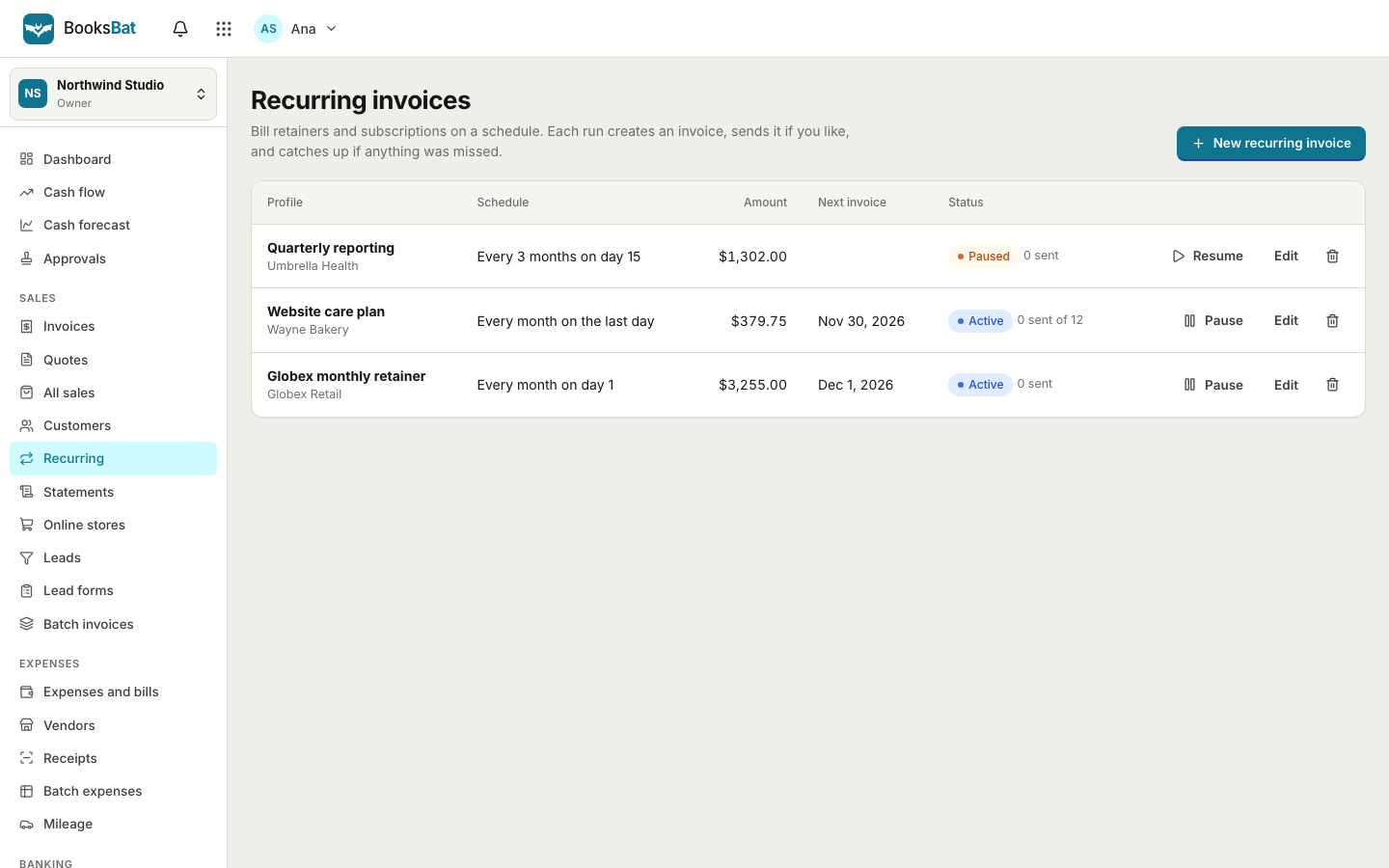 Recurring invoicesBill retainers and regular work on a schedule: weekly, every 2 weeks, monthly, quarterly or yearly, sent automatically or saved as drafts.
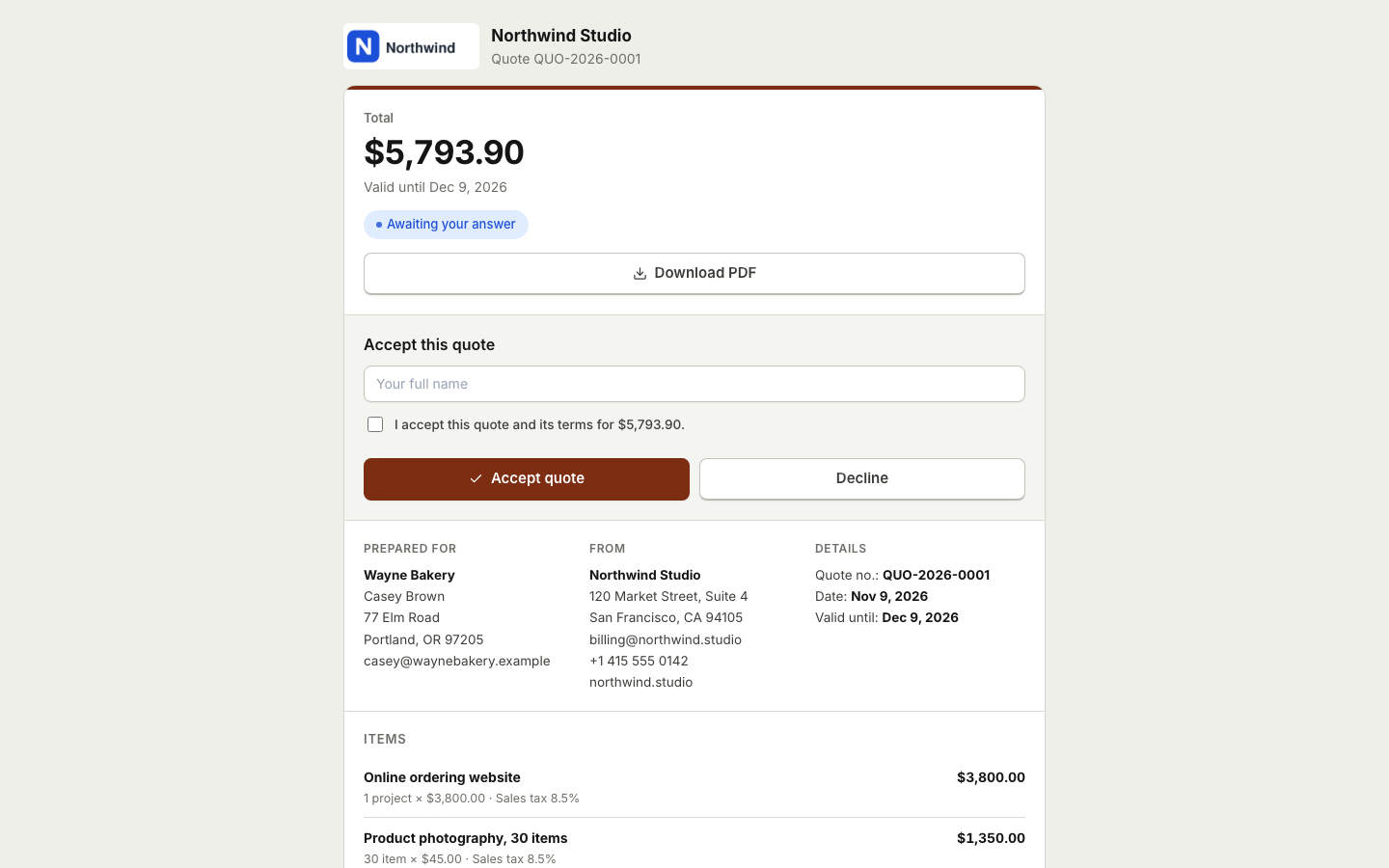 Quotes and estimatesSend quotes your clients accept online with a typed name, then turn them into invoices with one click or automatically.
 Time tracking and projectsTrack hours with a timer or timesheet, bill them on invoices and see the income, costs and profit of every project.
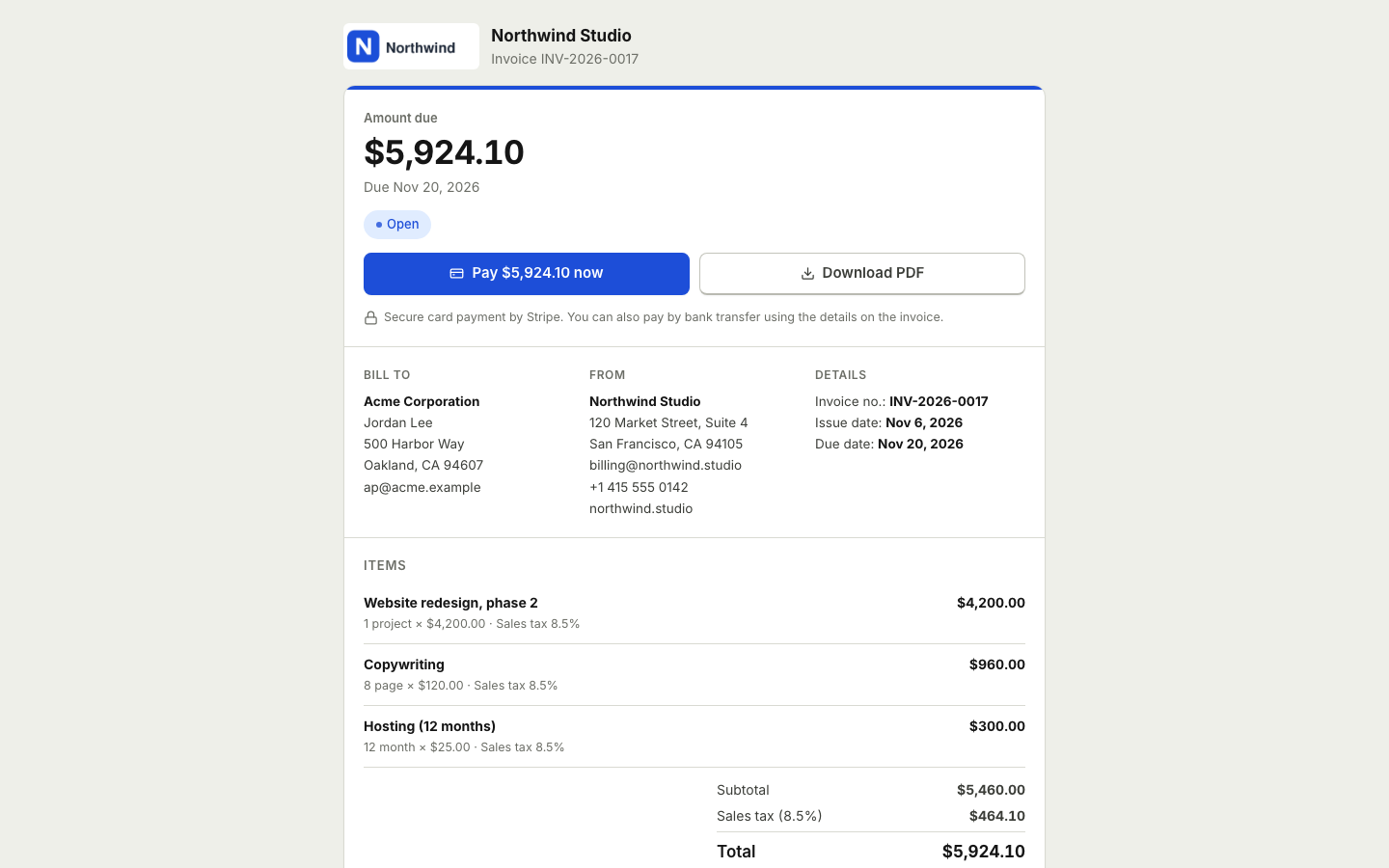 Online paymentsConnect your own Stripe, PayPal, Square, Razorpay, Mollie, GoCardless or Lemon Squeezy account. Clients pay online and the payment posts to your books.Financial reportsProfit and loss, balance sheet, cash flow, trial balance, general ledger, aging and more, on a cash or accrual basis.
 Invoicing for small agenciesProject quotes, monthly retainers and branded invoices for every client, all in one account.Invoicing for freelancersSend clean invoices and quotes, get paid online through your own payment account, let reminders do the chasing and keep your books in the same place.
Bill your next engagement with BooksBat
Create a free account in seconds. No credit card and nothing to install.