Invoicing for freelancers that gets you paid
Send a professional invoice in a couple of minutes, let your client pay by card from their phone, and stop writing awkward follow up emails. Free for your first clients, $4 a month when you grow.
- Free plan, no credit card
- Nothing to install
- Works on phone, tablet and desktop

You do the work, BooksBat handles the paperwork
Freelancing means being your own billing department. Every project ends with the same chores: build an invoice, work out the totals and tax, export a PDF, write the email, and then remember to check whether the money ever arrived. Spreadsheets and word processor templates work until you have more than a few clients, and then invoice numbers repeat, totals drift and late payments slip through.
BooksBat keeps all of it in one place. Save your clients and your usual services once, then build each invoice from a few clicks. Send it by email with the PDF attached and a link to a mobile friendly page where your client can view it, download it and pay online. You see when it was viewed, when it was paid and which invoices are overdue, and automatic reminders follow up for you.
Why freelancers use BooksBat
Invoices in minutes
Pick a client, add items from your saved services, and send. Numbers like INV-{YYYY}-{0001} are filled in for you and never repeat.
Online payments, no extra fee
Connect your own Stripe, PayPal, Square or other provider account and clients pay online. The money goes straight to you. The provider's normal fees apply and BooksBat adds no extra fee by default.
Reminders you never have to write
Friendly emails go out before the due date, on the day and after it, and stop as soon as the invoice is paid.
Retainers on autopilot
Bill a monthly retainer with a recurring invoice that sends itself, or creates a draft for you to check first.
Works anywhere
Create and send invoices from a laptop, tablet or phone. Your client's invoice page works just as well on mobile.
From finished job to paid invoice in 3 steps
- 1
Set up your business once
Add your logo, address, tax ID, default currency, payment terms and bank details in Settings. Pick one of 8 invoice designs and your brand color.
- 2
Create and send the invoice
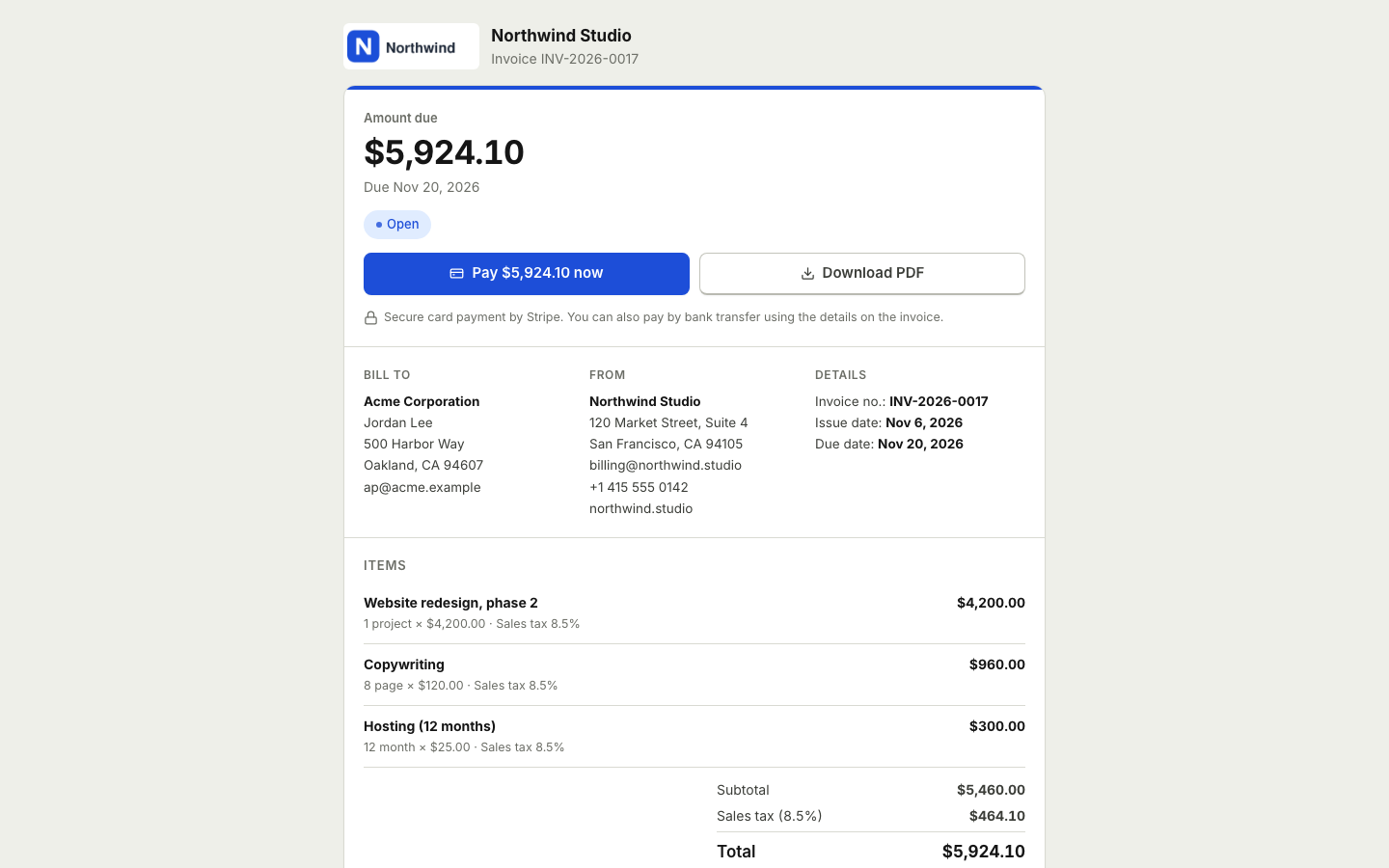
Choose the client, add line items, check the totals and click send. The client gets an email with the PDF and a link to view and pay.
- 3
Get paid and keep track
Your client pays by card or bank transfer. Online payments mark the invoice paid and post to your books automatically, and you record other payments in one click.
Everything a freelancer needs to bill clients
- Quotes that become invoices
- Send a quote or estimate. Your client accepts it online, and it turns into an invoice with one click or automatically.
- Hourly or fixed price items
- Each line has a quantity, unit and unit price, so hours, days, words and fixed fee packages all fit.
- Discounts and taxes
- Add a per line discount as a percentage or amount, several tax rates per line, an invoice discount and shipping. Money math is exact.
- Any currency
- Use any ISO 4217 currency as your home currency, including zero decimal ones like JPY. On Pro, bill clients abroad in their own currency.
- Statuses and timeline
- See every invoice as draft, sent, viewed, partially paid, paid, overdue or void, with a full timeline of events.
- Partial and manual payments
- Record deposits, bank transfers, cash or checks. The balance due updates by itself.
- PDF and Word downloads
- Download any invoice as a PDF or a Word .docx file for your records or your accountant.
- Reports and profit and loss
- Reports show who owes you and for how long, and financial reports give you profit and loss and a balance sheet.
Habits that help freelancers get paid on time
Most late payments are not bad intent. The invoice got buried, the amount was unclear or paying took too much effort. A few habits fix most of that:
- Agree terms before you start. Send a quote with your price and payment terms and ask the client to accept it online, so there is no surprise at the end.
- Invoice the day the work is done. The sooner the invoice arrives, the sooner it reaches the top of your client's list.
- Make paying easy. A pay button on a page that works on a phone removes most excuses. Add bank details as a second option.
- Be specific. Clear line items, a due date and a reference number make it simple for your client to approve the invoice.
- Follow up automatically. Payment reminders keep the tone friendly and consistent, and you never have to remember.
Start free, upgrade when you grow
The free plan covers 5 customers, 5 invoices and 5 quotes a month, with bookkeeping, expenses and online payments through Stripe included. Invoices show a small BooksBat note.
Pro is $4 a month. It removes the limits and the branding, and adds recurring invoices, automatic reminders, bank statement import and reconciliation, receipt scanning, more payment providers and all reports. If you grow into a team, Business at $12 a month adds time tracking, projects and 1099 contractors. See pricing for details.
Just need one invoice today? The free invoice generator makes a PDF without an account. Sign up later to save and send it.
Your books, done as you go
Invoicing is only half of freelance money. At tax time you also need your expenses and a true profit figure. BooksBat is small business accounting, not just an invoicing app, so the same account keeps both. Record expenses and upload receipts as you go, and every invoice and payment is already in your books.
On Pro, import your bank statements as CSV, OFX, QFX or QBO files, let bank rules categorize the usual transactions and reconcile each month. Your profit and loss is then ready for you or your accountant whenever you need it. See expenses and bills and bookkeeping.
Frequently asked questions
Is BooksBat free for freelancers?
Yes. The free plan includes 5 customers, 5 invoices and 5 quotes a month, with bookkeeping, expenses and online payments through Stripe. Pro is $4 a month for unlimited customers, invoices and quotes, no branding, recurring invoices, automatic reminders and bank reconciliation.
How do my clients pay me?
Connect your own Stripe account in Settings > Payments on any plan, or on Pro PayPal, Square, Razorpay, Mollie, GoCardless or Lemon Squeezy. Clients pay on the provider's checkout and the money goes straight to your own account. Without a provider, the invoice shows your bank transfer details instead.
Does BooksBat take a cut of my payments?
No extra fee is added by default. Your payment provider's normal processing fees apply, and BooksBat records them in your books as bank charges.
Can I bill clients in other countries?
Yes. On Pro, multi currency lets you invoice in the client's currency, with exchange rates recorded in your books. Set your own tax rates too. Tax rules vary by country, so check what applies to you.
Can I bill by the hour?
Yes. Use hours as the unit, enter the number of hours as the quantity and your hourly rate as the unit price.
Can I turn notes or an email into an invoice?
Yes. Paste an email or your job notes and AI drafting fills in a draft invoice for you to review. It uses AI credits.
Can I send my accountant my numbers?
Yes. On Pro, invite your accountant with the accountant role so they can see your books directly, or export reports as CSV, Excel or PDF. Every invoice also downloads as a PDF or Word file.
Related features
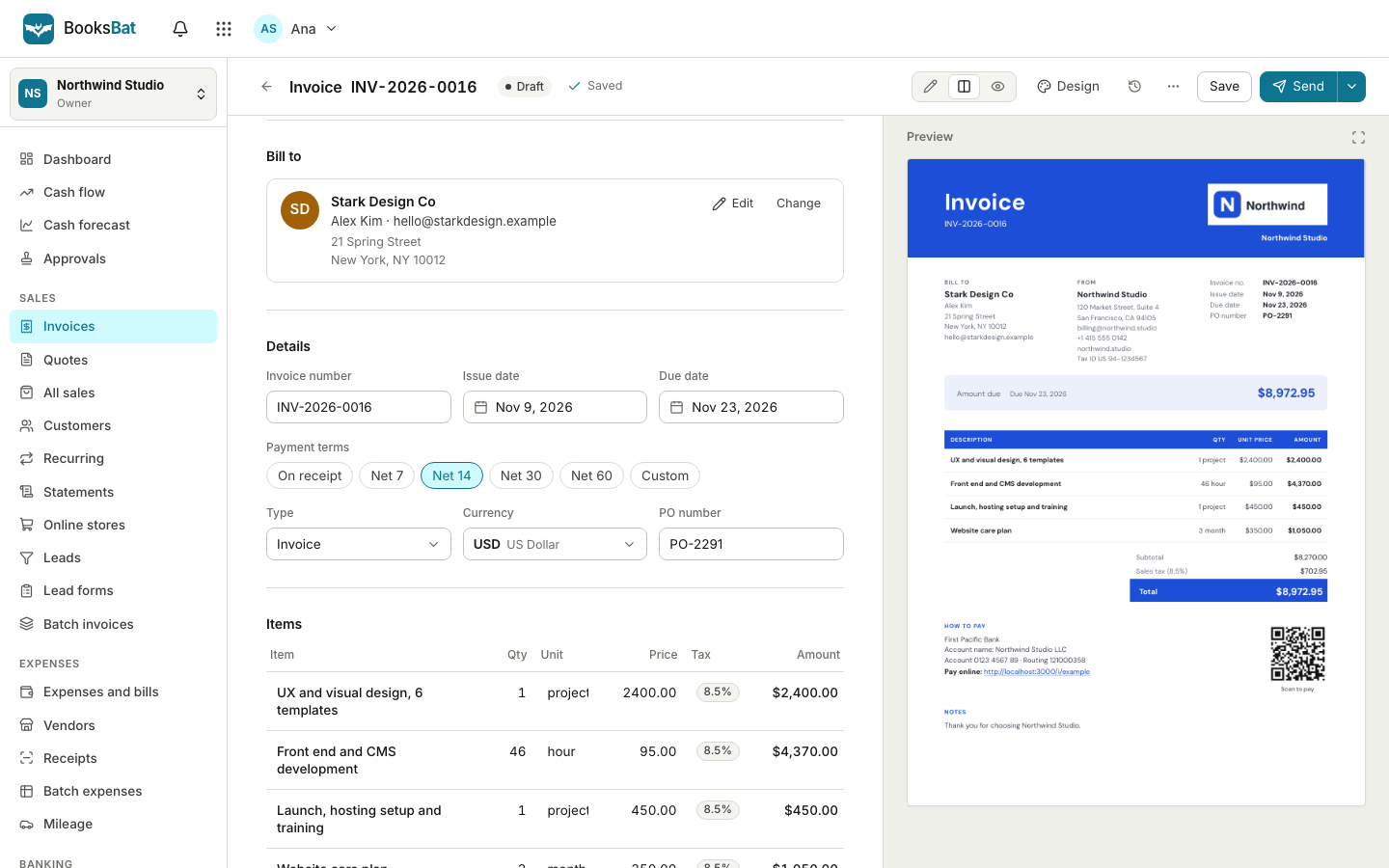 Online invoicingCreate professional invoices in minutes, email them with the PDF attached and let clients view and pay on a mobile friendly page.
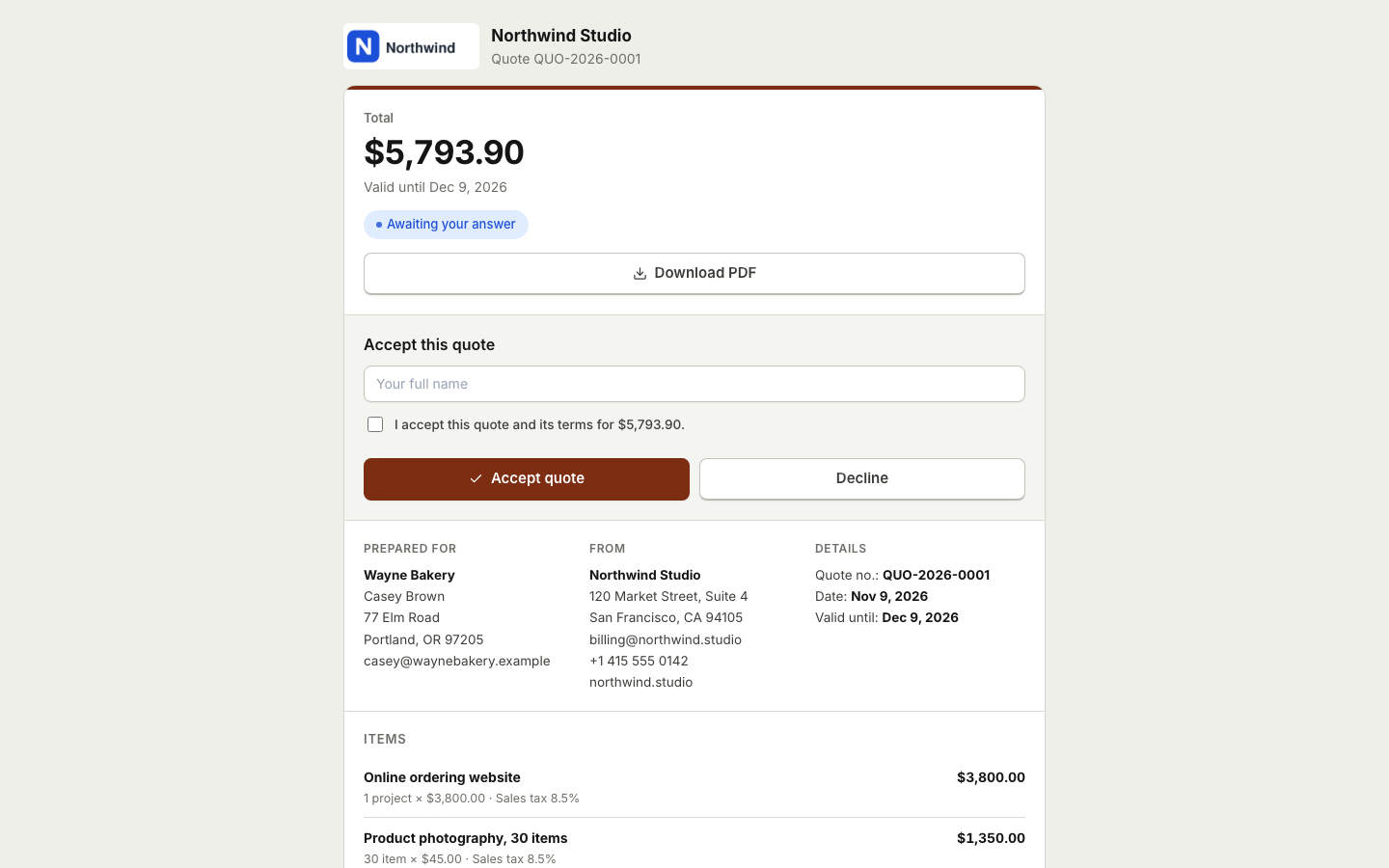 Quotes and estimatesSend quotes your clients accept online with a typed name, then turn them into invoices with one click or automatically.
 Online paymentsConnect your own Stripe, PayPal, Square, Razorpay, Mollie, GoCardless or Lemon Squeezy account. Clients pay online and the payment posts to your books.Payment remindersAutomatic, polite reminder emails before, on and after the due date. They stop as soon as the invoice is paid.Expenses and billsRecord expenses, checks and supplier bills, pay them on time, track vendors and purchase orders, and keep every receipt attached.BookkeepingDouble entry bookkeeping with a chart of accounts, journal entries and a ledger that fills itself from your invoices, payments and bills.Invoicing for consultantsBill hours or monthly retainers, send proposals clients accept online, get paid online and keep your books in one place.Free invoice generatorMake a professional invoice PDF in your browser without an account. Sign up later to save it, send it and get paid online.
Send your first invoice today
Create a free account in seconds. No credit card, nothing to install, and your clients can pay from any device.