Invoicing for cleaning businesses that runs itself
Set up a recurring invoice for each regular customer, let them pay by card from their phone and let reminders handle late payers. Quote one off deep cleans and move outs in minutes.
- Free plan, no credit card
- Nothing to install
- Works on phone, tablet and desktop
Regular cleans deserve regular invoices, without the effort
A cleaning business lives on repeat customers. Homes cleaned every week, offices every 2 weeks, holiday rentals after every stay, plus deep cleans and move outs when someone asks. Writing the same invoices over and over, and checking who has paid, takes time you could spend on the next job.
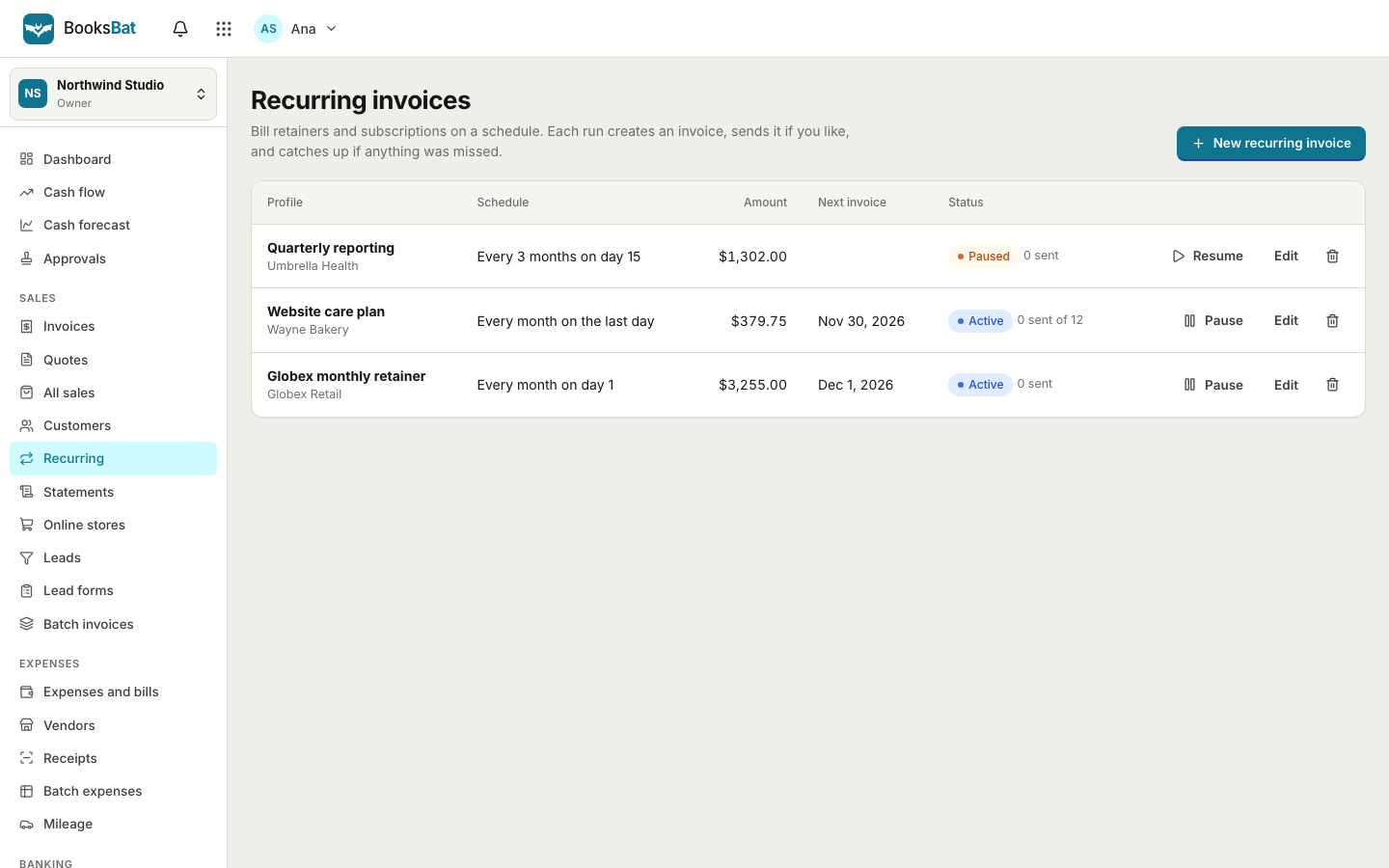
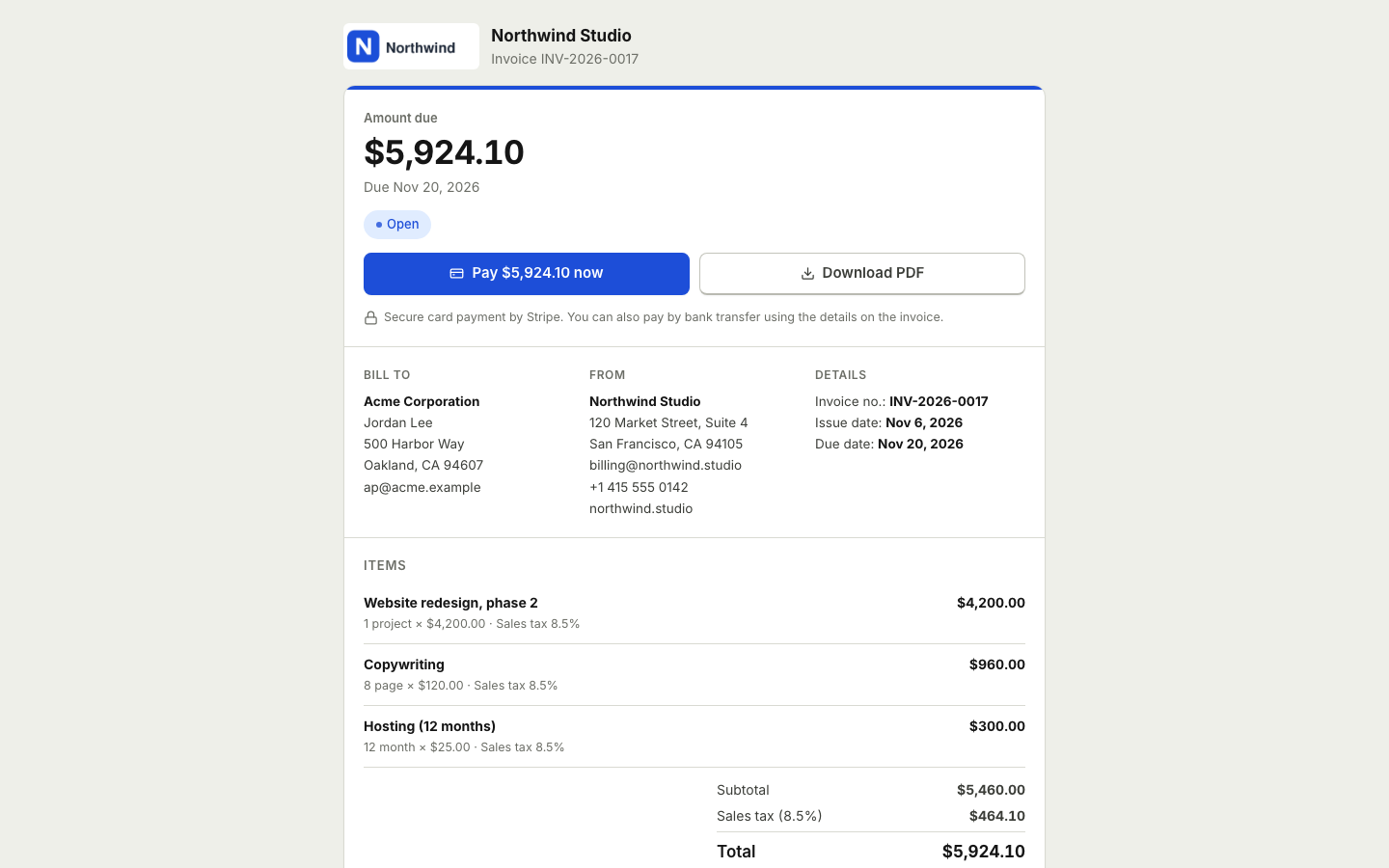
BooksBat lets you set up each regular customer once. A recurring invoice goes out on schedule, by email with a PDF and a link where the customer can pay by card. If a payment is late, reminders follow up automatically and stop as soon as the invoice is paid. For one off jobs, send a quote the customer accepts online.
Why cleaning businesses use BooksBat
Weekly or every 2 weeks
Recurring invoices run weekly, every 2 weeks, monthly, quarterly or yearly, and send automatically or create drafts.
Services saved once
Keep standard cleans, deep cleans, move outs and extras like ovens or windows in your catalog.
Online payments
Connect your own Stripe, Square or other provider account so customers pay online from their phone. The money goes straight to you.
Automatic reminders
Emails go before, on and after the due date, configurable per business and per invoice.
Run it from your phone
Create invoices, record cash payments and check who owes what between jobs.
Set up a regular customer in 3 steps
- 1
Add the customer
Save their name, email and address, or import your customer list from CSV.
- 2
Create a recurring invoice
Add the clean as a line item, choose weekly or every 2 weeks, set the start date and when it should end.
- 3
Let it run
Invoices go out on schedule. Customers pay by card or bank transfer, and reminders follow up on late payments.
What is included
- Recurring invoices
- See recurring invoices: set a schedule, end after a number of invoices, on a date or never, and pause during a customer's holiday.
- Quotes for one off jobs
- Send a quote for a deep clean or move out. The customer accepts online and it becomes an invoice.
- Manual payments
- Record cash, check and bank transfer payments in a click, including partial payments.
- Bank details as a backup
- Without a payment provider connected, the invoice shows your bank transfer details instead.
- Clear statuses
- Draft, sent, viewed, partially paid, paid, overdue and void, so you always know who has paid.
- Your branding
- Add your logo and brand color to one of 8 invoice designs. A cleaning service template is in the library.
- Dashboard
- Outstanding, overdue and paid this month at a glance, plus a revenue chart and top customers.
- Reports
- Sales by customer, an aging report and profit and loss, with export on Pro. See reports.
Tips for cleaning business invoices
- Invoice on a fixed rhythm. Customers on a regular schedule pay more reliably when the invoice arrives on the same day each time.
- Itemize extras. Inside the oven, windows or laundry are easier to approve as separate lines.
- Set clear payment terms. Put the due date on every invoice and keep it short for regular cleans.
- Offer card payment. A pay button on the invoice page makes paying quicker than a bank transfer.
- Pause, do not cancel. If a customer goes away, pause their recurring invoice and resume it when they are back.
Plans
Start free with 5 customers, 5 invoices and 5 quotes a month, with bookkeeping, expenses and Stripe payments included. Recurring invoices and automatic reminders are part of Pro, which is $4 a month and also removes the limits and the BooksBat branding and adds bank reconciliation and sales tax tracking. Business is $12 a month and adds inventory, projects, time tracking, payroll and 1099 contractors for teams of up to 25 users. See pricing.
Supplies, staff and your books
Cleaning margins depend on what you spend as much as what you charge. BooksBat is small business accounting, so you can record supplies, fuel and equipment as expenses, upload receipts and see what each month really earned in your profit and loss. See expenses and bills.
If you pay cleaners, Business at $12 a month lets you record paychecks and payroll liabilities and track 1099 contractors, with a 1099 summary at year end. BooksBat does not calculate or file payroll taxes, so you or your accountant still handle the filing. See payroll and contractors.
Frequently asked questions
Can I bill customers every 2 weeks?
Yes. On Pro, recurring invoices can run weekly, every 2 weeks, monthly, quarterly or yearly.
Can recurring invoices send automatically?
Yes. Choose to send them automatically or to create drafts you check before sending.
What if a customer pays cash?
Record it as a manual payment. The invoice is marked paid and any reminders stop.
Can customers pay by card?
Yes, if you connect your own payment provider in Settings > Payments: Stripe on any plan, or Square, PayPal and others on Pro. The provider's normal processing fees apply, and BooksBat adds no extra fee by default.
Can I pause invoices while a customer is away?
Yes. Pause the recurring invoice and resume it when cleaning starts again.
Do I need to charge tax?
It depends on where you work and how much you earn. Rules vary by country, so check locally. BooksBat lets you add the tax rates that apply to you, and on Pro it tracks the tax you owe by agency. You file the return yourself.
Related features
Recurring invoicesBill retainers and regular work on a schedule: weekly, every 2 weeks, monthly, quarterly or yearly, sent automatically or saved as drafts. Payment remindersAutomatic, polite reminder emails before, on and after the due date. They stop as soon as the invoice is paid.
 Online paymentsConnect your own Stripe, PayPal, Square, Razorpay, Mollie, GoCardless or Lemon Squeezy account. Clients pay online and the payment posts to your books.Expenses and billsRecord expenses, checks and supplier bills, pay them on time, track vendors and purchase orders, and keep every receipt attached.Payroll and contractorsRecord paychecks with the wages, deductions and employer taxes you enter, track payroll liabilities and total 1099 contractor payments.
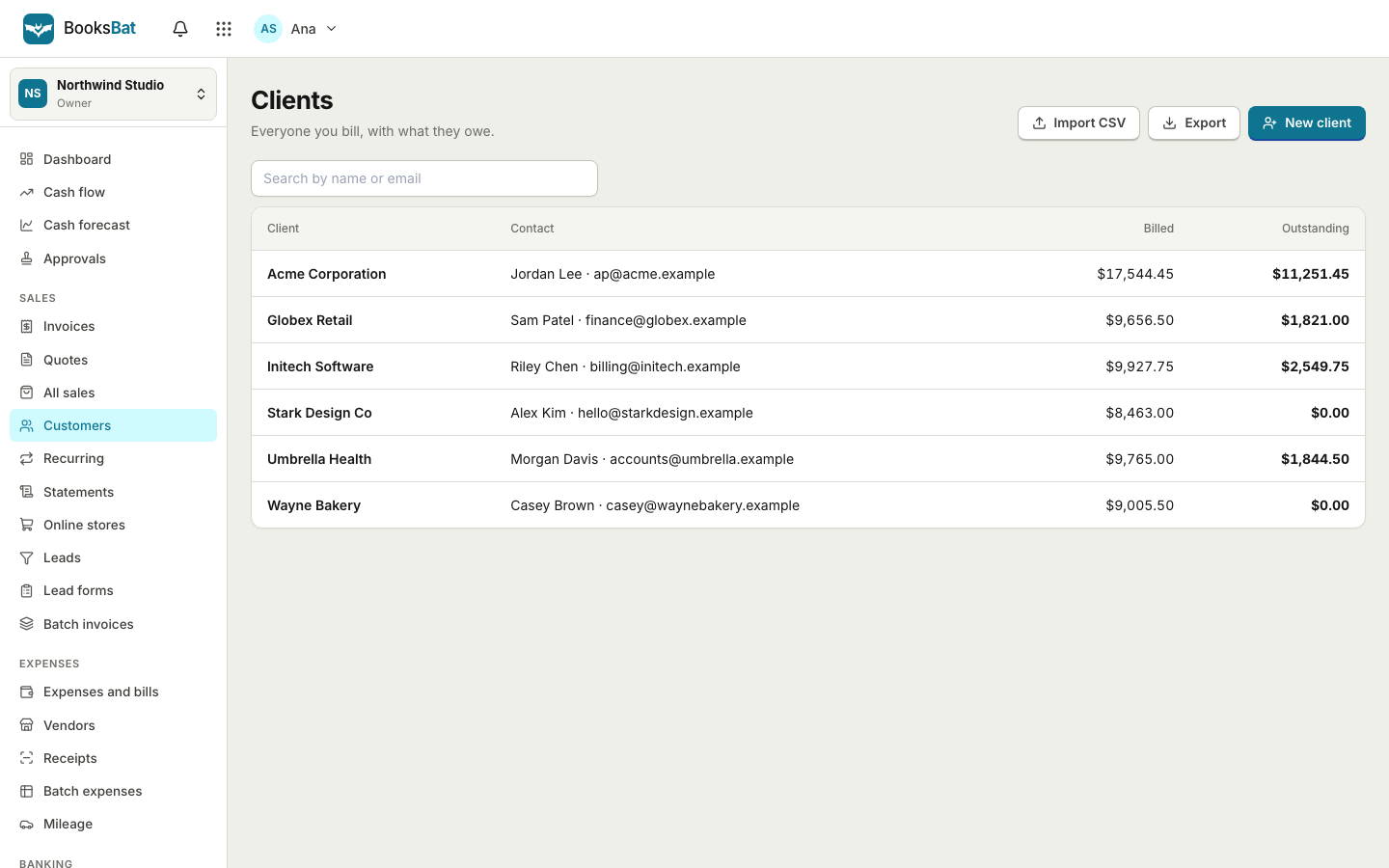 Clients and catalogSave clients, products and services once, import and export clients as CSV, and set up your business profile for every invoice.
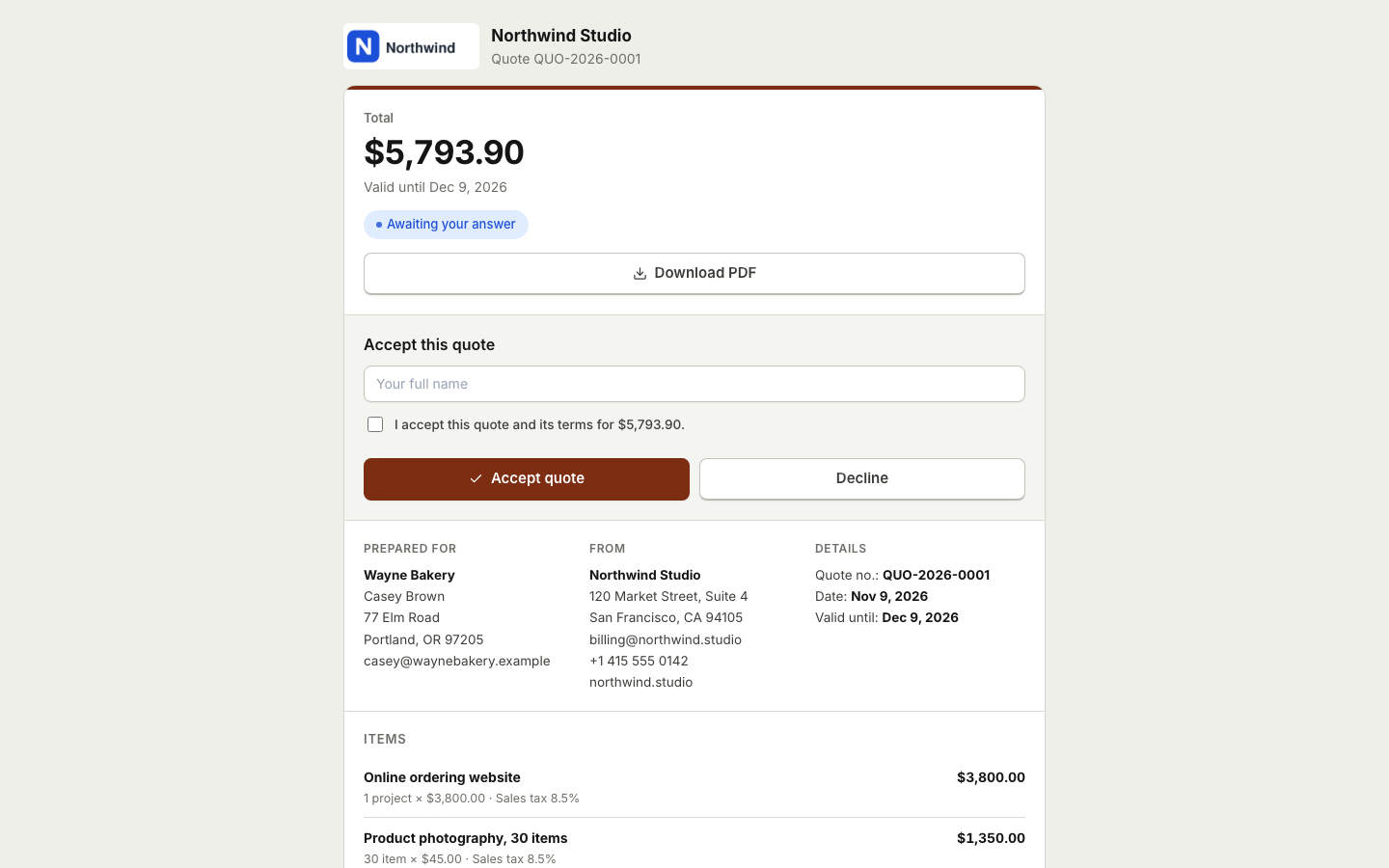 Invoicing for contractorsSend estimates clients accept online, take deposits, and invoice the balance when the job is done.
Put your regular invoices on autopilot
Create a free account in seconds. No credit card and nothing to install.