Estimates and invoices for contractors
Send an estimate from the job site, get it accepted online, take a deposit and invoice the balance when the work is finished. Built for builders, electricians, plumbers, painters, landscapers and every other trade.
- Free plan, no credit card
- Nothing to install
- Works on phone, tablet and desktop
Less paperwork between the estimate and the payment
Contracting work rarely follows a single invoice. You price the job, the customer thinks it over, you agree on a deposit, materials go up, the job is done in stages and finally you send the bill. Keeping track of all that on paper or in a spreadsheet takes evenings you would rather spend elsewhere.
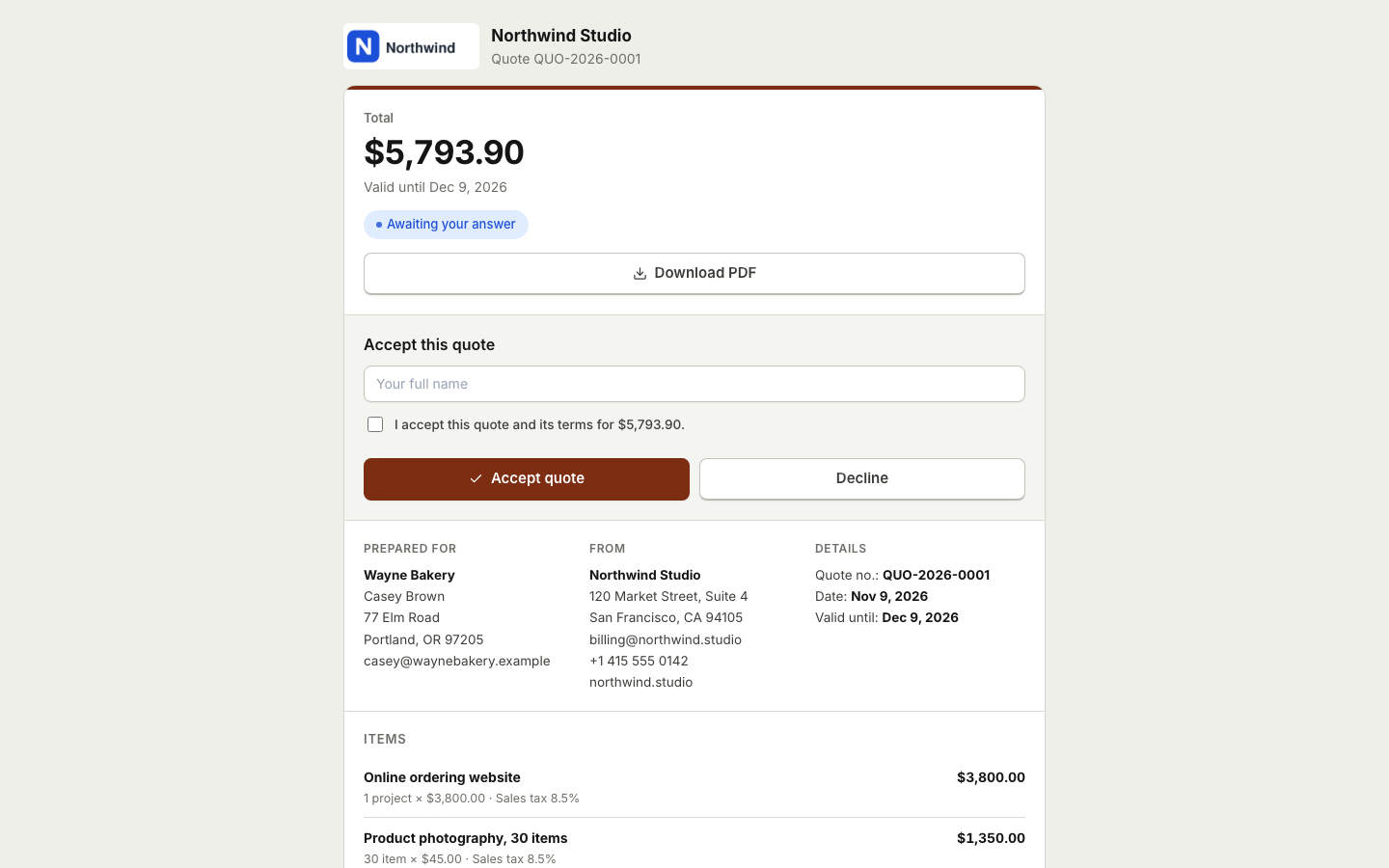
BooksBat gives you one place for every job. Send a clear estimate with labor and materials on separate lines. Your customer reads it on their phone and accepts it with their typed name and a checkbox, or declines with a reason. Once accepted, the estimate becomes an invoice with one click, and partial payments let you take a deposit up front and collect the rest later.
Why contractors use BooksBat
Estimates customers accept online
Customers accept with a typed name and a checkbox, optionally an e signature, so you have a clear record before you start.
Deposits and progress payments
Record a deposit as a partial payment. The invoice shows partially paid and the balance due until the job is settled.
Online payments straight to you
Connect your own Stripe, Square or other provider account and customers pay online. The money lands in your own account. The provider's normal fees apply.
Totals you can trust
Quantities, units, per line discounts, several tax rates per line and exact money math, so the numbers always add up.
Works from the truck
Create and send estimates and invoices from a phone or tablet, right after a site visit.
From site visit to paid in 3 steps
- 1
Send the estimate
Add labor, materials and any extras as line items, attach your terms and send. Your customer gets an email with the PDF and a link to accept.
- 2
Take the deposit
Turn the accepted estimate into an invoice for the deposit, or record a deposit as a partial payment on the full invoice.
- 3
Invoice the balance
When the work is done, send the final invoice. Reminders follow up automatically until it is paid.
Built for jobs, not just invoices
- Quotes and estimates
- Everything on the quotes and estimates page: online acceptance, decline with a reason, and one click conversion to an invoice.
- Products and services catalog
- Save your common materials, hourly rates and fixed price jobs, then add them to any estimate in a click.
- Units that fit the trade
- Bill by the hour, day, square foot, meter, unit or job. Each line has its own quantity and unit.
- Partial payments
- Record deposits, stage payments, cash and checks. The remaining balance is always up to date.
- Job site friendly pages
- The public invoice and quote pages are made for phones, so customers can review and pay while you are still there.
- Your logo and color
- Pick one of 8 invoice designs with your logo and brand color. A construction estimate template is in the library.
- Automatic reminders
- Payment reminders go before, on and after the due date, and stop as soon as the invoice is paid.
- Aging report
- See who owes what and for how long in the aging report, and on Pro export it as CSV, Excel or PDF.
Tips for clearer contractor estimates
- Split labor and materials. Customers understand a price better when they can see what it is made of.
- State what is not included. Use the notes and terms to say what the price covers and what would be extra.
- Set an expiry. Material prices change, so say how long the estimate is valid.
- Agree the deposit up front. Put the deposit amount and when the balance is due in your terms.
- Check local rules. Tax, licensing and deposit rules vary by country and region, so confirm what applies to your work.
Plans for small crews and solo trades
The free plan includes 5 customers, 5 invoices and 5 quotes a month, with bookkeeping, expenses, bills and Stripe payments. Pro is $4 a month for unlimited customers, invoices and quotes, no BooksBat branding, recurring invoices for maintenance contracts, automatic reminders, purchase orders, bank reconciliation and sales tax tracking. Business is $12 a month and adds inventory, projects, time tracking, payroll and 1099 contractors for teams of up to 25 users. See pricing.
Job costing, materials and subcontractors
BooksBat is small business accounting, not only invoicing, so the cost side of each job lives in the same account. On Pro, raise purchase orders for materials, enter supplier bills and pay them, and recurring bills cover things like equipment rental. See expenses and bills.
On Business, set up each job as a project, assign time, expenses and invoices to it and see project profitability before the job is over. Track the subcontractors you pay as 1099 contractors and run a 1099 summary at year end for you or your accountant to file. See payroll and contractors.
Frequently asked questions
Can customers accept an estimate online?
Yes. They open the link, read the estimate and accept it with a typed name and a checkbox, optionally with an e signature. They can also decline and give a reason.
How do I take a deposit?
Record the deposit as a partial payment on the invoice, or send a separate invoice for the deposit amount. The invoice shows partially paid until the balance is settled.
Can I take card payments on site?
Yes, if you connect your own payment provider, such as Stripe on any plan or Square on Pro. The customer opens the invoice link on their phone and pays on the provider's checkout.
What if I do not take online payments?
Then the invoice shows your bank transfer details instead, and you record bank transfers, cash or checks as manual payments.
Can I add several tax rates?
Yes. Each line can carry several tax rates, including compound tax. Tax rules vary by country and region, so set the rates that apply to you.
Can I bill a maintenance contract every month?
Yes. On Pro, set up a recurring invoice weekly, every 2 weeks, monthly, quarterly or yearly.
Related features
Quotes and estimatesSend quotes your clients accept online with a typed name, then turn them into invoices with one click or automatically.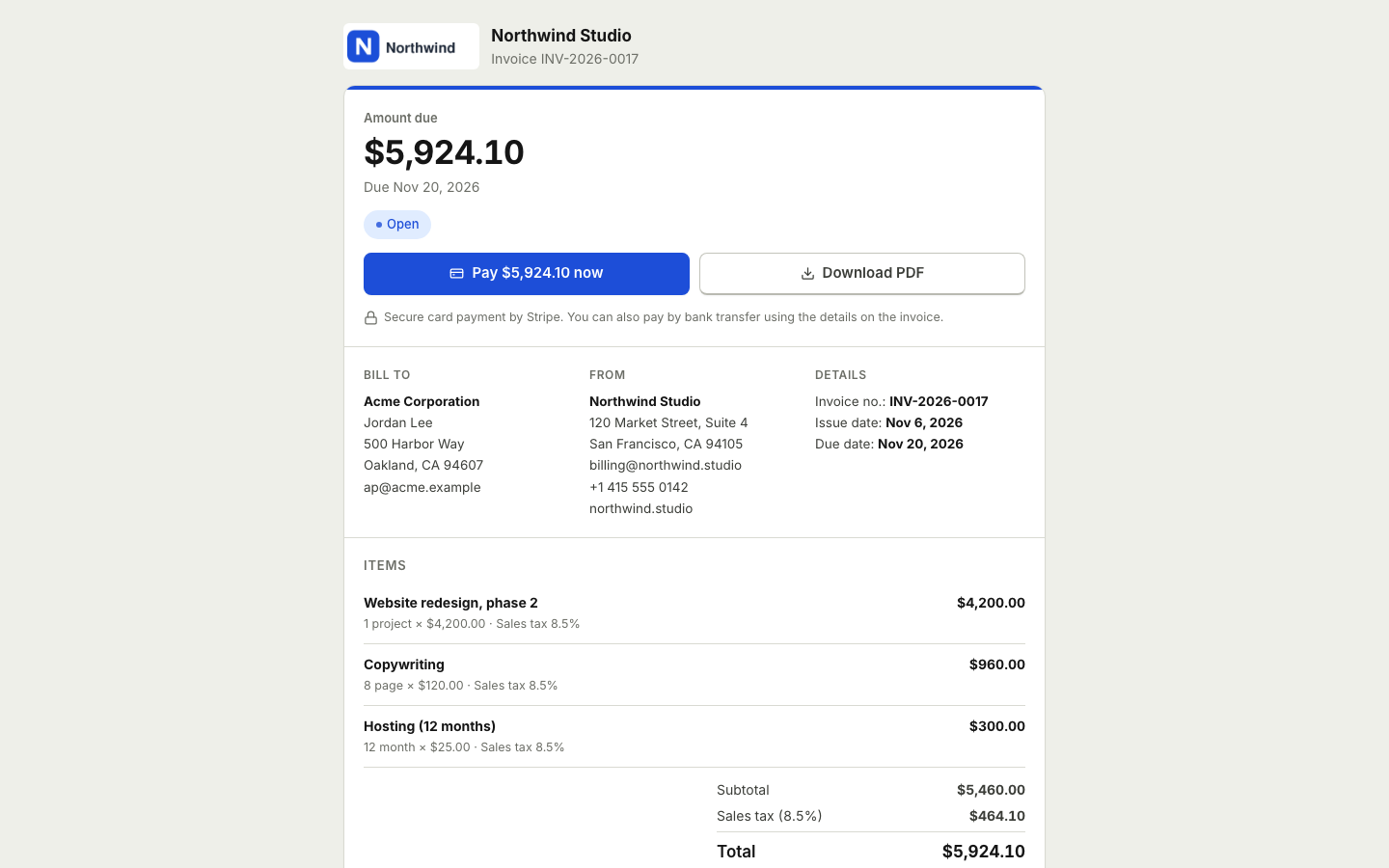 Online paymentsConnect your own Stripe, PayPal, Square, Razorpay, Mollie, GoCardless or Lemon Squeezy account. Clients pay online and the payment posts to your books.
 Time tracking and projectsTrack hours with a timer or timesheet, bill them on invoices and see the income, costs and profit of every project.Expenses and billsRecord expenses, checks and supplier bills, pay them on time, track vendors and purchase orders, and keep every receipt attached.Payroll and contractorsRecord paychecks with the wages, deductions and employer taxes you enter, track payroll liabilities and total 1099 contractor payments.Payment remindersAutomatic, polite reminder emails before, on and after the due date. They stop as soon as the invoice is paid.
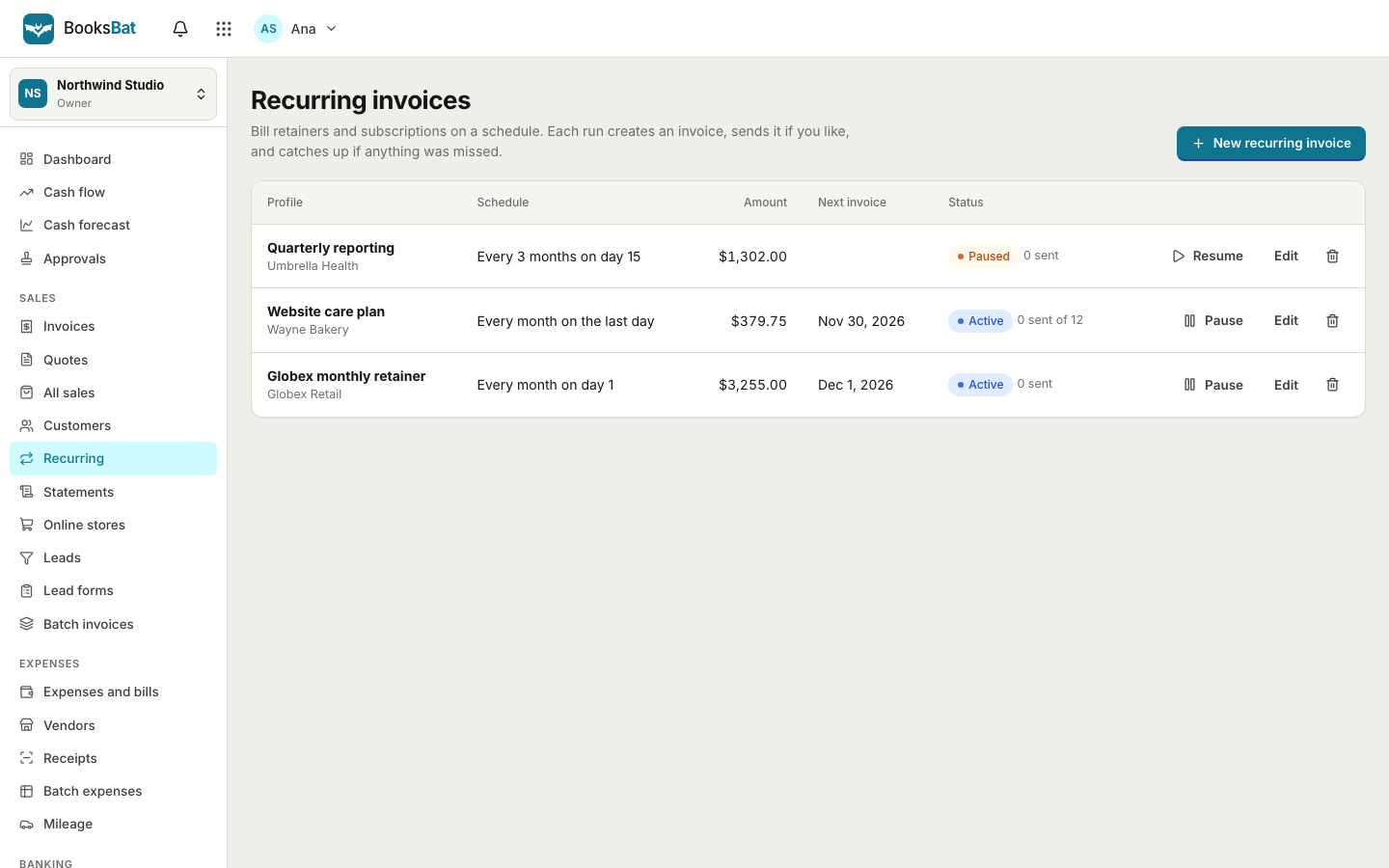 Invoicing for cleaning businessesRecurring invoices for weekly and every 2 weeks cleans, online payments, automatic reminders and simple books.
Send your next estimate with BooksBat
Create a free account in seconds. No credit card, nothing to install, and it works on the phone in your pocket.