Your clients and services, ready on every invoice
Save each client's details once, keep a catalog of the products and services you sell, and set up your business profile with your logo, tax ID, payment terms and bank details. New invoices and quotes fill themselves in.
- 5 customers free, unlimited on Pro
- CSV import and export
- Nothing to install
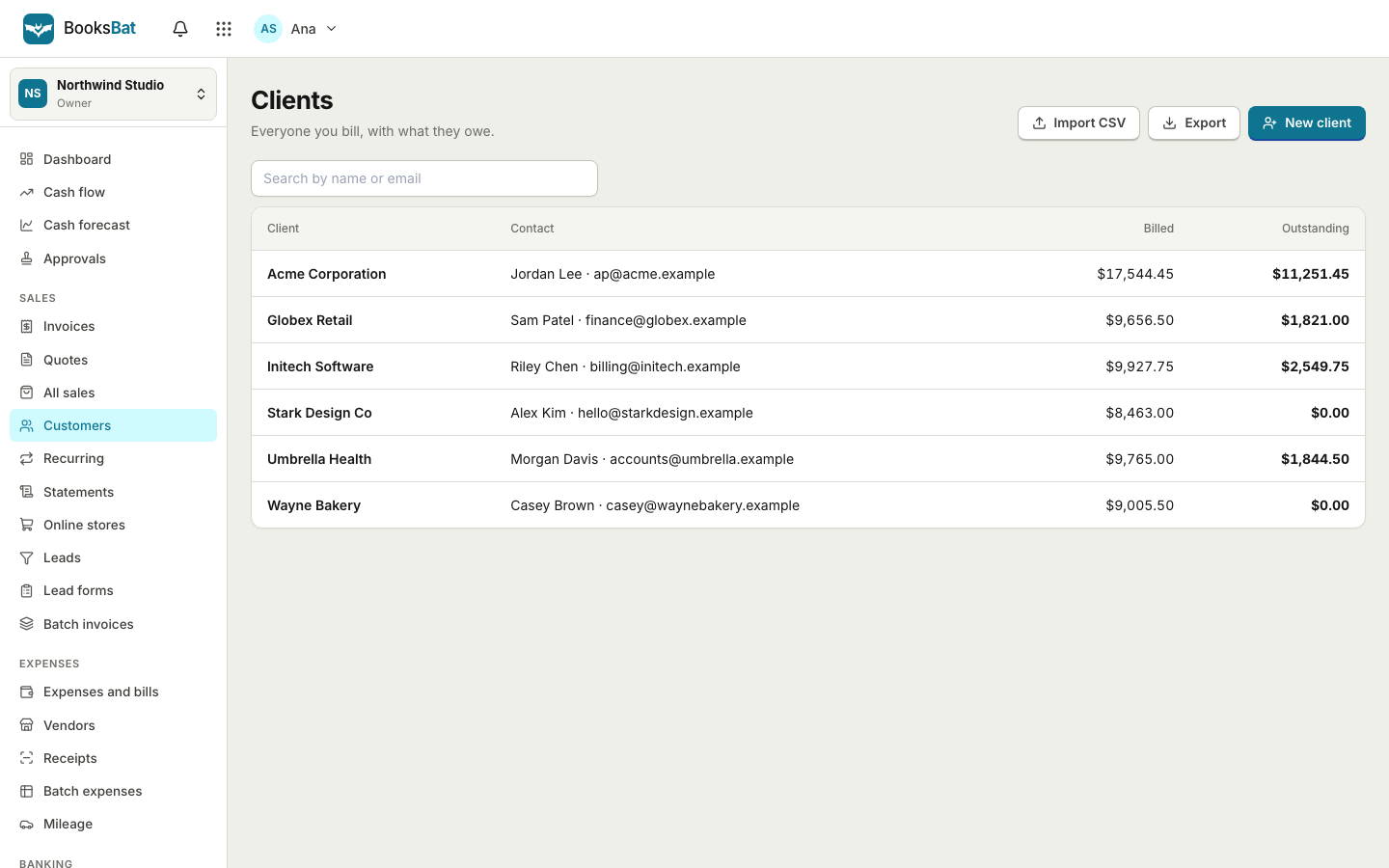
Type it once, use it everywhere
Retyping a client's address, a tax ID or the description of a service you sell every week is slow and error prone. BooksBat keeps a list of your clients and a catalog of your products and services, so you pick them from a list instead.
Each client has a page with their contact details and their history with you: every invoice and quote you sent them, what they paid and what is still open. Your business profile sits behind all of it, so your logo, address, tax ID, currency, payment terms and bank details appear on every document without you thinking about it.
Why keep clients in BooksBat
One place for every client
Name, contact person, email, address and tax ID, plus every invoice, quote and payment for that client.
Products and services catalog
Save items with a description, unit and unit price, then add them to an invoice or quote in a click.
CSV import
Moving from a spreadsheet or another tool? Import your client list from a CSV file instead of typing it in.
CSV export
Export your clients as CSV whenever you like. Your data stays yours.
Business profile
Logo, address, tax or VAT ID, default currency, payment terms, tax rates, notes, terms and bank details, set once.
Get set up in 3 steps
- 1
Fill in your business profile
Add your logo, address, tax ID, default currency, payment terms and bank details in Settings.
- 2
Add or import clients
Create clients one by one or import them from a CSV file on the clients page.
- 3
Save your products and services
Add the things you sell most often with a unit and price, then pick them when you build an invoice or quote.
What you can store
- Client details
- Company or person name, contact name, email address, postal address and tax ID, shown on invoices and quotes.
- Client history
- Every invoice and quote sent to a client, with its status, plus payments received and the balance still open.
- Catalog items
- Products and services with a description, unit such as hour, day or item, and a unit price.
- Default taxes
- Save your tax rates once in your profile, including compound taxes, and apply them on each line.
- Number formats
- Choose a format such as INV-{YYYY}-{0001}. Numbers count up on their own and never repeat.
- Payment terms
- Set default terms, and the due date of each new invoice is worked out for you.
- Notes and terms
- Default notes and terms text that appears on every invoice or quote, which you can change per document.
- Bank details
- Shown on invoices for clients who pay by transfer, and used when no payment provider is connected.
- Currency and locale
- Pick your default currency from any ISO 4217 code and the locale used for dates and numbers.
- Import and export
- Bring clients in from CSV and take them out again as CSV at any time.
Importing clients from a spreadsheet
If your clients live in a spreadsheet or another invoicing tool, export them as CSV and import the file on the clients page. Each row becomes a client with their name, email, address and tax ID, ready to invoice.
Check the imported list once before you send anything, especially email addresses, because that is where invoices and payment reminders will go. Moving your whole business over? The import page also brings in vendors, products and services, your chart of accounts and opening balances from CSV or Excel files.
Why a catalog saves time
If you sell the same things again and again, a catalog keeps your descriptions and prices consistent. A cleaner might save a standard clean, a deep clean and an oven clean. A consultant might save an hourly rate and a day rate. A photographer might save a half day shoot and an extra edited image.
- Add a catalog item to an invoice or quote, then change the quantity, add a per line discount or adjust the price if this job is different.
- Use units such as hour, day, item or visit so clients understand exactly what they are paying for.
- Combine catalog items with free text lines for one off extras.
Each product or service is linked to an income account, so sales land in the right place in your books. On Business, products can also be inventory items with quantity on hand, cost of goods sold and reorder points. See inventory management.
Free, Pro and Business
The free plan lets you save up to 5 customers and send 5 invoices and 5 quotes a month, with bookkeeping, expenses and vendors included. Pro is $4 a month for unlimited customers, invoices and quotes, with no BooksBat branding, plus recurring invoices, automatic reminders and customer statements. Business is $12 a month and adds inventory, projects and time tracking. See pricing for details.
Frequently asked questions
How many clients can I save for free?
Up to 5 customers on the free plan. Pro, at $4 a month, gives you unlimited customers, invoices and quotes.
Can I import my existing clients?
Yes. Import a CSV file on the clients page and each row becomes a client. You can export your clients as CSV too.
What is the products and services catalog?
A saved list of the things you sell, each with a description, unit and price. Pick items from it when you create an invoice or quote.
Can I change a catalog price on one invoice only?
Yes. Adding an item copies it to the invoice, where you can change the quantity, price or discount without touching the saved item.
Where do I add my logo and tax ID?
In your business profile under Settings. They appear on every invoice and quote, along with your address, payment terms and bank details.
Can invoice numbers repeat?
No. You choose a format such as INV-{YYYY}-{0001}, and BooksBat counts up for each new invoice without ever reusing a number.
Related features
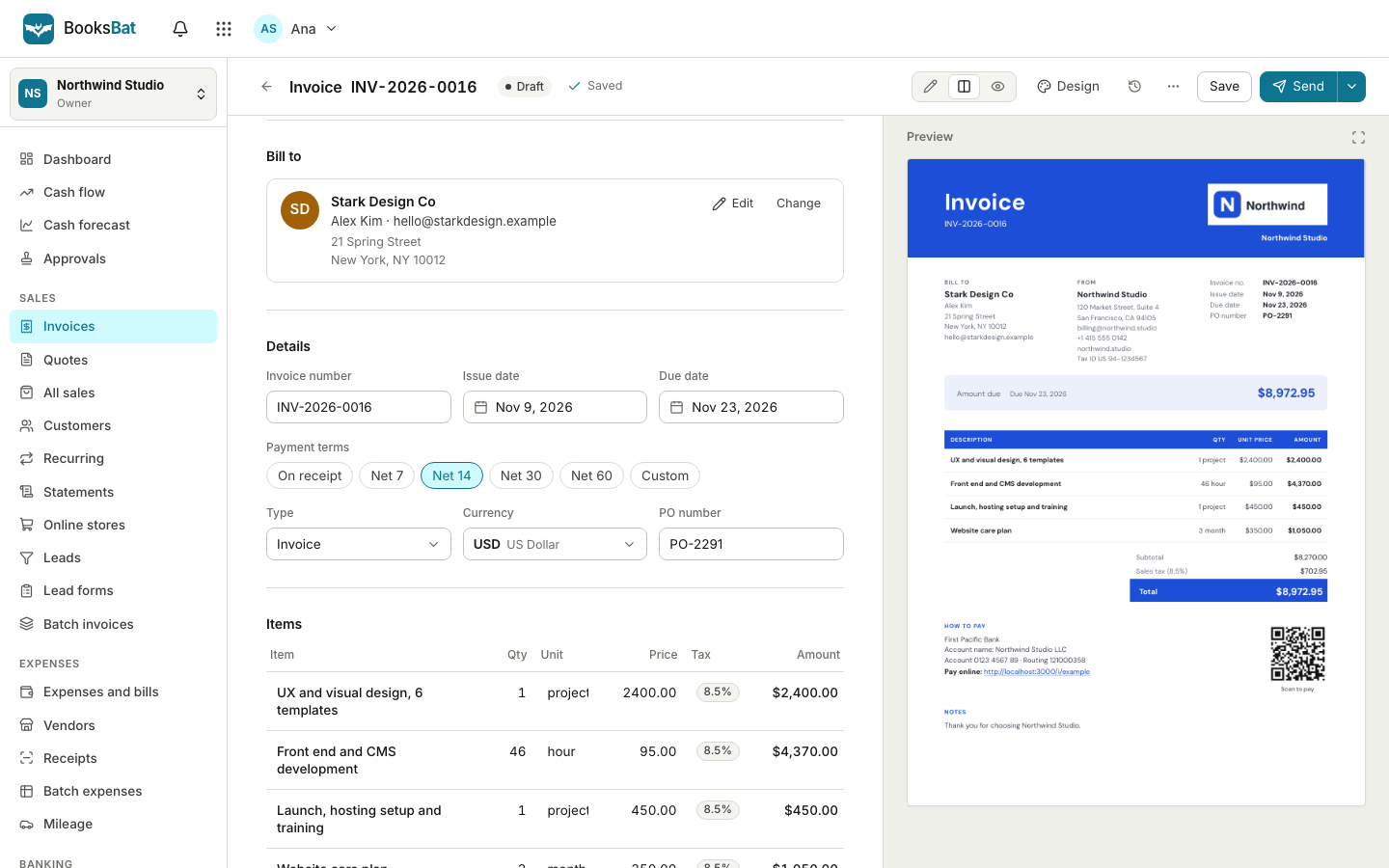 Online invoicingCreate professional invoices in minutes, email them with the PDF attached and let clients view and pay on a mobile friendly page.
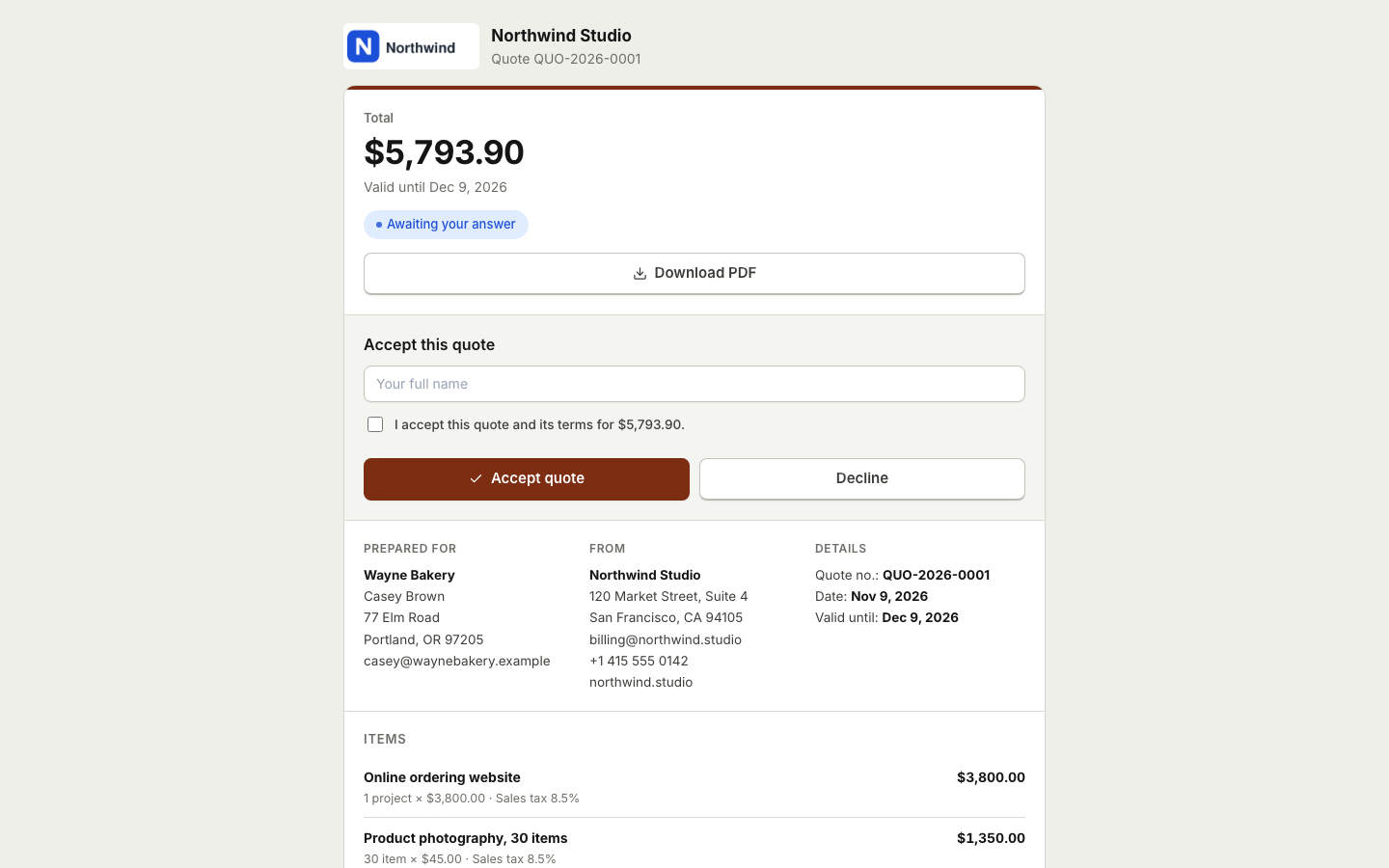 Quotes and estimatesSend quotes your clients accept online with a typed name, then turn them into invoices with one click or automatically.
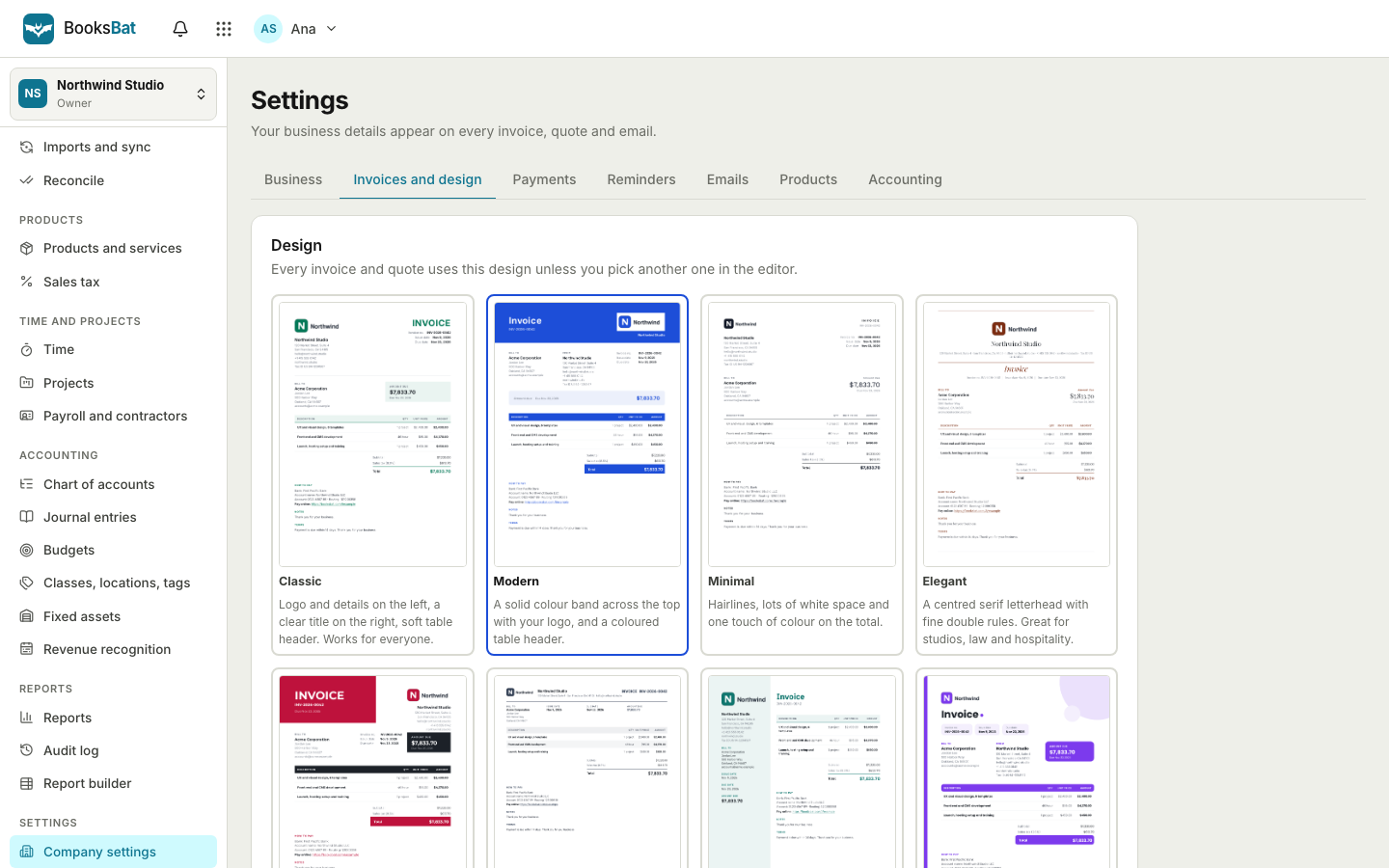 Invoice designs and templates8 professional invoice designs with your logo and brand color, plus a template library by industry. Download as PDF or Word.
 Inventory managementTrack quantity on hand, cost of goods sold and reorder points for the products you sell, with bundles and an inventory valuation report.
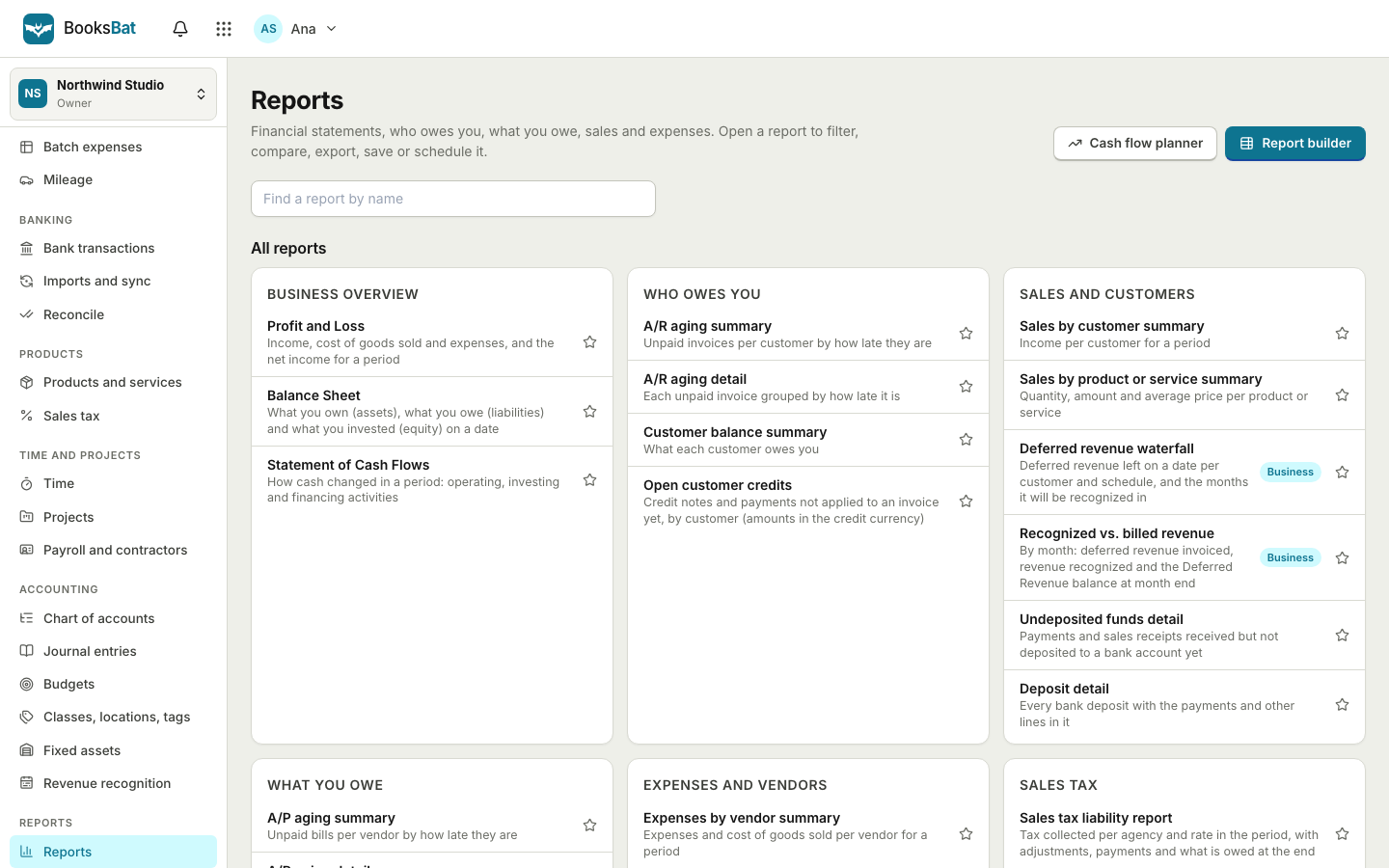 Dashboard and sales reportsSee what is outstanding, overdue and paid at a glance, with AR aging, sales by customer and tax reports built from your invoices.Invoicing APIA REST API for clients, invoices and quotes: create, send and record payments from your own code, with OpenAPI docs.
Set up your clients in minutes
Create a free account, add your business profile and import your clients. Your first invoice is a few clicks away.